Local SEO for Multi-Location Businesses
Read more about this topic
Local SEO for multi-location businesses is the key to dominating search results in every city you serve. Whether you run a chain of restaurants, retail stores, or service franchises, this strategy ensures each branch ranks prominently in its own local market—without cannibalizing the others. By optimizing unique landing pages, managing consistent NAP (name, address, phone) data across directories, and building location-specific reviews and local citations, you turn every storefront into a powerful conversion hub. From Google Business Profile automation to localized content and schema markup, the payoff is measurable: more foot traffic, higher phone calls, and a commanding edge over competitors in each neighborhood. Dive in to leverage scalable tactics that boost visibility across your entire footprint.
2 articles
Articles in Local SEO for Multi-Location Businesses
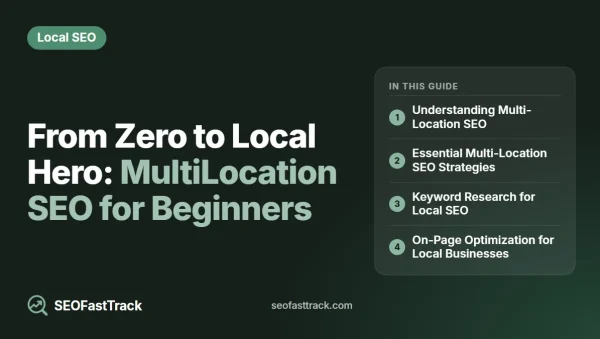
From Zero to Local Hero: MultiLocation SEO for Beginners
Local SEO for Multi-Location Businesses: Dominate Every Market You Serve
If you run a business with multiple physical locations—whether it’s a chain of restaurants, retail stores, or service centers—you know that a single, generic SEO strategy won’t cut it. You need a tailored approach that helps each branch rank prominently in its own local market while building a cohesive brand presence. This subcategory of Local SEO is designed specifically for multi-location enterprises. Here, you’ll learn how to scale local visibility without losing the personal touch that drives foot traffic, calls, and appointments. From managing Google Business Profiles at scale to crafting location-specific content, you’ll discover the exact tactics to ensure every storefront gets its share of local search traffic.
📍 Building a Scalable Google Business Profile Strategy for Each Location
Your Google Business Profile (GBP) is the cornerstone of local search. For multi-location businesses, the challenge is managing dozens or hundreds of profiles consistently. You’ll learn how to centralize your GBP management using bulk uploads, API tools, and third-party dashboards. Consistent NAP (Name, Address, Phone) data across all profiles is non-negotiable; any mismatch can confuse search engines and drop your rankings. We’ll also cover how to craft unique descriptions, choose the right categories, and schedule posts for each branch without duplicating content.
Beyond setup, you need to maintain each profile. This includes responding to reviews with local awareness, updating holiday hours, and adding location-specific photos. Geo-gated campaigns, where you offer a special promo only at certain branches, can boost engagement and clicks. We’ll show you how to track performance metrics per store, such as search views, direction requests, and phone calls, so you can double down on what works in each neighborhood.
🗺️ Localized Landing Pages That Convert Without Cannibalizing Rankings
Creating a dedicated landing page for each location is essential, but doing it wrong can hurt your main site’s authority. You’ll learn how to structure URLs (e.g., yoursite.com/locations/chicago-loop) while using schema markup for LocalBusiness and geo-coordinates. The key is to avoid thin content—each page must have genuinely useful, unique information about that area. Include testimonials from local customers, embedded maps, driving directions, and specifics like parking availability or neighborhood landmarks.
To prevent keyword cannibalization, you’ll implement a smart internal linking strategy. Instead of targeting the same broad keyword like “plumber” on every page, you’ll niche down to “plumber in Westside Chicago” and link to the main service page from each location. This way, Google understands which page should rank for which query. We’ll also cover how to include local FAQs and a store-specific contact form that routes inquiries directly to the right team.
📊 Aggregator & Citation Management: Keeping 500 Listings Consistent
Beyond Google, your business appears on Yelp, Apple Maps, Facebook, and dozens of niche directories. For multi-location brands, inconsistent citations are a silent ranking killer. You’ll discover tools like Moz Local, Yext, or BrightLocal that let you push your NAP data to hundreds of platforms in one click. Auditing your current citations is the first step—we’ll show you how to find duplicates, wrong phone numbers, or old addresses that may have lingered after a move.
You’ll also learn about local-specific aggregators like Acxiom, Localeze, and Data Axle, which feed data to major search engines. Keeping these updated is critical for voice search accuracy and map pack rankings. We’ll teach you a quarterly audit workflow to catch new inaccuracies, plus how to handle negative reviews across multiple platforms in a way that aligns with your brand voice while respecting local nuances.
🔍 Hyperlocal Content & Review Generation Tactics for Every Store
Content that mentions local events, partnerships, or news stories can create powerful contextual relevance. Instead of writing generic blog posts, you’ll learn to create a content cluster for each location. For example, a coffee shop chain might publish a guide titled “Best After-Work Spots Near Our Downtown Denver Location” or sponsor a local charity run and write about it. These posts earn backlinks from local news sites and community blogs, boosting your domain authority for that specific city.
Reviews are another goldmine. You’ll set up review funnels that ask customers via text or email to rate their experience, but with location-specific links. Train staff to mention the branch name in conversation to trigger organic review mentions. We’ll dive into how to respond to reviews using templates that include the location name, the staff member’s name, and a local apology or thanks. This humanizes your brand and signals to search engines that each store is actively engaged with its community.
⚙️ Tracking Multi-Location KPIs: From Rankings to In-Store Footfall
You can’t improve what you don’t measure. In this section, you’ll set up location-specific tracking in Google Analytics and Search Console. This includes creating separate views or using UTM parameters on local landing pages, so you know which city drives the most conversions. You’ll also connect your GBP insights with actual sales data or call tracking numbers (e.g., using a unique phone number per store) to calculate true ROI for each branch.
Beyond clicks and calls, we’ll explore footfall attribution through mobile location data and WiFi analytics. Tools like Foursquare or GroundTruth can show how many users who searched “coffee near me” actually walked into your store. You’ll learn to set up a monthly reporting dashboard that compares stores side-by-side, highlighting which locations need more review pushes or citation cleanup. This data-driven approach helps you allocate marketing budgets effectively.
Frequently Asked Questions
How many Google Business Profiles can I have for multiple locations?
You can (and should) have one unique Google Business Profile for each physical location. Google allows up to 20 profiles per business account, but if you have more locations, you’ll need to use a bulk location group or a third-party management tool. Ensure every profile has a different address, phone number (or extension), and no duplicate listings for the same storefront.
Should I use one website or separate domains for each location?
We strongly recommend using a single domain with subfolders like /locations/ for each branch. Separate domains split your domain authority and weaken your overall SEO. A single domain lets you build consistent internal links and trust signals. Only consider separate domains if you’re targeting strongly unrelated markets or international regions.
What is the best way to avoid duplicate content on location pages?
Avoid copying and pasting the same service description on every page. Write unique content that mentions local landmarks, community events, or specific team members. Use different photos, embedded maps, and local testimonials. Add a unique FAQ block per location. Search engines reward original, valuable content, so never template every paragraph.
How do I handle negative reviews for one branch without hurting the brand?
Always respond publicly with a professional tone, acknowledging the issue and offering a direct solution (e.g., “Please contact our manager at this store”). Don’t mention other locations. If the issue is systemic, fix it internally, but keep the response local. Encourage happy customers at that branch to write positive reviews to balance the rating. Never delete negative reviews unless they violate platform policies.
What tools are best for managing citations for multi-location businesses?
Popular options include Yext, Moz Local, BrightLocal, and Synup. They allow you to manage dozens or hundreds of listings from one dashboard, with features like duplicate finding, real-time sync, and reporting. If you’re on a budget, start with Google Business Profile manager and manually update top directories like Yelp and Facebook. For larger operations, invest in automation to save time and reduce errors.
Related topics