
Link Audits and Disavow Files
Read more about this topic
Link audits and disavow files are the unsung heroes of a resilient SEO strategy, acting as your quality control system for backlinks. A thorough link audit helps you uncover toxic, spammy, or unnatural links that could be dragging down your search rankings, while a well-crafted disavow file tells Google to ignore those harmful signals—protecting your site from algorithmic penalties and manual actions. Whether you’re cleaning up after a negative SEO attack, recovering from a penalty, or simply fine-tuning your link profile, mastering audits and disavow files is essential for long-term authority building. Dive in to learn how to identify risky links, prioritize your cleanup, and submit a disavow file that keeps your backlink ecosystem clean, safe, and primed for sustainable growth. Perfect for small business owners, bloggers, and digital marketers ready to take control of their link equity! 🛡️🔗
1 article

Articles in Link Audits and Disavow Files
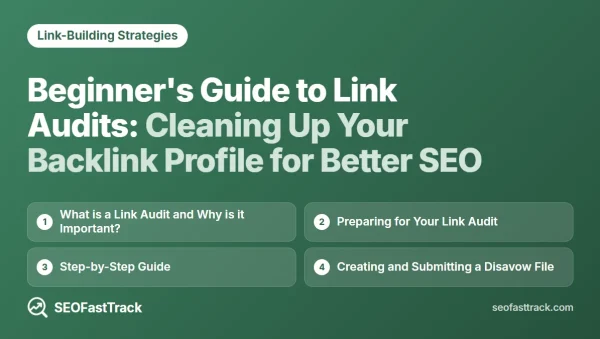
Mastering Link Audits and Disavow Files for a Clean Backlink Profile
Welcome to the Link Audits and Disavow Files subcategory, a critical pillar of our Link-Building Strategies hub at SEOFastTrack. Here, we strip away the guesswork of toxic backlinks and empower you with actionable, technical know-how to protect your website’s authority. You’ll learn not just how to find harmful links, but precisely how to build a disavow file that search engines respect. Expect step-by-step workflows, tool comparisons, and real-world examples tailored for small business owners, bloggers, and digital marketers. Whether you’re recovering from a Google penalty or proactively cleaning your profile, this section is your defensive playbook for sustainable organic rankings.
🔍 Why Regular Link Audits Are Non-Negotiable
A link audit is the SEO equivalent of a health checkup—it reveals which backlinks are boosting your rankings and which are quietly dragging you down. Without regular audits, you risk accumulating spammy, irrelevant, or unnatural links that trigger Google’s SpamBrain algorithms. This can lead to manual penalties or algorithmic drops, undoing months of hard-earned progress. By auditing quarterly, you can spot patterns like sudden spikes in referring domains, anchor text over-optimization, or links from hacked sites, allowing you to act before damage spreads.
For small business owners, this is especially vital because you may have unknowingly purchased low-quality links or been hit by negative SEO attacks from competitors. A thorough audit uses tools like Ahrefs, SEMrush, or Google Search Console to segment your backlinks by authority, relevance, and trust. You’ll learn to differentiate between a harmless low-quality link and a genuinely penalizing one. Our guides simplify complex metrics—like Domain Rating (DR) and Spam Score—into digestible actions, ensuring you never waste time on false alarms or miss critical red flags.
🛠️ Step-by-Step: How to Perform a Comprehensive Link Audit
Performing a link audit doesn’t require a data science degree. Start by exporting your entire backlink profile from Google Search Console and a third-party tool. Then, create a spreadsheet with columns for source URL, anchor text, domain authority, and linking page context. Next, filter for low-quality indicators: sites with thin content, irrelevant niches, or obvious paid link patterns. Use your tool’s “toxic score” as a starting point, but don’t rely on it blindly—always manually spot-check a sample of flagged URLs. This blend of automated data and human judgment ensures accuracy.
Once you’ve identified suspicious links, prioritize them based on their potential impact. Links from hacked websites, adult content, or casino/pharma sites should be flagged immediately. Also, watch for links with exact-match anchor text repeated excessively—a classic over-optimization sign. For each flagged link, record its URL and the reason for removal. This documentation becomes your roadmap for outreach and disavowal. Our templates for outreach emails will help you request removal politely, and if that fails, you’ll know exactly when to escalate to disavow. This systematic approach prevents missed toxic links and saves hours of guesswork.
🚫 Crafting a Disavow File That Actually Works
A disavow file is a plain-text file that tells Google to ignore specific backlinks, but only if done correctly. The file must be uploaded via the Google Disavow Tool, and it’s your last resort after attempting removal. To craft an effective file, list one URL or domain per line, using domain:example.com syntax for entire domains. Crucially, only disavow links you’re certain are harmful—over-disavowing can strip away valuable link equity. Google’s guidance is clear: disavow only if you have a manual action or believe links are unnatural.
Your file should be organized, commented (using # for notes), and free of duplicate entries. For example, include a comment like # Removed from low-quality directory, August 2024 to maintain transparency. After uploading, Google warns it may take several weeks for the disavow to be processed. You should also resubmit the file if you add new links, but avoid updating too frequently. Our examples show you exactly how to structure disavow files for both URL-level and domain-level penalties, ensuring you don’t accidentally disavow your own assets or authoritative references that could be repurposed later.
📊 Top Tools for Link Audits: Free vs. Paid
You don’t need an expensive enterprise suite to perform effective audits. Google Search Console (GSC) is your free baseline—it shows all links Google knows about, letting you filter by date and anchor text. For deeper analysis, the free versions of Ahrefs Webmaster Tools and SEMrush offer limited but useful site audit features. These tools flag toxic links using proprietary spam scores, but you must verify their accuracy manually. For bloggers and small businesses, these free options cover 80% of audit needs without burning a budget.
Paid tools like Ahrefs or Moz Pro elevate your game with historical data, competitor link comparisons, and automated alerts when new toxic links appear. They also let you track link velocity, which is crucial for spotting negative SEO attacks. However, the real value lies in their disavow file generators, which pre-format flagged domains for quick inclusion. Our comparison guides break down costs, learning curves, and unique features, helping you pick the right tool based on your site’s size and your technical comfort. Remember, no tool replaces manual review—use them to narrow down, not to make final decisions.
⚖️ Recovering from a Google Manual Penalty via Disavow
If you’ve received a manual action in Google Search Console for unnatural links, your recovery process hinges on a flawless disavow file. First, download your entire backlink list and run a comprehensive audit, focusing only on the problematic links mentioned in the penalty message. Then, compile a disavow file with exact URLs first, and only use domain-level disavowals for large spam networks. After uploading, submit a reconsideration request in GSC, clearly explaining your corrective steps. This request should be detailed but concise, referencing the date of your disavow upload and the tools used.
Recovery isn’t instant—Google typically re-crawls your site within weeks. During this time, avoid building new links aggressively, as that can seem suspicious. Instead, focus on improving on-page content and earning high-quality editorial links. Our case studies show that sites with clean, well-documented disavow files recover their rankings within 2-3 months. We also warn against using third-party “penalty removal” services that promise instant fixes—they often upload overly broad disavow files, causing collateral damage. With our step-by-step guide, you can confidently navigate the reconsideration process and restore your site’s trust with Google.
🛡️ Proactive Disavow Strategies: Preventing Future Penalties
The best time to create a disavow file is before you ever need it. Proactive monitoring involves setting up weekly alerts in tools like Google Analytics or using paid tools’ “toxic link” notifications. When a new questionable link appears, add it to a “watch list” and attempt removal within 30 days. If the site doesn’t respond, prepare a draft disavow file but don’t upload it yet—Google advises against disavowing links you haven’t tried to remove, unless they’re clearly spam. This preemptive documentation keeps you ready for any sudden algorithmic shifts.
Another proactive tactic is to build a link velocity baseline for your niche. If your new links suddenly spike from low-quality directories, that’s a red flag. You can also use the disavow tool to neutralize links from domains that were hacked after pointing to you—a growing threat. Our guides teach you how to set up Google Alerts for your brand name plus “sponsored” or “guest post” keywords, catching bad links early. By integrating these practices into your quarterly SEO routine, you’ll maintain a pristine profile that withstands Google’s frequent algorithm updates, even during volatile periods like core updates.
Frequently Asked Questions
How often should I perform a link audit?
We recommend a full audit every quarter for established sites, and monthly for new sites or after algorithm updates. Frequent audits help catch negative SEO attacks early, but over-auditing can waste resources. Use GSC’s performance alerts to trigger an audit if you notice sudden traffic drops or a spike in referral spam.
Can I disavow links without a manual penalty?
Yes, Google allows disavowing without a manual penalty, but you should only do so for clear spam links. Over-disavowing can lose valuable link equity. If you’re unsure, attempt removal first. The Disavow Tool is a last resort, not a preventive maintenance tool—use it judiciously to avoid self-harm.
What’s the difference between disavowing a URL and a domain?
Disavowing a URL ignores only that specific page, while disavowing a domain ignores all links from that entire site. URL-level disavowal is safer for mixed-quality sites. Domain-level disavowals are reserved for huge spam networks. Always prefer URL-level disavowal unless the domain is overwhelmingly toxic.
Will disavowing links hurt my rankings?
It can temporarily affect rankings if you disavow high-authority links by mistake. However, for genuine toxic links, you’ll likely see rankings stabilize or improve after Google recrawls. The key is precision—use the file to remove only harmful links, not every low-DR domain. Our guides show you how to verify link quality before disavowing.
How long does it take for a disavow file to take effect?
Google’s John Mueller states that processing can take anywhere from a few days to several weeks. There’s no precise timeline, and you shouldn’t expect immediate changes. After uploading, continue monitoring your backlink profile and don’t resubmit the same file repeatedly, as that delays processing. Patience and consistency are crucial.
Related topics