Internal Link Building for SEO Power
Read more about this topic
Unlock the hidden potential of your website’s architecture with internal link building—the smartest, most cost-effective way to boost your SEO power without chasing external backlinks. By strategically connecting your pages, you guide both users and search engine crawlers through your content, distributing authority and relevance exactly where it matters most. This isn’t just about navigation; it’s about creating a resilient link graph that amplifies your keyword rankings, improves crawl efficiency, and increases dwell time. Whether you’re a blogger or a small business owner, mastering internal links can transform underperforming posts into traffic magnets while strengthening your entire domain’s authority. Think of it as your website’s internal superhighway—every road you build can lead to higher visibility. With the right anchor text, contextual placement, and a solid silo structure, you can pass “link juice” to money pages, reduce orphaned content, and boost the overall user experience—all factors that Google rewards.
1 article

Articles in Internal Link Building for SEO Power
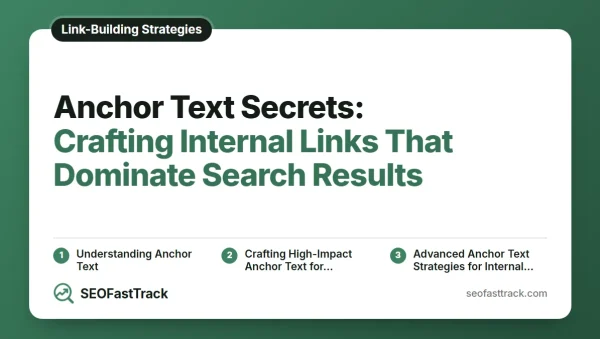
Internal Link Building for SEO Power: Unlock Hidden Ranking Potential
Welcome to SEOFastTrack’s deep dive into Internal Link Building for SEO Power, a core pillar within our broader Link-Building Strategies category. Unlike external backlinks, internal links are entirely within your control—they connect your own pages, distribute authority, and guide both users and search engine crawlers through your site’s architecture. For small business owners, bloggers, and digital marketers, mastering this subtle art transforms a collection of posts into a cohesive, high-ranking ecosystem. This page breaks down actionable tactics to boost your page authority, improve crawlability, and increase organic click-through rates—without spending a dime on outreach.
🔗 Anchor Text Optimization: The Key to Relevance
Anchor text—the clickable words in a hyperlink—acts as a signal to Google about the linked page’s topic. Effective internal linking uses descriptive, varied anchor phrases that naturally include target keywords. For example, instead of “click here,” use “complete on-page SEO checklist” to tell crawlers exactly what the destination covers. Over-optimization, however, triggers spam filters, so balance is crucial: mix exact-match, partial-match, and branded anchors.
Here, you’ll learn to audit existing anchors, spot missed opportunities, and craft link text that boosts contextual relevance. We’ll show you how to avoid generic phrases, use synonyms, and leverage long-tail variations that align with user intent. By refining your anchors, you create a semantic web within your site, helping Google understand topical clusters and improving your rankings for both head terms and niche queries—all while enhancing user navigation.
🗺️ Siloing Content: Build Thematic Authority
Content siloing organizes your site into logical, topic-based groups, where a pillar page links to several supporting posts, and those posts link back to the pillar. This structure creates a clear hierarchical flow, concentrating link equity on your most important pages. For instance, in your SEO guide, a “Keyword Research” pillar could link to posts on “Long-Tail Keywords” and “Search Volume Tools,” signaling these subtopics as authoritative resources.
This section provides a step-by-step blueprint for mapping your content, identifying gaps, and interconnecting related pieces. You’ll learn to avoid orphan pages (those with no internal links) and ensure every post receives at least one relevant internal link. Siloing not only boosts crawl efficiency but also improves dwell time—visitors naturally explore deeper. By implementing silos, you turn your blog into a credible knowledge hub, increasing the likelihood of earning external backlinks and ranking for broader industry keywords.
⚡ PageRank Sculpting: Distribute Authority Wisely
Every internal link passes “link juice” (PageRank) from one page to another. Strategic internal linking allows you to funnel this authority from high-traffic, high-authority pages (like your homepage or popular guides) to newer or underperforming posts that deserve a ranking boost. This is especially powerful for small sites with limited external backlinks—you can create an internal ecosystem that mimics external editorial endorsements.
We’ll teach you how to identify your strongest pages using analytics, then link them to targeted “money pages” (landing pages or cornerstone content) that drive subscriptions or sales. Avoid the common pitfall of linking every page to every other page, which dilutes value. Instead, prioritize links that serve user intent and align with conversion goals. By sculpting PageRank deliberately, you accelerate indexing of fresh content and elevate the visibility of content that directly impacts your bottom line, all within your existing site infrastructure.
🔎 Crawl Efficiency and Indexing: Help Google Find You
Internal links are the primary pathways for search engine bots to discover new pages. A well-linked site ensures every important URL is reached within a few clicks from the homepage, reducing crawl depth and improving indexation speed. Sites with broken internal links or excessive redirects waste the crawl budget, causing valuable pages to be overlooked or ranked poorly. This subcategory focuses on technical hygiene that supports your link-building power.
Here, you’ll get practical checklists for fixing 404s, updating outdated links, and using XML sitemaps in tandem with internal navigation. We’ll guide you on using tools like Screaming Frog or Google Search Console to simulate crawling and spot weak links. You’ll also learn to limit the number of links per page (ideally under 100) and use “nofollow” sparingly for low-value pages. By optimizing crawlability, you ensure that the authority you build through internal links is fully transferred and recognized, maximizing your organic search footprint.
🔄 User Experience and Engagement: Reduce Bounce Rate
Internal links are not just for bots—they’re for humans exploring your content. A thoughtful internal linking strategy guides readers to the next logical article, increasing page views, time on site, and reducing bounce rates. This behavioral signal increasingly influences rankings, as Google prioritizes content that satisfies user intent. Links placed contextually within paragraphs, rather than buried in sidebars, draw attention and prompt clicks.
We’ll share templates for adding “Related Posts” blocks, in-text anchor links, and “Next Steps” calls-to-action that feel natural, not pushy. You’ll learn to match link text with the reader’s current query, creating a seamless journey from problem to solution. By weaving internal links into your narrative, you transform passive readers into active explorers. Over time, improved engagement metrics signal to Google that your content is trustworthy and valuable, indirectly boosting your authority and amplifying the power of every external link you earn.
Frequently Asked Questions
How many internal links should I add per blog post?
There’s no hard limit, but aim for 2-5 relevant internal links per 1,000 words. Quality outweighs quantity—each link should add genuine value for the reader, linking to deeply related content. Over-linking can confuse users and dilute authority. Focus on contextual placement within natural sentences rather than forcing links into every paragraph.
Do internal links pass the same authority as external backlinks?
Yes, internal links pass PageRank and relevance signals, but their impact is limited to your domain’s overall authority. External backlinks bring new authority into your site, while internal links redistribute it internally. Both are essential: external links build your site’s authority baseline, while internal links ensure that authority reaches your key pages.
Can I use “nofollow” on internal links to preserve PageRank?
Generally, avoid nofollow on internal links unless linking to login pages or user-generated content. Using nofollow on internal links blocks authority flow and is rarely beneficial. Instead, use “noindex” for pages you don’t want indexed, and let internal links flow freely to pass equity to your important posts.
How do I find internal linking opportunities on my old posts?
Use Google Search Console’s “Links” report or a tool like Ahrefs’ Site Audit. Look for pages with high impressions but low clicks—then link them to newer, related posts. Alternatively, search your content for keywords that match older posts and manually add links. Regularly audit your site quarterly to capture new opportunities.
What’s the best practice for linking to a new cornerstone page?
Link to your new cornerstone page from your homepage, top navigation menu, and all relevant high-authority old posts. Ensure the anchor text includes your primary keyword. Also, update the cornerstone page itself to link out to fresh supporting content. This dual-direction linking establishes it as a central hub over time.
Related topics