
Video Schema Markup and Optimization
Read more about this topic
Unlock higher click-through rates and richer search results by mastering Video Schema Markup and Optimization—the technical backbone of any successful Video SEO strategy. By implementing structured data like VideoObject, you help search engines understand your content’s context, enabling eye-catching features such as thumbnails, durations, and publish dates directly in the SERPs. This not only boosts visibility but also drives more relevant traffic to your videos. From choosing the right schema properties (e.g., uploadDate, thumbnailUrl, and contentUrl) to troubleshooting validation errors in Google’s Rich Results Test, this guide provides actionable, step-by-step tactics for small business owners, bloggers, and digital marketers. Learn how to avoid common pitfalls like missing metadata or incorrect markup formats, and discover advanced optimization tips—such as using live-stream schema or clip segments—to stay ahead of algorithm updates. Whether you’re optimizing YouTube embeds or self-hosted videos, these techniques ensure your media stands out, loads faster, and earns prime placement.
1 article

Articles in Video Schema Markup and Optimization
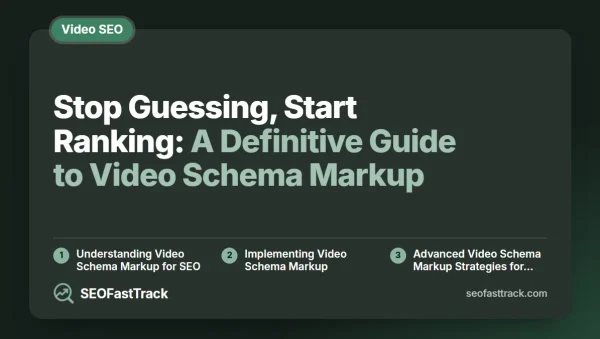
Unlock the Power of Video Schema Markup and Optimization
Video content is a dominant force in search, but simply embedding a clip isn’t enough. Video Schema Markup and Optimization ensures search engines understand your video’s context, duration, and quality, enabling rich results like thumbnails, timestamps, and enhanced visibility. This subcategory within Video SEO is your blueprint to outrank competitors by making your videos machine-readable and irresistibly clickable. From structured data implementation to subtle optimization tweaks, we cover every step to transform ordinary video pages into high-performance search assets.
📐 Understanding VideoObject Schema Fundamentals
VideoObject is the core schema.org type that tells Google your page contains a video. Without it, search engines often guess—and often guess wrong. By adding this structured data, you specify properties like name, description, thumbnailUrl, uploadDate, and duration, which directly feed the rich snippet algorithm. This markup not only improves indexing but also increases the chance of appearing in video carousels and featured positions. Expect to learn how to implement VideoObject using JSON-LD, the recommended format, including nested properties like interactionStatistic for views and potentialAction for watch URLs. Proper schema eliminates ambiguity, so your content is categorized precisely, boosting both relevance and click-through rates.
Beyond basics, VideoObject supports advanced fields like transcript, contentUrl, and embedUrl, which can enhance accessibility and crawlability. We’ll guide you through validation tools like Google’s Rich Results Test to avoid errors that could trigger penalties or suppression. You’ll also discover how to sync schema with your video hosting platform (e.g., YouTube, Vimeo, self-hosted) to ensure consistent signals. Mastering this foundation is non-negotiable for any serious video SEO strategy, as it directly influences how aggressively search engines prioritize your media in competitive queries.
🔍 Advanced Video Optimization Signals Beyond Schema
Schema is the skeleton, but optimization is the muscle. This segment focuses on on-page elements that complement your markup: video file naming, thumbnail selection, and metadata alignment. A descriptive filename like “how-to-fix-leaky-faucet.mp4” outperforms “video123.mp4” because it reinforces topic relevance. Thumbnails should be high-contrast, emotionally engaging, and correctly sized (typically 1280x720) to drive clicks—a poor thumbnail can kill an otherwise perfect schema implementation. We’ll also cover video sitemaps, which act as a fallback for search engines that don’t fully parse JSON-LD, and how to keep them updated with every new upload.
Additionally, page load speed becomes critical because videos are heavy assets. Lazy loading, preload attributes, and CDN integration are explored to ensure your schema isn’t wasted on a slow page. You’ll learn how to place the video above the fold and wrap it with supportive text that matches schema descriptions. This holistic approach sends consistent relevance signals, reducing bounce rates and increasing dwell time—both indirect ranking factors. Expect practical checklists to audit your existing video pages for common missed opportunities, such as missing alt text or unoptimized captions.
⚡ Leveraging Video Schema for Rich Results and CTR
Rich results are the ultimate prize: they make your listing stand out with a large thumbnail, duration badge, and sometimes a live preview. This section shows how to configure schema to unlock video rich snippets in Google, which can boost click-through rates by up to 30% in some niches. We’ll explain the difference between standalone video results and those paired with articles, helping you choose the right page structure. You’ll also explore how to trigger the “Watch” button and how to set up key moments (seek-to-action) so users can jump straight to crucial segments—perfect for tutorials or product demos.
Beyond Google, video schema is recognized by Bing, Yahoo, and even voice assistants. We cover cross-platform compatibility, ensuring your markup doesn’t break on alternative engines. You’ll also learn to use aggregateRating and review properties sparingly, as fake signals can lead to manual actions. The goal is to create a rich result that feels native to search, encouraging both clicks and shares. We’ll share real-world examples of brands that saw measurable traffic gains after optimization, with before-and-after analytics to illustrate potential returns.
📊 Measuring Video Markup Performance and Troubleshooting
Implementing schema isn’t a set-and-forget task; continuous monitoring is essential. This section dives into using Google Search Console’s Performance report to filter queries by video impressions and clicks, identifying which pages underperform. You’ll learn to interpret the Rich Results report to spot structured data errors, warnings, and items that failed validation. Common issues like missing “duration” or “uploadDate” are pinpointed, along with fixes. We also cover how to check your video’s indexation status using the URL Inspection tool, ensuring your content isn’t trapped in a crawl queue.
Troubleshooting extends to server logs and rendering tests, especially if you use JavaScript-heavy frameworks that hide schema from crawlers. We’ll teach you to use rendering tools like Screaming Frog or Chrome DevTools to simulate Googlebot. You’ll also understand how to handle video deduplication—when same content appears on multiple pages—by canonicalizing properly. Analytics integration, such as tracking video play events via Google Analytics 4, helps correlate schema changes with engagement metrics. By the end, you’ll have a maintenance routine to keep your video schema evergreen as algorithms update.
🛠️ Tools and Plugins for Streamlined Video Markup
Not everyone wants to hand-code JSON-LD. This section reviews the best WordPress plugins (e.g., Rank Math, Yoast SEO, Schema Pro) that auto-generate video schema from your media library. We’ll compare their features, including support for custom post types, bulk editing, and integration with video hosting APIs. For non-WordPress sites, we explore Google Tag Manager methods and lightweight custom scripts. You’ll also learn about free validators like Schema.org’s validator and Bing Webmaster Tools’ markup tester to ensure cross-browser compatibility.
Automation is key for scaling: we show how to set up conditional schema rules based on video category, length, or embed type. Plugins often miss advanced properties like “transcript” or “regionsAllowed,” so we teach manual overrides. We also discuss plugin performance impact—some inject heavy scripts that slow pages—and how to mitigate that with preload or deferral. Whether you’re a DIY blogger or an agency managing dozens of sites, you’ll walk away with a toolchain that saves hours while maintaining accuracy. Expect a step-by-step tutorial on configuring one major plugin from scratch.
Frequently Asked Questions
Do I need video schema for every video on my site?
Yes, but only for pages where video is the main content. If a video is supplementary to text, schema is still beneficial because it helps search engines understand the media. However, avoid marking up decorative or background videos—this can be seen as spam. Focus on tutorial, product, or informational videos that add unique value.
How often should I update video schema when videos change?
Update schema immediately when any video property changes—duration, thumbnail, description, or URL. Stale data can cause rich results to show incorrect information, eroding user trust. Use automated tools or schedule monthly audits, especially if you regularly edit or replace videos. Google may also recrawl faster after updates via Search Console’s “Request Indexing.”
Can video schema hurt my rankings if implemented incorrectly?
Yes, incorrect or spammy schema can trigger manual penalties or rich result suppression. Common mistakes include mismatched thumbnail URLs, exaggerated view counts, or using schema on pages without actual video. Always validate with Google’s Rich Results Test before going live. If errors occur, fix them quickly and resubmit for review.
What’s the best practice for thumbnail optimization in video schema?
Use high-resolution, branded thumbnails (1280x720) that clearly depict the video’s content. Avoid misleading thumbnails—this increases bounce rate and may lead to disavowal. Ensure the thumbnail URL is crawlable and not blocked by robots.txt. Additionally, include two to three alternative thumbnails via “thumbnailUrl” array to give search engines options.
Does video schema work with YouTube embeds?
Yes, but you should point contentUrl to your own page, not YouTube’s URL, and use embedUrl for YouTube. Alternatively, let YouTube handle schema by leveraging its built-in metadata, but you forfeit control. For best results, self-host or use a hybrid approach where schema includes both embed and canonical video URL.
Related topics