XML Sitemaps and Robots.txt
Read more about this topic
Master XML Sitemaps and Robots.txt to unlock your site’s full search potential. These two files are the silent architects of technical SEO, telling Google and Bing exactly what to crawl, index, and ignore. An optimized XML sitemap accelerates discovery of new pages, boosts visibility for important content, and improves indexing speed—while a finely tuned robots.txt prevents wasted crawl budget on duplicate or low-value URLs. This guide breaks down best practices, common pitfalls, and actionable steps to craft a flawless sitemap and robot file that align with your site architecture. Whether you’re fixing crawl errors or prepping a site launch, you’ll learn how to prioritize pages, handle dynamic parameters, and manage directives like noindex and disallow without harming rankings. Perfect for small business owners, bloggers, and digital marketers seeking higher indexation rates and cleaner crawl paths. Start here to make your technical foundation rock‑solid.
1 article

Articles in XML Sitemaps and Robots.txt
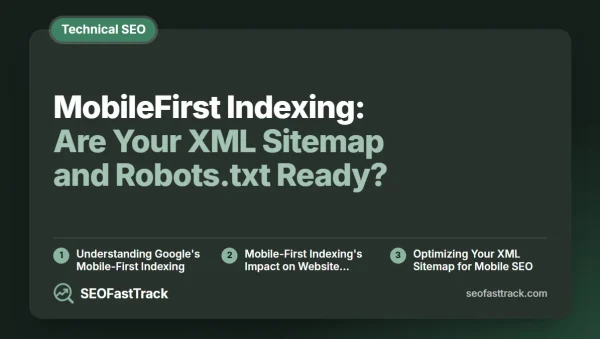
Mastering XML Sitemaps and Robots.txt for Technical SEO Success
For any website owner striving to improve search visibility, understanding how search engines crawl and index your pages is non-negotiable. The subcategory of XML Sitemaps and Robots.txt falls under Technical SEO and serves as the foundational control system for guiding Google, Bing, and other crawlers. On SEOFastTrack, we break down these two critical files—one that invites crawlers in and one that sets boundaries—so you can avoid wasted crawl budget, prevent duplicate content issues, and ensure your most valuable pages get indexed quickly. This guide is tailored for small business owners, bloggers, and digital marketers who want practical, actionable technical fixes without the jargon. Expect clear examples, step-by-step configuration tips, and troubleshooting advice that you can implement today. Let’s demystify the backend of your site and turn these technical files into strategic assets for higher rankings.
🔍 What Is an XML Sitemap and Why Does It Matter?
An XML sitemap is a machine-readable file that lists all the important URLs on your website, along with metadata like last modified date, change frequency, and priority. It acts as a roadmap for search engine crawlers, telling them which pages exist and which ones you deem most significant. Without it, crawlers rely on internal links and external backlinks to discover your content, which can slow down indexing for new posts or orphaned pages. For e-commerce sites with hundreds of product pages or blogs with frequent updates, a well-structured sitemap dramatically accelerates the indexing process.
However, a sitemap is not a magic wand. It does not guarantee that every URL will be indexed, but it significantly increases the likelihood. You should only include canonical URLs—never duplicate versions with tracking parameters or pagination URLs. Also, prioritize quality over quantity: if you have 10,000 thin or low-value pages, listing them all might dilute your crawl priority. On SEOFastTrack, we emphasize that an XML sitemap is a dynamic document; update it whenever you publish, remove, or change a URL. Tools like Yoast SEO or Rank Math can auto-generate and refresh your sitemap, but you must verify it in Google Search Console to ensure it’s error-free. Remember, a sitemap is your polite invitation—it does not force entry, but it makes navigation effortless.
🤖 Robots.txt: Setting the Rules for Crawler Access
Robots.txt is a plain text file placed in the root directory of your domain that instructs web crawlers which parts of your site they are allowed (or not allowed) to access. It uses directives like User-agent and Disallow to block entire folders, specific files, or even all crawlers from certain paths. For example, you might disallow access to your admin panel, internal search results, or thank-you pages that add no SEO value. This helps conserve your crawl budget—the number of pages a search engine will crawl within a given timeframe—by preventing bots from wasting time on irrelevant URLs.
But be careful: robots.txt is not a security mechanism. It merely blocks crawlers who obey the protocol; malicious bots will ignore it. Also, if you block a page that other pages link to, search engines might not discover the links, harming your overall link equity. A common mistake is blocking CSS or JavaScript files, which can prevent search engines from rendering your page correctly—leading to poor mobile-friendliness scores. The best practice is to use robots.txt for non-sensitive, low-value areas like /wp-admin/ or /cart/, and rely on noindex meta tags for pages you want completely out of the index. On SEOFastTrack, we provide a checklist to audit your robots.txt, ensuring you don’t accidentally block your XML sitemap itself—which is a frequent oversight that cripples indexing.
⚙️ How to Generate and Submit an XML Sitemap Correctly
Generating an XML sitemap is easier than you think, especially if you use a content management system like WordPress. Plugins such as Google XML Sitemaps, Yoast SEO, or Rank Math automatically create a sitemap at /sitemap_index.xml and update it whenever you post new content. For custom-coded sites, you can use online generators like XML-Sitemaps.com, but you’ll need to upload the file manually and refresh it after each update. Once generated, you must submit your sitemap URL in Google Search Console under the “Sitemaps” section. Bing Webmaster Tools has a similar feature. This submission tells the search engine to fetch your sitemap and prioritize crawling those URLs.
Beyond submission, you should validate your sitemap for XML syntax errors or URLs that return 404 headers. Tools like Screaming Frog or the “Sitemap” report in Search Console will flag issues. A critical tip: if your site uses pagination or faceted navigation, exclude those URLs from the sitemap, as they often cause duplicate content problems. Also, set the lastmod tag accurately—if you don’t update it, search engines may deprioritize your sitemap. For large sites with over 50,000 URLs, you must split your sitemap into multiple files using a sitemap index. This keeps each file under the 50MB limit and improves processing. Remember, a sitemap is a living document; schedule a monthly audit to remove stale URLs and ensure new content is listed promptly.
🧱 Best Practices for Robots.txt Directives and Syntax
Writing a clean robots.txt requires understanding the syntax: each rule starts with User-agent, followed by Allow, Disallow, or Sitemap directives. For instance, to block all crawlers from the entire site, you’d write User-agent: * then Disallow: /. But that’s extreme and only useful in development. For fine-grained control, use path specificity: Disallow: /private/ blocks that folder, while Allow: /public/ overrides a broader block. The order matters—the most specific rule wins. Also, each user-agent can have its own set of rules; for example, you might allow Googlebot but block a lesser-known crawler. But avoid blocking major bots like Bingbot unless you have a serious reason, as it can harm your visibility.
One underrated directive is the Sitemap: field, which you can place at the end of your robots.txt to directly inform crawlers where your sitemap lives—even if you haven’t submitted it via webmaster tools. This is especially useful for sites on custom domains or subdomains. However, always test your robots.txt using Google’s robots.txt tester in Search Console (though deprecated, the logic still applies) or third-party validators. A common mistake is using wildcards like * in paths; Google supports them, but Bing has partial support, so stick to literal paths. Also, do not use robots.txt to block paid links or affiliate URLs if you want them indexed; instead, use rel="nofollow". The goal is to guide, not over-restrict, so keep your disallow list minimal and review it quarterly.
🛠️ Troubleshooting Common Crawling and Indexing Issues
Even with a perfect sitemap and robots.txt, you may encounter indexing problems. The most common issue is the “Indexed, though blocked by robots.txt” warning in Google Search Console. This means Google found the page through external links but couldn’t access it because of your robots.txt rule—yet it still indexed it, causing a discrepancy. To fix this, remove the disallow rule for that URL or add a noindex meta tag instead. Another frequent problem is the “Submitted URL not selected (404)” error, which indicates your sitemap lists a page that no longer exists. Regularly crawl your site with Screaming Frog to compare your sitemap URLs against actual HTTP status codes.
Other issues include slow sitemap fetching, often because your sitemap file is too large or your server response is sluggish. Compress it using gzip if possible. Also, if you’re using a CDN, ensure the sitemap is served from the same domain as your canonical URLs. For JavaScript-heavy sites, search engines may not see content if your robots.txt disallows the rendering engine’s crawl. Always allow access to /wp-content/ and /wp-includes/ for WordPress. Finally, monitor crawl stats in Search Console—if you see a sudden drop, check your robots.txt for a misconfigured wildcard rule that blocks everything. By systematically auditing these files every month, you can prevent most indexing headaches and keep your site ranking smoothly.
Frequently Asked Questions
Should I include every page of my site in the XML sitemap?
No. Only include pages that are valuable, indexable, and canonical. Exclude duplicate content, thin affiliate pages, admin URLs, and pagination views unless they are unique. Including low-quality pages can dilute your crawl priority and waste crawl budget. Aim for your sitemap to reflect pages you genuinely want to rank, typically your core blog posts, product pages, and landing pages.
What happens if I block my XML sitemap in robots.txt?
If your robots.txt file contains a Disallow: /sitemap.xml rule, search engines might still find your sitemap via webmaster tools submissions but will ignore the file directly. More critically, Google’s crawler will fetch your sitemap only if allowed; blocking it can reduce indexing speed. Always add an Allow: /sitemap.xml directive or ensure no disallow rule overlaps.
Can I use multiple XML sitemaps for different content types?
Yes, it’s best practice to have separate sitemaps for posts, pages, products, and images, then link them all via a sitemap index file. This improves organization and makes it easier for search engines to process large sites. For example, you might have sitemap-posts.xml, sitemap-products.xml, and a parent sitemap_index.xml that lists all.
Does robots.txt affect crawl budget for large websites?
Absolutely. For sites with thousands of URLs, blocking low-value paths like search filters, tags, or user profiles frees up crawl budget so crawlers spend more time on your money pages. However, over-blocking can hide important content. Use robots.txt conservatively and combine it with internal linking to prioritize high-value URLs.
How often should I update my XML sitemap and robots.txt?
Your XML sitemap should be updated almost instantly whenever you publish, modify, or delete a URL—plugins do this automatically. Manually regenerate it or schedule weekly updates. Robots.txt changes less frequently, only when you add or remove sections of your site. Still, review both files monthly for errors and to reflect current site architecture changes.
Related topics