Crawlability and Indexability
Read more about this topic
Crawlability and Indexability are the twin pillars of technical SEO, determining whether search engines can discover, read, and store your web pages—or leave them invisible in the SERPs. Without these, even the most brilliant content and strong backlinks will fail to generate organic traffic. Our guide breaks down how to optimize robots.txt, leverage XML sitemaps, and fix crawl errors, while addressing duplicate content, canonical tags, and noindex directives that silently block your rankings. You’ll learn to audit your site’s “crawl budget,” ensure JavaScript-rendered content is accessible, and avoid common pitfalls like orphan pages or infinite redirects. Whether you’re a blogger, small business owner, or digital marketer, mastering these fundamentals helps you maximize search engine efficiency, reduce wasted crawl requests, and boost your indexation rate—ultimately turning your site into a well-oiled machine that ranks faster and higher. Dive in to make sure every page you create is a page Google can actually find.
1 article

Articles in Crawlability and Indexability
Mastering Crawlability and Indexability: The Foundation of Technical SEO
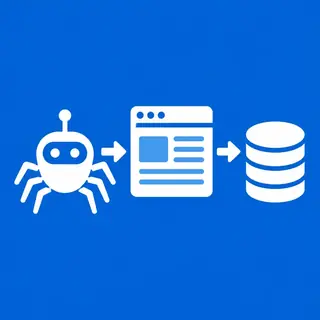
For any website aiming to rank on Google, Bing, or other search engines, **crawlability and indexability** are the non-negotiable technical pillars. Without these, even the most compelling content and robust backlink profile will remain invisible. This subcategory of Technical SEO on SEOFastTrack is designed to help you understand how search engine bots discover, navigate, and store your pages. By mastering these concepts, you ensure your site’s valuable pages are efficiently crawled and correctly indexed, directly impacting your organic visibility, traffic, and search rankings. Let’s dive into the essential practices that make your site search-engine-friendly from the ground up.
🕷️ Understanding Crawl Budget Management
Crawl budget refers to the number of URLs a search engine bot like Googlebot can and will crawl on your site within a given timeframe. Efficient management is crucial, especially for large websites or e-commerce platforms with thousands of product pages. If you waste crawl budget on low-value pages like tag archives or expired product URLs, search engines may not have enough resources to crawl your high-value content, delaying indexing and potentially hurting rankings.
To optimize crawl budget, start by blocking irrelevant parameters (e.g., sorting or filtering URLs) in robots.txt or via URL parameters in Google Search Console. Consolidate duplicate content using canonical tags, and ensure your XML sitemap contains only canonical, indexable URLs. Regularly audit server logs to identify error-heavy pages (404s or 5xx) and fix or remove them. Remember, a lean site with fast server responses signals to bots that your site is healthy, encouraging them to crawl more frequently and deeply.
🔍 Robots.txt: The Gatekeeper for Search Bots
The robots.txt file is a simple text file placed in your site’s root directory that instructs search engine crawlers which URLs they can or cannot request. Properly configuring this file is a foundational step to prevent bots from wasting resources on admin panels, thank-you pages, or internal search results. However, misuse can accidentally block the entire site, leading to de-indexation—a catastrophic SEO mistake.
When creating robots.txt, use allow and disallow directives wisely. For example, Disallow: /wp-admin/ is standard, but avoid blocking CSS or JavaScript files, as Google needs those to render your page accurately. Always reference your XML sitemap within robots.txt using Sitemap: [full URL]. After edits, test the file using the robots.txt tester in Google Search Console to ensure you are not inadvertently blocking critical pages like your blog posts or product categories. Keep it minimal and always allow the root path unless absolutely necessary.
🏷️ Mastering Meta Robots Tags and Canonicalization
Meta robots tags are HTML directives that give per-page instructions to crawlers, overriding robots.txt in most cases. Common values include noindex, nofollow, noarchive, and nosnippet. Using noindex on thin content, staging pages, or duplicate URLs prevents them from appearing in search results, while nofollow tells bots not to follow links on that page—useful for user-generated content with potential link spam.
Canonical tags (rel="canonical") work hand-in-hand with robots.txt to solve duplicate content issues. They specify the preferred version of a URL when multiple pages have similar content (e.g., printer-friendly versions or URL parameters). For best results, ensure the canonical tag points to a self-referencing, indexable URL and that it matches the URL in your sitemap. Avoid a common pitfall: never use noindex and canonical together on the same page because they send conflicting signals—Google’s bot will likely ignore both.
🗺️ XML Sitemaps and Server Response Codes
An XML sitemap is a blueprint of all your important URLs, helping search engines discover and prioritize your content. While it doesn’t guarantee indexing, it fast-tracks crawling, especially for new sites or those with complex architecture. Ensure your sitemap is automatically updated whenever you publish new posts, and include only canonical, indexable URLs. Submit it via Google Search Console and Bing Webmaster Tools, and monitor for errors like “URL not found” or “crawled but not indexed.”
Server response codes are equally vital—they tell bots whether a page is available, moved, or broken. A 200 OK means success; 301 signals a permanent redirect; 302 is temporary; and 404 indicates a missing page. Frequent 404s waste crawl budget and harm user experience. Implement custom 404 pages and, when moving content, use 301 redirects to consolidate link equity. Also, watch for “crawled but not indexed” in Search Console—this often means your page is too thin, has poor internal linking, or duplicate content. Address these issues to encourage indexing.
🔄 Dynamic Rendering and JavaScript SEO
Modern websites rely heavily on JavaScript to load content dynamically, but search engines like Google still struggle with fully rendering JS-heavy pages. If your site is built with React, Angular, or Vue, ensuring crawlers can see your content is critical. Server-side rendering (SSR) or static generation (SSG) is preferred, but if that’s not feasible, implement dynamic rendering—a technique that serves a static HTML snapshot to bots while giving users the full JS experience.
To diagnose JS issues, use Google’s URL Inspection tool to see the rendered HTML and compare it to your raw HTML. Look for missing text, images, or links that require JavaScript to render. Simplify your code: reduce unused JavaScript, use lazy loading for images, and avoid blocking your main JS files in robots.txt. Test your site’s mobile responsiveness, as mobile-first indexing means Google uses the mobile version of your page for ranking. Remember that inline JSON-LD structured data is also rendered by bots, so ensure it’s not injected via JS only.
❌ Common Crawlability Pitfalls and How to Fix Them
Many site owners accidentally hurt crawlability through small oversights. One frequent issue is having too many internal links pointing to non-indexable pages (e.g., “login” or “cart”), which dilutes link equity and confuses crawlers. Another is using session IDs or tracking parameters that generate countless URLs, leading to what’s called “crawl bloat.” Additionally, leaving deleted pages live without redirects creates 404 errors that signal poor site health.
To fix these, conduct a technical SEO audit using tools like Screaming Frog or Ahrefs. Identify URL parameters that return similar content and block them in Search Console’s URL Parameters tool. Set up 301 redirects for any removed or merged pages, and remove dead links from your content. Ensure every image has descriptive alt text and correct file names—this helps with indexation, but also with image SEO. Finally, check your site’s overall speed; slow server response times (over 200ms) can reduce crawl rate. Prioritize fixing critical errors first: blocked pages, broken redirects, and excessive duplicate URLs.
Frequently Asked Questions
What is the difference between crawlability and indexability?
Crawlability refers to whether search engine bots can access and read your pages via links and sitemaps. Indexability is whether those crawled pages are stored in the search engine’s database. A page can be crawled but not indexed if it has a noindex tag, poor content quality, or duplicate content. Both are essential for organic visibility.
How often should I update my XML sitemap?
You should update your XML sitemap automatically every time you publish, update, or delete a significant page. For a blog, this might be weekly. For e-commerce, it could be daily. After updating, resubmit it in Google Search Console and Bing Webmaster Tools to signal the changes, but avoid resubmitting too frequently—once a day or after major changes is sufficient.
Can robots.txt block indexing of my site entirely?
Yes, a misconfigured robots.txt with Disallow: / will block all crawlers from accessing your entire site, leading to de-indexation. However, this is reversible. Use the robots.txt tester to see the outcome, and always allow access to critical directories like your CSS, JS, and image folders. Test after every edit to prevent accidental catastrophic blocks.
Why is my page “crawled but not indexed” in Google Search Console?
This status usually means Google has prioritized other URLs for indexing due to low content depth, thin content, duplicates, or weak internal linking. To fix it, improve the page’s uniqueness, add relevant keywords, increase internal links to that page, and ensure it has no noindex tag. Sometimes, simply updating the content and requesting indexing again works.
Should I use both canonical tags and 301 redirects for duplicate content?
Use 301 redirects when you permanently consolidate two URLs—for example, after merging two product pages. Use canonical tags when both URLs must remain accessible, but you want to declare one as the preferred version—for instance, with tracking parameter URLs. Do not use both together on the same URL pair, as it can confuse bots; choose one method based on whether the duplicate URL still needs to be live.
Related topics