
Website Security Beyond HTTPS (CSP, etc.) and SEO
Read more about this topic
Website security goes far beyond the SSL padlock—it’s a critical, often overlooked pillar of technical SEO that can directly impact your rankings, crawlability, and user trust. While HTTPS is the baseline, implementing advanced security headers like Content Security Policy (CSP), X-Frame-Options, and HSTS not only protects your site from malicious attacks but also signals quality to Google. A secure site reduces bounce rates, prevents costly malware penalties, and ensures that search engines can safely render your pages—all of which fuel better visibility. From blocking cross-site scripting to securing third-party scripts, this guide demystifies how to harden your website while keeping your SEO momentum intact. Ready to turn security into a competitive edge? Dive in to discover actionable, code-level tactics that safeguard your rankings and your visitors. 🔒🚀
1 article

Articles in Website Security Beyond HTTPS (CSP, etc.) and SEO
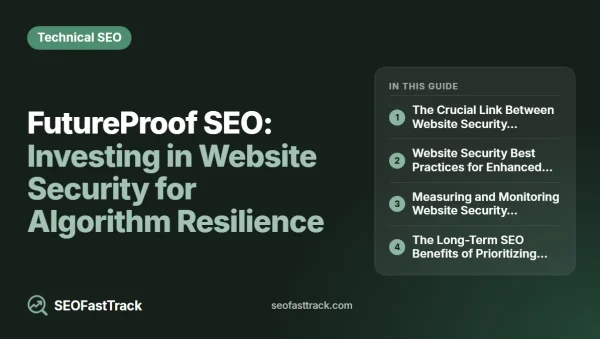
Website Security Beyond HTTPS (CSP, etc.) and SEO: A Technical Deep Dive
While HTTPS is the non-negotiable baseline for any modern website, true technical SEO now requires you to go further. Content Security Policy (CSP), subresource integrity (SRI), and other security headers not only protect your visitors from malicious attacks but also directly influence how Google crawls, renders, and ranks your pages. This subcategory unpacks the often-overlooked intersection of advanced web security and search performance, showing you how a hardened site can improve Core Web Vitals, reduce crawl anomalies, and build trust signals that boost your rankings.
🔐 Content Security Policy (CSP) and Its SEO Impact
A CSP is an HTTP header that tells the browser which scripts, styles, and images are allowed to load on your page. For SEO, a misconfigured CSP can block JavaScript from executing, causing Google to see a blank or unstyled page—a disaster for rendering-based indexing. Conversely, a well-tuned CSP prevents cross-site scripting (XSS) attacks that could inject spam links or hijack your content, which would otherwise lead to manual penalties or deindexing.
When you implement CSP correctly, you enforce a strict allowlist for resources. This reduces the attack surface and ensures that Googlebot can fully render your page without interference. You should always test CSP in report-only mode first, using tools like Google Search Console's URL Inspection to confirm that critical JavaScript files are not blocked. A balanced CSP improves page speed by eliminating unauthorized scripts, which indirectly supports your Core Web Vitals scores—a key ranking factor.
🛡️ Subresource Integrity (SRI) and Crawl Trust
SRI ensures that external scripts and stylesheets are loaded only if their cryptographic hash matches the expected value. This prevents malicious actors from tampering with third-party resources hosted on CDNs. For SEO, SRI adds a layer of integrity that search engines favor, as it reduces the risk of serving compromised code that could alter your meta tags, inject cloaking, or redirect users—all of which trigger spam policies.
From a practical standpoint, SRI does not directly change your rankings, but it protects your site from being poisoned by a hacked CDN. Google’s algorithm penalizes sites that serve unexpected content based on user agent or referrer. By enforcing SRI, you ensure that your page’s HTML and rendered DOM remain consistent across all visitors, including Googlebot. This consistency supports accurate indexing and prevents sudden drops in organic visibility due to security-induced anomalies.
🔒 Security Headers: X-Frame-Options, Referrer-Policy, and Permissions-Policy
Beyond CSP, other security headers like X-Frame-Options (or the modern frame-ancestors directive), Referrer-Policy, and Permissions-Policy shape how browsers and crawlers interact with your site. For instance, blocking clickjacking with X-Frame-Options prevents other sites from embedding your content in iframes—an issue that can dilute your canonical signals or lead to duplicate content penalties. Referrer-Policy controls what data is sent in HTTP referrers, which affects your analytics accuracy and link-tracking for SEO.
Permissions-Policy restricts browser features like geolocation or camera, which many SEO plugins may not need. Restricting these reduces background resource usage, improving page load time. Google has confirmed that security headers do not act as direct ranking signals, but they influence user trust, which correlates with lower bounce rates and higher dwell time—indirect positive factors. Additionally, these headers can prevent cross-origin data leaks that might cause inconsistent page versions being indexed, thus maintaining a clean sitemap and URL structure.
⚙️ Crawl Budget and Bot Blocking: Security vs. Accessibility
Advanced security measures like rate limiting, IP blocking, and bot-management tools can inadvertently affect your crawl budget. If your firewall blocks Googlebot’s IP ranges, or if your CAPTCHA challenges the crawler, search engines will see a partial or empty page, wasting your crawl budget on failed requests. You must carefully configure your web application firewall (WAF) to allow Googlebot’s verified user agents (e.g., Googlebot, Googlebot-Image) and IP ranges, while still blocking malicious scrapers.
A well-structured robots.txt with clear disallow rules for sensitive admin folders (e.g., /wp-admin/) is essential, but it should not block CSS or JS files. If you accidentally block these, Google cannot render your page properly, leading to poor indexing. Use server logs and Search Console crawl stats to identify any 403 or 429 responses to Googlebot. Balancing security and accessibility ensures that your most important pages receive the full crawl depth, and that security measures do not create soft 404s or render-induced waste.
📊 HTTPS, Mixed Content, and HSTS: The Foundation Beyond the Lock
Although HTTPS is assumed, many sites still suffer from mixed content—loading resources like images or iframes over HTTP. This triggers browser warnings and causes Google to treat the page as less secure, which can reduce click-through rates in search results. Implementing HTTP Strict Transport Security (HSTS) forces all browsers to connect only via HTTPS, eliminating mixed content at the protocol level. HSTS also preloads your domain to browsers, reducing redirect chains that waste crawl budget.
From an SEO perspective, HSTS improves security scores in Chrome's transparency report and can slightly reduce server load by avoiding redirects. However, do not enable HSTS until you have fully migrated all internal links and resources to HTTPS. Use tools like Why No Padlock to audit mixed content. Also, ensure that your SSL/TLS certificate is robust (TLS 1.2 or higher) and that you redirect HTTP to HTTPS with a 301, not a 302. This consolidation prevents duplicate content issues and preserves link equity.
🔍 Monitoring Security for Algorithmic Resilience
Continuous monitoring of your security posture is crucial for maintaining long-term SEO health. Google’s Safe Browsing API flags sites with malware or phishing, leading to severe traffic drops. You should regularly scan for malformed meta tags, unexpected iframes, or injected JavaScript—common signatures of SEO spam attacks. Implement a content security monitoring tool that alerts you to any changes in your DOM or server headers, as these can be subtle indicators of a compromise.
Furthermore, a proactive security routine reduces the risk of a manual action from Google’s Web Spam team. If your site is hacked, immediate cleanup and a review request are necessary, but recovery can take months. By using automated scanners and security headers, you safeguard your rankings from volatile algorithms that may penalize insecure sites during core updates. In short, security is not just an IT checkbox; it is a strategic pillar of technical SEO that supports stable indexing, user trust, and competitive advantage.
Frequently Asked Questions
Does Content Security Policy (CSP) hurt SEO?
Only if misconfigured. A strict CSP that blocks inline scripts or external libraries can prevent Google from rendering your page, causing blank indexation. However, a well-tested CSP that allows your critical assets will not harm SEO; it actually improves it by preventing malicious code injection that could trigger penalties.
Can security headers like X-Frame-Options affect my click-through rate?
Indirectly, yes. If another site embeds your content in an iframe without X-Frame-Options, users might see a stripped-down version, and click-through to your original page may drop. Enabling this header ensures users only see your content on your domain, preserving the visual context and brand trust shown in search results.
What is the difference between HSTS and a regular HTTPS redirect?
A regular HTTPS redirect is a server-side instruction performed on each request (often 301), while HSTS tells the browser to automatically use HTTPS for all future requests without contacting the server. HSTS eliminates redirect trips, speeding up load time and reducing server load, but must be implemented after verifying all resources are HTTPS-only.
How do I allow Googlebot while blocking other bots with a WAF?
In your firewall rules, whitelist Googlebot's user agents (e.g., Mozilla/5.0 (compatible; Googlebot/2.1; +http://www.google.com/bot.html)) and verify its IP ranges from Google's published list. Allow these requests without CAPTCHA, but apply strict challenges to unknown or malicious user agents. Test with Search Console's URL Inspection to confirm 200 responses.
If my site is hacked and spam links appear, can I recover my SEO?
Yes, but act fast. Clean the malware, remove any injected links, update your CMS and plugins, and request a review in Google Search Console. After Google confirms the site is secure, your rankings may gradually recover, but you should also proactively implement CSP, SRI, and strong passwords to prevent recurrence and signal trust to the algorithm.
Related topics