
SEO for Single Page Applications (SPAs)
Read more about this topic
Mastering SEO for Single Page Applications (SPAs) is your key to unlocking higher rankings without sacrificing the buttery-smooth user experience your site delivers. Unlike traditional multi-page websites, SPAs rely heavily on JavaScript to render content dynamically, which can confuse search engine crawlers and leave your pages invisible in Google. This targeted technical SEO guide breaks down exactly how to make your SPA crawlable, indexable, and rank-worthy—covering critical tactics like prerendering vs. dynamic rendering, smart URL structure management, and leveraging the History API to map your virtual routes. You’ll learn how to implement server-side rendering (SSR) or static generation with modern frameworks like React, Angular, or Vue, while ensuring your meta tags, structured data, and inline text are fully accessible to bots. We’ll also dive into the nuances of Google’s rendering queue, avoiding common pitfalls like broken anchor links, infinite scroll barriers, and poor crawl budgets.
1 article

Articles in SEO for Single Page Applications (SPAs)
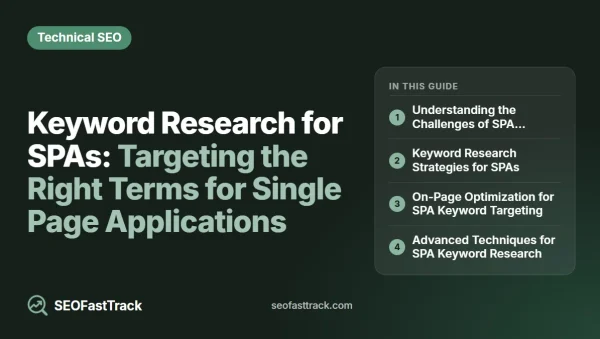
Mastering SEO for Single Page Applications (SPAs)
Single Page Applications (SPAs) built with frameworks like React, Angular, or Vue.js deliver lightning-fast, app-like user experiences—but they often hide content from search engines. Without the right technical SEO strategy, your SPA may rank poorly or be invisible entirely. This guide for SEOFastTrack dives into the unique challenges of SPA crawling, rendering, and indexing, offering actionable fixes to ensure your dynamic content gets discovered. Whether you’re a developer, marketer, or small business owner, you’ll learn how to bridge the gap between modern web architecture and Google’s bots.
🔍 Understanding How Google Crawls and Renders SPAs
Google’s crawler (Googlebot) now uses a headless Chrome browser to render JavaScript, but it doesn’t wait forever. SPAs load content asynchronously, meaning initial HTML often contains only an empty shell. This can lead to incomplete indexing if your routes aren’t pre-rendered or if you rely solely on client-side rendering. You need to understand the difference between pure client-side rendering and server-side rendering (SSR) to decide your approach. Google prioritizes pages with fast, complete content delivery, so optimizing for crawl efficiency is non-negotiable.
Key here is crawl budget—SPAs often generate thousands of dynamic URLs, wasting bot resources on thin or duplicate content. Use tools like Google Search Console’s URL Inspection to see how your pages are rendered. Also, monitor the “Render blocking” resources that delay content visibility. By auditing your SPA’s current indexation status, you’ll pinpoint weak spots, such as missing meta tags or empty document titles, which we’ll address below. Remember, Google treats SPAs like any other site—but your job is to make the dynamic parts static enough for bots to read.
⚙️ Implementing Server-Side Rendering (SSR) and Static Pre-rendering
For SPAs, the most reliable way to make content crawlable is SSR, where the server sends fully rendered HTML to the client and Googlebot. Frameworks like Next.js (for React) and Nuxt.js (for Vue) offer built-in SSR, giving you both SEO-friendly output and dynamic interactivity. Alternatively, static pre-rendering generates HTML snapshots at build time for routes that don’t change frequently—ideal for blogs or landing pages. This reduces server load and ensures every page is readable instantly. Google’s Rendering Service doesn’t penalize SPAs, but it rewards fast, complete responses.
When choosing between SSR and pre-rendering, consider your content freshness. Pre-rendering works wonders for product listings or marketing pages, but for user-specific dashboards or live feeds, you’ll need SSR or hybrid approaches. Also, implement progressive enhancement: serve basic HTML to non-JS browsers (like older bots) and enhance with JavaScript for users. Test your rendered HTML with curl or view-source to confirm meta tags, headings, and internal links are present. This hands-on verification is the gold standard for SPA SEO.
🏷️ Dynamic Meta Tags, Canonicals, and Internal Linking for SPAs
Because SPAs update the DOM without page reloads, dynamic meta tags become crucial. You must update title, description, and Open Graph tags via JavaScript when the route changes—otherwise, every URL shares the same default metadata. Use libraries like react-helmet or vue-meta to manage per-route tags. Also, implement canonical URLs to prevent duplicate content from query parameters or hash-based routing (#/page vs. /page). A single canonical pointing to the clean version consolidates ranking signals.
Internal linking within SPAs poses another challenge—standard anchor links can trigger full reloads or break history navigation. Use programmatic links (e.g., React Router’s Link component) to facilitate bot discovery. Ensure every route is reachable via crawlable links, not just via user interactions like clicks on buttons. Add a sitemap.xml that lists all your SPA routes, including dynamic ones, and submit it in Google Search Console. This acts as a roadmap, helping bots bypass JavaScript entirely. Remember, a solid internal link structure boosts crawl efficiency and distributes page authority across your site.
🛠️ Handling User Interactions and Infinite Scroll for SEO
Many SPAs use infinite scroll or load more content on click—this is a SEO nightmare. Googlebot typically only loads the initial viewport, so content below the fold may be missed. To fix this, implement paginated SEO-friendly views or “view all” pages with static HTML links. Alternatively, use Intersection Observer to trigger full content rendering for bots, but test thoroughly. For tabs or accordions, ensure the default state shows critical content, and avoid hiding it behind user actions. Google’s “lazy loading” helps for images, but not for core textual content.
Another critical aspect is scroll-based URL updates—if you use history.pushState to update URLs as users scroll, ensure each URL maps to a unique, indexable state. Also, beware of infinite scroll causing massive DOM sizes, which slows rendering and hurts user experience. Use View More buttons with anchor links to static pages as a fallback. Always test using Google’s Mobile-Friendly Test and the URL Inspection tool to see if bots see the same content as users. These adjustments won’t compromise UX—they’ll enhance both bot and human access.
📊 Monitoring SPA Performance with Core Web Vitals
Core Web Vitals—LCP, INP, and CLS—are ranking factors, and SPAs often struggle with them due to heavy JavaScript. LCP (Largest Contentful Paint) can be delayed if your main content loads after several network requests. Optimize by code-splitting your bundles, using server push for critical resources, and leveraging a CDN. INP (Interaction to Next Paint) measures responsiveness—too many event listeners or heavy re-renders can hurt. Keep your main thread free by debouncing inputs and using web workers for data processing. CLS (Cumulative Layout Shift) often occurs when images or ads load late—set explicit dimensions and reserve space.
Use tools like Google PageSpeed Insights and Lighthouse to audit your SPA regularly. Pay attention to “Reduce JavaScript execution time” alerts, and consider using frameworks like Svelte or Preact for lighter builds. Also, implement caching strategies for API responses to avoid repeated server calls. A fast SPA not only ranks better but also improves user retention—Google rewards sites that offer a smooth experience. Remember, technical SEO for SPAs isn’t just about crawlability—it’s about delivering a performance-optimized product that aligns with modern search standards.
🛡️ Avoiding Common SPA SEO Pitfalls: Hash Routing and Fragments
One of the biggest mistakes is using hash-based routing (e.g., example.com/#/about). While it works for UX, Google treats each hash fragment as part of the same URL, meaning you get one page indexed, not separate ones. Always switch to HTML5 History API for clean, crawlable URLs. Also, avoid “hashbang” patterns (#!)—they’re an outdated workaround that confuses bots. Another pitfall is missing 404 handling: in SPAs, invalid routes often render the same page but with empty content. Implement a proper 404 page with a 404 HTTP status code (via server config) instead of returning 200 for all routes.
Additionally, watch out for embedded widgets or third-party scripts that dynamically inject content—these can be ignored by Google. Ensure any crucial text is in the initial HTML or via SSR. Also, avoid robots.txt blocking of JS files—allow Googlebot to execute your scripts. Finally, don’t forget to test your SPA in Google’s Rich Results Test if you use structured data, as dynamic injection of schema might fail. By steering clear of these common traps, you’ll set a solid foundation for your SPA’s SEO success.
Frequently Asked Questions
Is SEO different for SPAs compared to traditional websites?
Yes. Traditional multi-page websites serve HTML instantly, while SPAs rely on JavaScript to render content, which can delay indexing. However, with proper SSR or pre-rendering, you can achieve equal SEO performance. The core principles—content, links, and technical health—remain the same, but you must adapt how you deliver content to crawlers.
Does Google index JavaScript-heavy SPAs?
Yes, Googlebot can render JavaScript using headless Chrome, but it may take longer and sometimes fails for complex apps. To ensure reliable indexing, use SSR or static pre-rendering. Google’s URL Inspection tool shows you exactly what it sees, so you can verify your setup.
Should I use hash routing or HTML5 History API for my SPA?
Always use the HTML5 History API (e.g., /about instead of /#/about). Hash routes merge into a single URL from Google’s perspective, preventing individual indexing. Clean URLs also improve user sharing and readability.
How can I improve Core Web Vitals on my SPA?
Reduce JavaScript payload via code-splitting, optimize images with lazy loading, and use a CDN to serve assets. For LCP, preload your hero image; for CLS, reserve dimensions. Use Lighthouse to identify bottlenecks and re-test after changes.
Do I need a sitemap for an SPA?
Absolutely. A sitemap.xml listing all your routes—including dynamic ones—helps Google discover pages without relying on internal link crawling. Submit it via Google Search Console, and keep it updated as you add new routes.
Related topics