Log File Analysis for SEO
Read more about this topic
Unlock hidden SEO insights by analyzing your server log files — this advanced technical SEO technique reveals exactly how search engines crawl your site, which pages they prioritize, and where crawl budget is wasted. Unlike Google Search Console, log files show the *real* crawl behavior, including hits from Googlebot, Bingbot, and other crawlers, helping you detect crawl anomalies, find orphaned pages, and identify slow or blocked URLs. By mastering log file analysis, you can optimize site architecture, improve indexation rates, and boost rankings without guessing. Whether you’re a small business owner or digital marketer, this guide turns raw server data into actionable fixes—from spotting crawl loops to prioritizing high-value pages. Stop relying on surface-level metrics and start seeing the full crawl picture that competitors miss.
1 article

Articles in Log File Analysis for SEO

Mastering Log File Analysis for SEO: Unlock Crawl Budget Insights
Log file analysis for SEO is a powerful technical SEO technique that goes beyond traditional crawling tools. By examining your server's raw log files, you can see exactly how Googlebot and other search engine crawlers interact with your website on a request-by-request basis. This subcategory on SEOFastTrack dives deep into the practical methods, tools, and strategies to analyze log files for SEO, helping you uncover crawl anomalies, optimize crawl budget, detect server errors, and prioritize high-value pages. Whether you’re a small business owner or a seasoned digital marketer, this guide turns raw data into actionable SEO wins.
🔍 Understanding Crawl Budget and Its SEO Impact
Crawl budget refers to the number of times search engine bots crawl your website within a given timeframe. Log file analysis for SEO reveals exactly which pages are being crawled, how often, and at what times. By identifying wasted crawls on low-value or duplicate pages, you can redirect bot attention to your most important content, improving indexing efficiency and overall search visibility.
For small business sites, crawl budget matters less, but for large e-commerce or blog platforms, it’s critical. Use log data to spot pages with excessive 404s, redirect chains, or slow response times. Then, consolidate or repair these issue areas to ensure your best content gets the priority it deserves. This proactive approach helps you align technical fixes with user intent and business goals.
📊 Essential Log File Metrics You Must Track
Not all log data is equal. Focus on key metrics like crawl frequency, HTTP status codes (200, 301, 404, 500), response time, and user-agent identification. Tracking these against your sitemap and internal linking structure reveals patterns that tool-based crawlers miss, such as unexpected deep crawls or ignored high-value pages.
Also monitor crawl patterns over time—seasonal spikes or drops can signal algorithm updates or server issues. Use log analysis to compare crawl behavior between Googlebot and mobile crawlers, ensuring mobile-first indexing is fully optimized. Regularly exporting and reviewing these logs helps you spot outliers early, preventing small technical glitches from becoming ranking problems.
🛠️ Top Tools for Log File Analysis in SEO
Several robust tools simplify log file parsing for SEO. Google Cloud Storage with a custom Python script is flexible, but for most marketers, tools like Screaming Frog Log File Analyzer, Botify, OnCrawl, and JetOctopus provide intuitive dashboards. These tools integrate log data with your crawl data, showing crawl trends, bot activities, and page-level performance in clear visual formats.
When choosing a tool, consider your budget and technical expertise. Screaming Frog is affordable and desktop-based, ideal for freelancers. OnCrawl and Botify are enterprise-grade, offering advanced segmentation and alerts. Even with smaller sites, using a free trial helps you understand your crawl pattern before committing. Remember, the goal is to turn raw logs into clear recommendations, so pick a tool that aligns with your workflow.
🚨 Detecting Crawl Errors and Bot Blocking
Log files are the fastest way to spot crawl errors, including unexpected 500s, timeout responses, or robots.txt blocks. For example, if Googlebot receives a 500 error on your money page, it will slow down crawling or drop the page entirely. By analyzing log timestamps, you can correlate server hiccups with crawl slowdowns and fix infrastructure issues promptly.
Bot blocking is another hidden issue—your .htaccess or CDN might unintentionally block certain user-agents. Log analysis reveals which bots are getting 403 or 999 status codes. If you see Googlebot blocked on critical directory paths, unblock them immediately. Always test after changes using the URL Inspection tool to confirm that the bot can access your page. Consistent monitoring prevents technical errors from silently dragging down your rankings.
⚡ Prioritizing High-Value Pages with Log Intelligence
Log data helps you prioritize content that matters most. Look for pages that receive consistent bot visits but have poor engagement in search results—these might suffer from thin content or internal linking issues. Conversely, find high-ranking pages that get zero bot attention; these are candidates for internal link building and content refresh. Use log frequency combined with click-through metrics to decide where to allocate editorial and dev resources.
This process turns log analysis into a content strategy asset. For example, if your top blog posts are crawled weekly but your product pages are ignored, a redirect or internal link audit is essential. Over time, you’ll build a crawl-priority feedback loop that keeps your site healthy and competitive. By aligning bot behavior with user search patterns, you maximize both crawl efficiency and organic conversions.
Frequently Asked Questions
What is log file analysis for SEO?
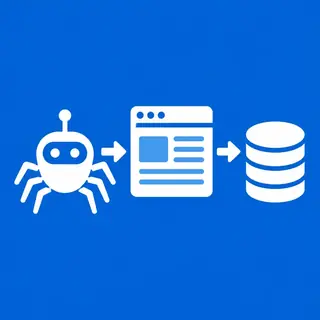
Log file analysis for SEO is the process of examining your server’s raw log files to see exactly how search engine crawlers (like Googlebot) request pages from your site. It reveals crawl frequency, status codes, response times, and which URLs are accessed, providing insights far beyond on-page or link analysis.
Do I need log file analysis if my site is small?
Not always, but it’s useful if you notice crawl issues or have over 1,000 pages. For small sites, simpler tools like Google Search Console may suffice. However, if you see sudden indexing drops, logging can quickly identify server errors or accidental blocks that GSC might miss.
What are the best free tools for log file SEO analysis?
Screaming Frog’s Log File Analyzer offers a free trial with limits, while Google’s own Cloud Logging paired with BigQuery can be low-cost for smaller data sets. Open-source options like GoAccess or custom Python scripts are also free but require technical skills to set up.
How often should I analyze my log files?
For active sites, run a deep analysis monthly, and monitor weekly for any sudden crawl anomalies. After major site migrations or server changes, analyze logs within 48 hours to catch issues early. Consistent tracking helps you spot trends and adjust technical SEO strategies promptly.
Can log file analysis improve my rankings directly?
It doesn’t directly change rankings, but it indirectly boosts them by ensuring search bots can efficiently access your best content. Fixing crawl issues, reducing server errors, and optimizing crawl budget helps search engines discover and index more of your valuable pages, which can lead to better rankings over time.
Related topics