
International SEO and Hreflang Tags
Read more about this topic
Unlock global markets with International SEO and hreflang tags—the technical backbone for reaching audiences across borders. Properly implementing hreflang ensures search engines display the correct language or regional version of your page, reducing duplicate content risks and boosting user experience. From managing multi-regional domains to avoiding common pitfalls like self-referencing tags or incorrect ISO codes, this guide simplifies complex setups for small businesses and bloggers expanding internationally. Master URL structures, sitemap integration, and crawl efficiency to maximize organic visibility in every target market, all while keeping your technical SEO audit clean and scalable. Whether you’re targeting Spanish speakers in Spain versus Mexico or English users in the UK vs. the US, precise hreflang signals turn localization into a competitive advantage—no advanced coding required. Start leveraging these tactics to convert global searches into loyal, local customers.
1 article

Articles in International SEO and Hreflang Tags
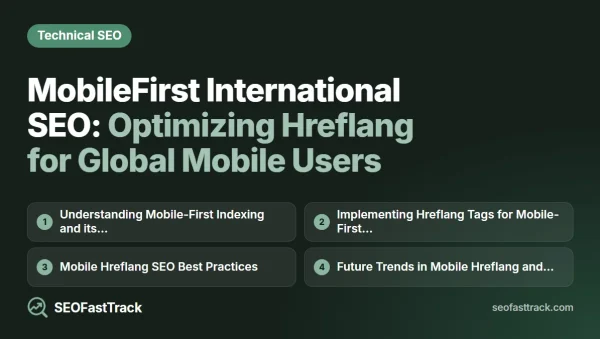
Mastering International SEO and Hreflang Tags for Global Reach
Expanding your website beyond borders is exciting, but without proper International SEO, your global audience may never see your content. This subcategory focuses on the technical backbone of multilingual and multi-regional websites—particularly hreflang tags. These small snippets of code tell search engines which language and regional URL to show in search results, preventing duplicate content issues and improving user experience in every market. Here, we break down implementation, common mistakes, and advanced strategies to help you dominate international search rankings.
🌍 Why Hreflang Tags Are Critical for Global Visibility
Hreflang tags act as a roadmap for search engines, signaling that your page has versions in multiple languages or regions (e.g., English for the US vs. English for the UK). Without them, Google may guess wrong, serving the wrong language to users or ignoring your alternate pages entirely. This leads to higher bounce rates, lost conversions, and diluted link equity across duplicate content. Implementing hreflang correctly ensures each user sees the most relevant version, boosting click-through rates and organic rankings in each target country.
Beyond user experience, hreflang helps you avoid keyword cannibalization. When you have multiple URLs targeting similar keywords, search engines need clarity on which page is for whom. By declaring relationship via link rel="alternate" hreflang="x", you consolidate ranking signals. You’ll also future-proof your site for voice search and localized queries, where intent differs by region—like “football” meaning soccer in Europe vs. American football in the US.
🛠️ How to Implement Hreflang Tags: Three Proven Methods
There are three primary ways to add hreflang tags: HTML link tags in the <head>, HTTP headers for non-HTML files (PDFs), and XML sitemaps for large-scale sites. The HTML method is easiest for small blogs—just add a self-referencing tag plus alternates for every language version. For example, a US page would include <link rel="alternate" hreflang="en-us" href="https://site.com/us/" /> and equivalents for en-gb, es-es, etc. HTTP headers are essential for PDFs or images hosted on CDNs.
XML sitemaps are the most scalable option, especially for sites with dozens of languages. Create one sitemap per language or use a single sitemap with all hreflang annotations. Always include self-referencing hreflang (the tag pointing to itself) and use the correct ISO 639-1 language codes plus ISO 3166-1 alpha-2 country codes (e.g., en-us, fr-ca). Never mix language-only codes like en with region-specific ones—that creates confusion.
🚨 Common Hreflang Mistakes That Kill Your Rankings
Even seasoned SEOs trip over hreflang. The biggest mistake is missing return links—if page A says page B is its alternate, page B must link back to A. Search engines treat this as a bidirectional trust signal; without reciprocity, tags are ignored. Another frequent error is using incorrect codes, like “en-uk” instead of “en-gb,” or forgetting to add a default x-default tag for users with unknown locales. This tag catches everyone else, preventing them from seeing a random language version.
Also, avoid mixing hreflang with robots noindex tags on any alternate page—that tells Google to exclude it entirely. And never use hreflang for content that is only slightly different (like currency variations) unless the language is actually different. For near-duplicate content, use canonical tags instead. Finally, ensure your hreflang URLs are absolute URLs (with https and full path), not relative, or they’ll be ignored.
📈 Advanced Strategies: Localized Landing Pages and Geo-Targeting
Beyond hreflang, pair it with URL structure choices to maximize impact. You can use country-code top-level domains (ccTLDs like .co.uk), subdomains (uk.site.com), subdirectories (site.com/uk/), or language parameters. For most small businesses, subdirectories are easiest to manage and consolidate link equity. But if you want stronger local signals, ccTLDs work best—just remember to set Google Search Console geo-targeting for subdomains and subdirectories to reinforce the region.
Also consider localized content beyond translation—adapt currency, measurements, idioms, and local landmarks. A hreflang tag points to a page, but the page itself must feel native. Implement hreflang for all assets including images and videos via structured data. Use hreflang testing tools (like Merkle’s or SISTRIX’s) to validate your implementation. For dynamic sites, generate hreflang tags programmatically based on a language mapping file to prevent human error.
📊 Measuring Success and Adjusting Your Hreflang Strategy
Once live, monitor your international performance via Google Search Console. Filter by country in the Performance report to see impressions, clicks, and average position for each region. Watch for sudden drops—that often signals a hreflang error. Use the International Targeting report under the “Legacy tools” to check if Google recognizes your hreflang annotations. Also, monitor crawl stats to ensure search bots are fetching all alternate pages without hitting 404s or redirects.
Regularly audit with tools like Screaming Frog or Ahrefs, which flag missing return tags, orphaned alternates, and mismatched codes. Set up alerts for first-time visitors from new countries to confirm their experience. If you see high bounce rates from a specific locale, revisit your content’s cultural relevance. Update your hreflang whenever you add a new translation or change URL structures—stale tags are as bad as none.
Frequently Asked Questions
Do I need hreflang tags if I only translate my blog posts?
Yes, hreflang is essential for any site with content in more than one language or for the same language targeting different regions. Without tags, search engines may index only one version or serve the wrong language. For translated posts, add hreflang to all versions, including the original, to signal alternate relationships and avoid duplicate content penalties.
What is the difference between hreflang and canonical tags?
Canonical tags tell search engines which URL is the primary version when duplicates exist, usually within the same site. Hreflang tells search engines that multiple URLs are equal but intended for different audiences (language/region). You can use both together; hreflang for language alternatives and canonical for near-duplicate technical issues like URL parameters.
Can I use hreflang with JavaScript-rendered content?
Yes, but Google must render JavaScript to see the tags. Ensure your hreflang tags are in the initial HTML response if possible. If your site is single-page app (SPA), use HTTP headers or server-side rendering. For client-side rendering, test with Google’s URL Inspection tool to confirm tags are visible after rendering.
What happens if I accidentally swap hreflang codes (like en-us vs en-gb)?
Swapped codes confuse search engines and users. Google may serve the wrong page to the wrong audience, causing high bounce rates and lost rankings. Fix immediately by updating all tags and resubmitting your sitemap. Use a validator tool to catch these mistakes before deploying, and check your Search Console for international targeting errors.
Is hreflang enough for international SEO, or do I need separate domains?
Hreflang informs search engines about language/region, but it doesn’t replace the need for a solid domain strategy. For large enterprises, ccTLDs provide the strongest local relevance signals. For small businesses, subdirectories with hreflang are cheaper and easier. Always combine hreflang with localized hosting (via CDN) and on-page signals like local schema markup for best results.
Related topics