
Title Tag Optimization
Read more about this topic
Master the art of Title Tag Optimization—the single most impactful on-page SEO element for boosting click-through rates and search rankings. Your title tag is the bold, blue headline users see in search results, and it’s your first (and often only) chance to earn that click. By crafting compelling, keyword-rich, and strategically formatted titles—typically 50–60 characters—you signal relevance to both search engines and readers. Learn to incorporate primary keywords near the front, add power words like “Ultimate” or “Easy,” and use separators (|, –) to improve readability. Avoid duplicate titles, keyword stuffing, and vague phrasing. Optimizing your title tags not only improves organic visibility but also drives qualified traffic, reduces bounce rates, and sets the tone for your entire page. Start refining your titles today to unlock higher CTRs, stronger domain authority, and long-term SEO success. 🚀
1 article

Articles in Title Tag Optimization
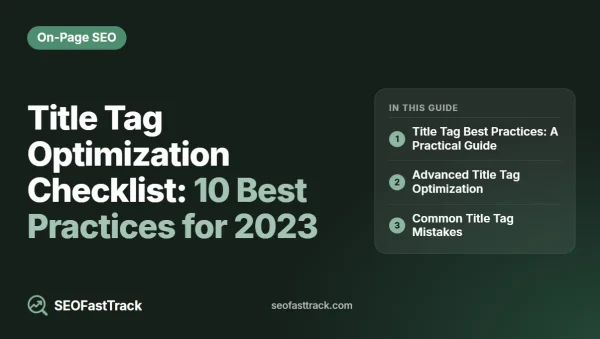
Master Title Tag Optimization for Higher Rankings
Title tag optimization is the cornerstone of on-page SEO, acting as your page’s first impression in search results and on social media. For small business owners, bloggers, and digital marketers, a well-crafted title tag can dramatically boost click-through rates (CTR), improve keyword relevance, and signal topical authority to search engines like Google. This subcategory dives deep into every facet of crafting compelling, keyword-rich titles that balance user intent with algorithmic requirements, ensuring your content stands out in a crowded SERP.
📝 Crafting Click-Worthy Title Tags That Drive CTR
Your title tag is a mini-advertisement for your content. It must be both descriptive and enticing, encouraging users to click while clearly stating what the page offers. Effective title tags typically include your primary keyword near the beginning, a compelling value proposition (like "Ultimate Guide," "Free Tools," or "2024 Trends"), and actionable language that triggers curiosity or urgency. Avoid keyword stuffing, which can reduce readability and trigger search engine penalties. Instead, aim for a natural, conversational flow that includes secondary keywords or modifiers where appropriate.
Beyond the text itself, consider the length. Google typically displays the first 50-60 characters (or about 600 pixels) of a title tag. If it’s longer, it gets truncated, cutting off critical words and potentially your brand name. Use a title tag preview tool to ensure your key message appears intact. Also, consider adding your brand name at the end, separated by a pipe (|) or hyphen (–), which reinforces brand recognition and can improve CTR for users who trust your brand. A/B test different title variations to see which ones resonate best with your audience.
🔍 Keyword Placement and Relevancy Signals
Search engines use title tags as a primary relevance signal to understand what your page is about. Placing your main keyword at the beginning of the title tag is a recommended practice, as it places more weight on that phrase and matches user search queries more directly. However, don’t sacrifice readability for keyword position—a title like "Best Running Shoes | 2024 Reviews" is better than "Running Shoes Best 2024 Reviews." Use exact-match keywords when possible, but also incorporate long-tail variations naturally to capture more specific search intents without appearing spammy.
Relevancy also means aligning your title tag with the content’s actual body text and search intent. If your page is a how-to guide, your title should start with "How to…" or include "Step-by-Step." If it’s a product page, include the product name and key attribute (e.g., "Size," "Color"). This alignment reduces bounce rates because users stay on the page after clicking, which sends positive engagement signals to search engines. Regularly audit your title tags against your content and update them when the page’s focus shifts to maintain accuracy.
⚙️ Technical Best Practices for Title Tag Optimization
Beyond writing, there are technical rules every SEO practitioner must follow. First, every page should have a unique title tag—duplicate titles cause confusion for search engines and lead to poor ranking decisions for all affected pages. Use canonical tags to consolidate duplicate content and ensure the title tag of the canonical URL is the one you want indexed. Second, avoid using all-caps titles, as they appear shouting and can reduce CTR; instead, use title case or sentence case. Third, don’t over-optimize with excessive keywords or irrelevant modifiers like "Best," "Cheap," or "Buy" if they don’t match user intent.
Also, handle special characters carefully. While emojis can attract attention, they can also appear unprofessional in certain niches and may cause rendering issues on older browsers. Test how your title appears on mobile devices, where truncation is even more aggressive. Use a tool like SERP Simulator to check your title’s appearance on both desktop and mobile. Finally, ensure your title tag is implemented in the HTML <title> element, not just in meta description or heading tags, as that’s where search engines look first.
📈 Analyzing and Improving Title Tag Performance
Optimization is an ongoing process. Use Google Search Console (GSC) to track impressions, clicks, and average CTR for each page. If a page has high impressions but low CTR, your title tag likely needs revision. Alternatively, if clicks are high but bounce rate is high, your title may be overpromising relative to the content. Use this data to refine your titles—test new keyword variations, emotional triggers, or improved formatting. Tools like Ahrefs or SEMrush can also show you the estimated keyword difficulty and click potential for specific phrases, helping you prioritize changes.
Also, monitor your competitors’ title tags. Look at the top 3-5 ranking pages for your target keyword and analyze what makes them effective—do they use numbers, brackets, or questions? Incorporate successful elements while differentiating your title to stand out. Consider seasonal updates: for e-commerce or news sites, update title tags to reflect current promotions or trending topics. Finally, use structured data (like Article or Product schema) to enhance your search listing, but remember that title tags remain the primary hook for users.
🛠️ Tools and Testing for Title Tag Success
Several free and paid tools can streamline your title tag optimization. Google’s own SERP Preview Tool shows how your title will look in search results, allowing you to adjust length and punctuation. Moz’s Title Tag Preview Tool and Yoast SEO’s snippet editor (for WordPress) give real-time feedback on character count and keyword placement. For bulk analysis, Screaming Frog SEO Spider can crawl your entire site and list all title tags, highlighting duplicates, missing tags, or ones that are too long. This is invaluable for auditing large websites.
Beyond static tools, run A/B tests using platforms like Google Optimize or even simple manual testing with different titles over a week or two. Track CTR changes in GSC to see which version wins. Remember that title tag impact can take days to show in analytics, so allow sufficient time for data collection. Also, don’t forget about social media—your title tag often becomes the headline when sharing on Facebook, Twitter, or LinkedIn. Craft a version that works for both search engines and social platforms, or use Open Graph tags to set a separate, more social-friendly title if needed.
Frequently Asked Questions
What is the ideal length for a title tag?
The ideal length is around 50-60 characters, roughly 600 pixels wide, to avoid truncation in search results. However, Google’s SERP width can vary slightly, so test with a preview tool. Keep your primary keyword and key value proposition within the first 50 characters to ensure they remain visible.
Should I include my brand name in every title tag?
It’s generally beneficial to include your brand name at the end, especially for branded search queries and user trust. However, omit it if your brand is very long or if you have limited space and the keyword is more important. For new blogs or small sites, focusing on keywords first is often better.
How often should I update my title tags?
Update them whenever your content changes significantly, when you target a new keyword, or when CTR analytics show poor performance. Regular audits (quarterly) are recommended. Avoid frequent, minor changes as they can confuse search engines and reset the “last updated” signal.
Can I use the same title tag for multiple pages?
No, duplicate title tags are a poor practice—they create internal competition and dilute ranking authority. Each page must have a unique title that accurately describes its specific content. Use a site audit tool to find and fix any duplicates immediately.
Does adding emojis to title tags help or hurt SEO?
Emojis can increase CTR by making your listing visually distinctive, but they don’t directly improve rankings. They may also appear unprofessional in B2B or formal niches, and some search engines might not render them correctly. Test carefully and only use one or two relevant emojis if they fit your audience.
Related topics