
Header Tag Optimization (H1-H6)
Read more about this topic
Header Tag Optimization (H1-H6) is the art of structuring your page’s headings to boost readability and signal topic hierarchy to search engines. For small business owners, bloggers, and digital marketers, mastering this on-page SEO fundamental means your content is not just written—it’s architected for both users and crawlers. A well-optimized H1 captures the primary keyword, while H2s and H3s break complex ideas into scannable chunks, improving dwell time and reducing bounce rates. Unlike stuffing keywords, proper header usage creates a logical flow that helps Google understand your page’s context, often unlocking featured snippets and richer rankings. Even subtle tweaks—like avoiding multiple H1s or using descriptive, question-based H2s—can elevate an ordinary post into an authoritative resource. Whether you’re updating a product page or writing a tutorial, learning to optimize header tags is a high-leverage skill that pairs perfectly with your meta tags, image alt text, and internal linking. Start treating your headings as mini-outlines for search intent, and you’ll see tangible gains in organic visibility without needing advanced technical expertise.
1 article

Articles in Header Tag Optimization (H1-H6)
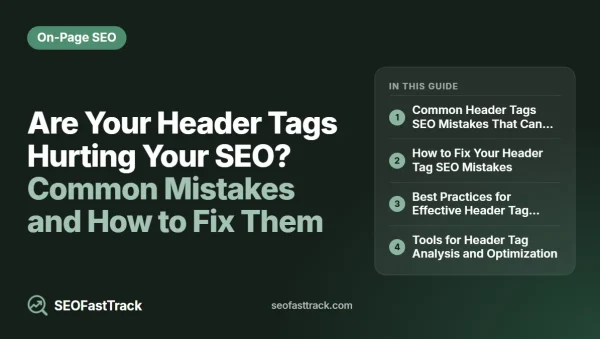
Mastering Header Tag Optimization (H1-H6) for On-Page SEO Success
Header tags—from H1 to H6—are the backbone of your page’s content structure, signaling to both search engines and users what matters most. For anyone using SEOFastTrack to boost small business visibility, optimizing these tags isn’t just about making text bigger; it’s about creating a logical hierarchy that improves readability, keyword relevance, and click-through rates. By mastering H1-H6, you’ll help Google understand your content’s topics and subtopics, which directly impacts rankings and user engagement.
🎯 Why H1 Tags Are Your Page’s First Impression
Your H1 tag is the primary headline—the single most important on-page element for telling search engines what your page is about. It should contain your main keyword or a close variant, appear only once per page, and be placed near the top of the content. Think of it as the title of a book; without a clear H1, crawlers struggle to categorize your page, and users may bounce back to search results.
In practice, an optimized H1 is concise (under 60 characters), matches user intent, and differs from your title tag to avoid redundancy. For example, if your title is “Best Running Shoes for Flat Feet,” your H1 could be “Top Running Shoes for Flat Feet in 2025.” This subtle variation helps you rank for long-tail variations while maintaining clarity. Avoid stuffing multiple keywords into the H1—one primary focus is enough.
🧩 Creating a Logical Hierarchy with H2 and H3 Tags
H2 and H3 tags organize your content into digestible sections and subsections, acting as a roadmap for both readers and crawlers. Use H2s for major topics that support your H1, and H3s for sub-points under each H2. This hierarchical structure helps Google assign more weight to key phrases within each section, improving your chances of ranking for multiple related queries.
For best results, include secondary keywords naturally in your H2s and H3s, but avoid over-optimization. Imagine your content as an outline: each H2 should answer a specific aspect of the user’s intent, while H3s break down complex ideas. For instance, an H2 might be “How to Clean Leather Boots,” with H3s like “Supplies Needed” and “Step-by-Step Method.” This clarity boosts dwell time and reduces bounce rates.
🔧 Strategic Use of H4-H6 Tags for Depth and Detail
While H4 through H6 are often underused, they serve critical roles for highly detailed or technical content, such as tutorials, FAQs, or product specs. These tags help you drill down into sub-subtopics, making it easier for users to scan and for search engines to extract nuanced entities. For example, under an H3 about “Maintenance Tips,” you might use H4s like “Weekly Checks” and “Monthly Deep Cleans.”
However, don’t force H4-H6 if your content doesn’t need them—overusing low-level headings can dilute the semantic signal. Instead, reserve them for long-form guides (2,000+ words) or structured data like product comparisons. When used correctly, H4-H6 improve accessibility by creating a clear visual hierarchy, especially for screen readers, which scan headings to navigate content. Keep them descriptive but concise.
📈 Best Practices for Keyword Placement in Header Tags
Strategic keyword placement in headers boosts relevance without triggering spam filters. Start by including your primary keyword in the H1, then distribute secondary and long-tail keywords across H2s and H3s naturally. Each header should read like a human-written sentence or phrase, not a keyword stuffed list. For example, instead of “SEO Tips,” use “Effective SEO Tips for Local Businesses.”
Also, use header tags to support semantic search by incorporating related terms (synonyms, LSI keywords). If your page targets “vegan protein powder,” your H2s might include “Plant-Based Protein Sources” or “Best Vegan Supplements.” This tells Google your content is comprehensive. Avoid using headers for purely decorative purposes—every H2-H6 should add structural value and ideally answer a question users might have.
🔍 Common Header Tag Mistakes and How to Fix Them
Even experienced marketers make errors like skipping from H1 to H4, resulting in a broken hierarchy. Another frequent mistake is using multiple H1 tags on one page—this confuses crawlers and splits ranking signals. Additionally, making headers identical to your title tag or meta description wastes an opportunity to capture extra search real estate. Fix these by auditing your page structure before publishing.
Also, avoid using header tags for styling text (like making a sentence bold or larger)—use CSS instead. Keep headers under 70 characters for mobile readability, and ensure they accurately reflect the following content. If you redesign a page, update headers to match new targeting. Tools like SEOFastTrack’s on-page analyzer can highlight these issues, saving you manual effort.
📊 Measuring the Impact of Header Optimization on SEO
To know if your header strategy works, track metrics like organic impressions, click-through rate (CTR), and keyword rankings over time. Tools like Google Search Console show performance for pages, letting you see if changes to H1-H6 lead to higher positions. Pair this with heatmaps to observe how users interact with headed sections—if they skip large portions, your hierarchy may need adjustment.
Also, correlate header changes with bounce rate and average session duration. A well-optimized page typically shows higher dwell time and lower bounce rates because users find what they expect under each heading. Regularly review your top pages quarterly, updating headers to reflect fresh intent or seasonal keywords. Remember, header optimization is not a one-time task but an ongoing part of content maintenance.
Frequently Asked Questions
How many H1 tags should a page have?
Always use exactly one H1 tag per page. This tag defines the main topic for search engines and users. Using multiple H1s dilutes your primary keyword signal and confuses crawlers about your page’s focus. If you have a long piece, wrap the overarching title in H1 and use H2s for all sub-sections.
Can I use header tags out of order, like H3 before H2?
Technically, you can, but it’s bad practice for SEO and accessibility. Skipping levels breaks the semantic outline, making it harder for screen readers to navigate and for Google to understand content relationships. Always follow a logical order: H1 → H2 → H3 → H4, and only skip if you have fewer levels of detail.
Do header tags affect page speed?
No, header tags have minimal impact on page speed because they are just HTML elements. However, oversized or cluttered headers can affect user experience indirectly. Focus on using proper tags with CSS styling rather than inline styles, which can repeat code. Your page’s load time is more influenced by images and scripts.
What’s the ideal length for an H2 or H3 tag?
Keep H2 tags under 60 characters and H3s under 50 characters for best readability on mobile and desktop screens. Longer headers get truncated in search results and can be harder to scan. Aim for concise phrases that capture the section’s essence without being vague—think “Key Benefits” vs. “Benefits of Using X Product.”
Should I include keywords in every header tag?
No, overstuffing keywords in every header looks spammy and hurts readability. Follow the rule of thumb: use your primary keyword once in H1, then distribute secondary keywords sparingly in H2s and H3s. Natural language and synonyms are fine—focus on user intent rather than exact-match phrases, as Google’s semantic algorithms understand context.
Related topics