
WooCommerce SEO Optimization
Read more about this topic
Unlock your online store’s full potential with WooCommerce SEO Optimization—the key to turning clicks into customers. 🚀 In the crowded e-commerce landscape, a beautifully designed shop means nothing if it’s invisible on Google. This focused approach fine-tunes every product page, category, and checkout element to boost rankings, drive organic traffic, and increase conversions. From optimizing site speed and mobile usability to crafting keyword-rich product descriptions and implementing schema markup, we cover the technical and on-page essentials that search engines reward. Learn how to leverage clean URLs, image alt texts, internal linking, and customer review snippets to stand out. Whether you’re a small business owner or a seasoned marketer, our actionable insights help you beat competitors, reduce bounce rates, and build a sustainable revenue stream. Say goodbye to guesswork and hello to a predictable, data-driven growth strategy. Let’s make your WooCommerce store the first stop for ready-to-buy shoppers. 💰📈 #WooCommerceSEO #EcommerceGrowth #ShopifyAlternativeSuccess
3 articles

Articles in WooCommerce SEO Optimization
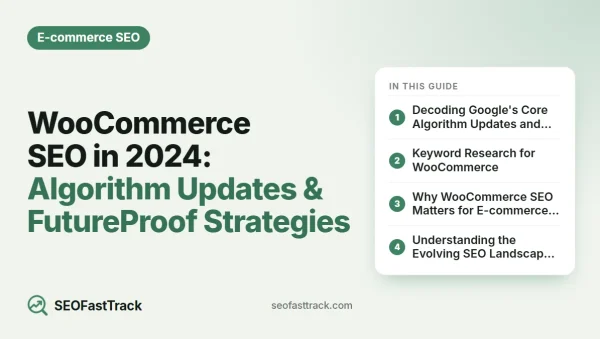
WooCommerce SEO in 2024: Algorithm Updates & FutureProof Strategies
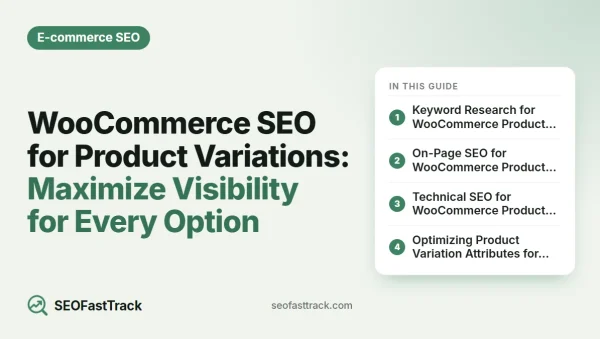
WooCommerce SEO for Product Variations: Maximize Visibility for Every Option
WooCommerce SEO Optimization: Unlock Your Store's Full Search Potential
Welcome to our dedicated guide on WooCommerce SEO Optimization, a core pillar of E-commerce SEO designed to help your online store rank higher, attract more qualified traffic, and convert visitors into loyal customers. Unlike generic SEO, WooCommerce requires a tailored approach—balancing product schema, site speed, category hierarchy, and user experience. This section dives deep into actionable strategies, technical tweaks, and content best practices that work specifically for WordPress-based stores. Whether you're a small business owner or a digital marketer, you'll find proven tactics to outrank competitors and maximize your return on investment.
📦 On-Page Product & Category Optimization for WooCommerce
Your product pages are your money pages. Optimizing them means more than just adding keywords—it's about structuring data, improving meta descriptions, and creating compelling, unique content for each item. We cover how to write SEO-friendly product titles that include primary keywords without sounding robotic, craft meta descriptions that drive clicks, and use schema markup (Product, Review, Offer) to earn rich snippets. You'll also learn to optimize category pages to avoid cannibalization and guide internal linking effectively. Expect practical checklists and examples that you can implement immediately on your store.
Beyond basic tags, we emphasize the importance of image alt text, URL structure (short, descriptive, and keyword-rich), and customer review integration to boost trust signals. We'll show you how to leverage long-tail keywords in product descriptions to capture high-intent shoppers who are closer to purchase. By the end, you'll have a robust framework to turn every product page into a conversion-focused landing page that search engines love.
⚡ Technical SEO: Speed, Crawlability & Indexing for WooCommerce
Technical issues can silently kill your rankings. This section focuses on the unique technical challenges of WooCommerce, including paginated archives, parameter-based URLs (like ?add-to-cart), and duplicate content from variations. We guide you through configuring canonical tags, setting up XML sitemaps correctly, and using robots.txt to block low-value pages like cart, checkout, and my-account. You'll also learn to optimize site speed via caching, lazy loading, and image compression—critical factors for both SEO and user experience, especially on mobile.
We delve into crawl budget management, ensuring Google efficiently discovers your new products and filters out thin content. You'll understand how to handle out-of-stock items gracefully, avoid soft 404s, and implement hreflang tags for multi-currency or multilingual stores. With our step-by-step instructions, you'll reduce server load, improve Core Web Vitals, and make your store easier for search engines to index and rank. Expect clear explanations of tools like Google Search Console and Screaming Frog, tailored specifically for WooCommerce setups.
🔗 Link Building & Authority Growth for WooCommerce Sites
Technical on-page work alone won’t win the race. Building high-quality backlinks is essential for standing out in competitive niches. Here, we focus on link-building strategies designed for e-commerce, such as digital PR with product launches, collaborations with bloggers and influencers, and guest posting on industry-relevant sites. We also discuss how to create linkable assets—buying guides, size charts, trend reports—that naturally attract authority links. Learn to analyze competitor backlinks using tools like Ahrefs and identify gaps you can exploit.
Beyond external links, we emphasize internal linking as a powerful ranking lever. You'll learn to create contextual links between related products, from blog posts to product pages, and use breadcrumbs to improve site architecture. We also cover how to handle customer review websites and directory submissions to build a diverse, natural link profile. By implementing these tactics consistently, you'll increase domain authority and drive more referral traffic to your store.
📈 Content Marketing & Keyword Strategy for WooCommerce SEO
Content is the fuel for your SEO engine. This section reveals how to build a keyword strategy that mixes transactional terms (e.g., "buy running shoes") with informational queries (e.g., "how to choose running shoes"). You’ll learn to create buyer-intent-focused blog posts that answer pre-purchase questions, then interlink them to product pages. We also discuss customer journey mapping—developing content for awareness, consideration, and decision stages—to best guide users down the funnel. Discover how to repurpose user-generated content (reviews, Q&A) as SEO content.
We dive into seasonal and trending topics to capture timely traffic, plus how to conduct content audits to refresh old posts and add value. You’ll master the art of writing product roundups, comparison guides, and “best of” lists that rank and convert. With our guidance, you’ll turn your blog from a sidebar afterthought into a main traffic engine that feeds product pages with qualified visitors, ultimately reducing paid acquisition costs and increasing customer lifetime value.
🧪 WooCommerce SEO Tools, Plugins & Analytics
Using the right tools can save hours and multiply results. We review the best SEO plugins specifically optimized for WooCommerce, such as RankMath Pro, Yoast Premium, and All in One SEO—highlighting their unique features like schema generation, redirect management, and content scoring. We also recommend speed plugins (WP Rocket, Smush) and caching solutions that integrate seamlessly with WooCommerce. Learn to configure Google Analytics 4 and Search Console to track product impressions, clicks, and conversions, and set up e-commerce tracking to measure revenue from organic search.
We cover A/B testing tools to optimize product page layouts and calls-to-action, plus how to use heatmaps for user behavior insights. With these tools, you can monitor technical health, detect keyword drops, and track competitor movements. We’ll also share scripts and custom code snippets—like adding JSON-LD for FAQs or reviews—that give you an advantage without bloating your site. Implementation guides are jargon-free, ensuring you can apply them even if you’re not a developer.
Frequently Asked Questions
What is the key difference between WooCommerce SEO and regular WordPress SEO?
Regular WordPress SEO focuses on optimizing static pages and blog posts. WooCommerce SEO adds layers like product schema, variable product handling, cart URL parameters, and pagination issues. It requires managing thousands of URLs, internal linking strategies between products and blogs, and ensuring your technical setup supports rapid crawling and indexing of product pages without duplicate content penalties.
How often should I update my product descriptions for SEO?
Update product descriptions whenever details change (price, features, inventory) but don't rewrite them just for freshness. Instead, focus on adding new customer reviews, FAQs, or related products. For SEO, ensure your descriptions remain unique and include targeted keywords—but avoid keyword stuffing. A quarterly review of top-performing products and a yearly refresh of all descriptions is a healthy practice.
Can I rank my WooCommerce store without building backlinks?
Technically yes, but extremely unlikely in competitive niches. On-page SEO alone can get you long-tail rankings, but for head terms, backlinks are essential. Consider internal links, digital PR, and user-generated content as alternative ways to gain authority. Focus on building a few high-quality backlinks each month to see gradual improvement in rankings and organic traffic.
What is the biggest technical mistake WooCommerce store owners make?
Failing to block the cart, checkout, and my-account pages from indexing. This leads to wasted crawl budget and duplicate content issues. Another big mistake is not using canonical tags on product variations and paginated category pages. Regularly audit these areas to ensure search engines see your cleanest URL structure.
How long does it take to see results from WooCommerce SEO?
Typically 3 to 6 months for noticeable rank improvements, and up to a year for competitive keywords. The timeline depends on your site's age, current domain authority, content quality, and the competition in your niche. Consistency is key—publish regular content, fix technical errors promptly, and keep building links to accelerate results.
Related topics