
Content Repurposing and Optimization for SEO
Read more about this topic
Unlock the hidden potential of your existing content with Content Repurposing and Optimization for SEO—the smartest way to boost rankings without starting from scratch. By transforming a single high-performing blog post into videos, infographics, podcasts, or social snippets, you can extend your reach, attract diverse audiences, and reinforce your topical authority. Combined with on-page optimization—refreshing meta tags, improving internal linking, updating outdated stats, and targeting fresh keywords—this strategy keeps your pages relevant and competitive. Perfect for small businesses, bloggers, and digital marketers, this approach maximizes ROI, saves time, and helps you dominate search results across multiple formats. Learn to audit underperforming assets, identify repurposing opportunities, and apply data-driven tweaks that turn old content into a consistent traffic magnet. Whether you aim to improve dwell time, earn more backlinks, or capture featured snippets, mastering repurposing and optimization ensures your content never stops working for you. Start turning yesterday’s articles into today’s lead generators and tomorrow’s ranking powerhouses! 🚀📈
2 articles

Articles in Content Repurposing and Optimization for SEO
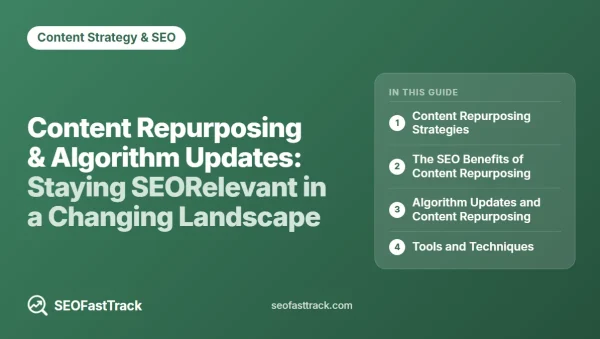
Content Repurposing & Algorithm Updates: Staying SEORelevant in a Changing Landscape
Content Repurposing and Optimization for SEO: Turn Every Asset into a Ranking Machine
Creating fresh content is only half the battle in SEO. Smart marketers know that a single blog post can fuel a dozen assets—and every one of those assets can drive ranking power back to your main pages. Content repurposing and optimization for SEO isn’t just about recycling; it’s about expanding reach, targeting new keywords, and strengthening your topical authority. On this page, you’ll learn how to transform existing material into high-performing, search-optimized formats—from video scripts to infographics, email newsletters, and more—while keeping your core message intact and boosting your visibility in Google.
🎯 Repurposing Blog Posts into Video, Audio, and Slide Decks
Video and audio content are now essential for SEO, especially with Google’s growing emphasis on rich results. You don’t need a studio—just turn your top-performing blog posts into a YouTube script, a podcast episode, or a SlideShare deck. Each format opens new SERP real estate: YouTube videos can appear in video carousels, podcasts can rank in Apple Podcasts and Google’s podcast index, and slide decks can grab featured snippets. This multiplies your click-through rates and creates natural backlink opportunities from other platforms.
To optimize each repurposed format, you must adjust on-page elements: craft a keyword-rich title and description for YouTube, add timestamps or chapters (which are SEO-friendly), and embed the video back into the original blog post. For slide decks, use slide titles with target keywords and include a link to your full article. This creates a content flywheel—each format reinforces the other’s authority, helping you dominate a broader set of long-tail queries.
📊 Optimizing Infographics and Visual Assets for Image Search
Infographics remain one of the most linkable assets on the web—and they’re perfect for repurposing statistics, step-by-step guides, or complex concepts. But to make them work for SEO, you must optimize the file name, alt text, and surrounding HTML with your primary keyword. Also, create a dedicated page around the infographic with a 300-word explanatory paragraph, a text-based transcript of the data, and embed code that others can use. That page becomes a landing hub for guest posts and backlinks.
Don’t forget to resize your infographics for Pinterest, LinkedIn, and social sharing. Visual search (e.g., Google Lens) is growing, so ensure your images are high-resolution and descriptive. Add schema markup (ImageObject) to help Google understand the content. Test different headlines for the infographic—leveraging emotional triggers or data-driven angles—to improve social shares, which indirectly signal relevance to search engines.
🔁 Updating and Refreshing Evergreen Content for Better Rankings
Old does not mean outdated. Evergreen content—like “how to” guides, checklists, and product comparisons—can lose rankings over time due to algorithm updates or stale information. A systematic content refresh is a high-ROI repurposing strategy. Start by auditing your analytics to find pages with declining traffic but steady historical views. Then, update statistics, replace broken links, add new sections (like FAQ blocks), and improve readability with better subheadings and bullet lists. This signals Google that your page is fresh and relevant.
When you update, also re-optimize your title tag and meta description for current search intent. Use tools like Google Search Console to see which queries you already rank for—then add missing keyword variations naturally. Change the publication date (if your CMS supports it) but be honest with users; many plugins allow a “last updated” display. This tactic often recovers your rankings within 2–4 weeks and can boost click-through rates because your snippet now matches user intent more precisely.
✂️ Slicing Long-Form Content into Keyword-Specific Micro-Posts
Do you have a 3,000-word pillar post? Perfect—you can cut it into 10–15 micro-posts (300–500 words each) targeting specific long-tail keywords. Each micro-post can live on social media platforms like LinkedIn, Twitter/X, or Medium, and include a link back to the pillar page for full context. This tactic helps you dominate long-tail searches—which often have higher conversion rates—without writing from scratch. For example, a section on “local citation building” can become a standalone post optimized for “local citation mistakes to avoid.”
To do this effectively, maintain a consistent internal linking strategy: every micro-post should naturally link to the original article with descriptive anchor text. Ensure the micro-posts are not duplicate content—rewrite the introduction and conclusion, add fresh examples, and adjust the angle (e.g., a checklist version, a Q&A version). This approach also helps you distribute content across different platforms, reaching new audiences and building domain authority through diverse referral traffic.
📧 Repurposing Content into Email Newsletters and Lead Magnets
Email remains the highest-converting channel—and your blog posts are ready-made newsletter content. Rather than writing emails from scratch, pull the most valuable sections from your top-performing posts, summarize them, and add a personal commentary. This not only saves time but also reinforces the user journey: subscribers click through to your site, increasing dwell time and repeat visits. For lead magnets, similar repurposing works—turn a popular “ultimate guide” into a downloadable PDF, a checklist, or a cheat sheet in exchange for an email address.
To optimize email content for SEO indirectly, focus on subject lines that include target keywords (these can also influence Google’s ranking of your email-generated pages if you archive newsletters publicly). Add tracking parameters to links so you can measure which sections of your post perform best. Use content from your newsletters to also create short “excerpt snippets” that you publish on your site with a “read more” link—this creates a feedback loop where email drives traffic, and traffic boosts your keyword rankings.
🔍 Repurposing User-Generated Content and Comments for Fresh SEO Signals
User-generated content (UGC)—such as comments, testimonials, and forum posts—is an underutilized goldmine for repurposing. Search engines love fresh, unique, and conversational content. You can take thoughtful comments from your blog or social channels, anonymize them, and compile them into a “Community Questions” post or a FAQ page. Additionally, turn frequently asked questions (from your support emails) into a structured Q&A section on your site, using the FAQ schema to earn rich snippets.
Optimizing UGC requires careful editing: correct spelling, add your own insights, and ensure the content adds value beyond just repetition. Use the rel=”ugc” attribute on any external content you republish (to avoid spam flags). For internal comments, you can embed them into a new blog post as “real user experiences,” which helps with E-E-A-T (Experience, Expertise, Authoritativeness, Trustworthiness). This strategy increases your page depth and provides long-tail keyword coverage drawn directly from your audience’s vocabulary.
Frequently Asked Questions
How does content repurposing actually help SEO rankings?
Repurposing expands your content’s reach across multiple platforms, creating more entry points for users to find you. Each new format—video, infographic, podcast—can target different keywords and earn backlinks. This increases your domain authority, dwell time, and social signals, all of which are positive ranking factors. It also prevents content fatigue and ensures your best insights are seen by new audiences.
What is the best way to avoid duplicate content when repurposing?
Always create unique value in each version: rewrite the intro, add new examples, change the perspective, or update data. Use canonical tags when publishing the same content across your own domains, but for third-party platforms (like Medium), include a link back to your original with a “first published here” note. Google treats substantially rewritten content as original, so aim for at least 30% new wording.
Can I repurpose old blog posts without harming my current SEO?
Yes—refreshing and repurposing old posts is a recommended practice. Google rewards updated content because it improves user experience. Just be careful to maintain the URL, redirect any changed paths, and preserve historical internal links that point to the old version. If you split a post into multiple pieces, use 301 redirects from the removed sections to the new full versions to conserve link equity.
Which tools help with content repurposing and optimization for SEO?
Use SurferSEO or Clearscope for keyword optimization during repurposing. Canva for visual assets, Rev or Otter.ai for transcribing videos/podcasts into text, and Hemingway for readability improvements. For scheduling repurposed social content, Buffer or Post Planner work well. Google Search Console is essential for identifying which existing pages are worth repurposing based on search impressions.
How often should I update or repurpose my content?
Aim for a quarterly audit of your top 20–30 pages. For high-traffic but outdated pages, refresh them every 3–6 months. For content that ranks #2–10, repurpose it every 6–12 months into a new format to push for the #1 spot. However, don’t touch pages that are already the #1 result—unnecessary changes can disrupt their success. Always prioritize pages that affect your revenue or core audience.
Related topics