Site Audit Tools Comparison
Read more about this topic
Choosing the right site audit tool can feel overwhelming, but mastering this decision is the key to unlocking your website’s true technical health and search visibility. In this comparison, we break down the top platforms—from comprehensive suites like Ahrefs and Semrush to specialized crawlers like Screaming Frog—focusing on what truly matters for small business owners, bloggers, and digital marketers. We’ll dive deep into crawl depth, issue prioritization, Core Web Vitals, log file analysis, and actionable reporting, so you can stop wasting time on surface-level checks. Whether you need a free tool for quick health checks or an enterprise-grade solution for complex migrations, this guide helps you weigh pricing, ease of use, and real-world impact on rankings. Stop guessing and start auditing with confidence—your roadmap to fixing broken links, duplicate content, and hidden speed killers is right here.
1 article
Articles in Site Audit Tools Comparison
Site Audit Tools Comparison: Find the Perfect SEO Health Checker
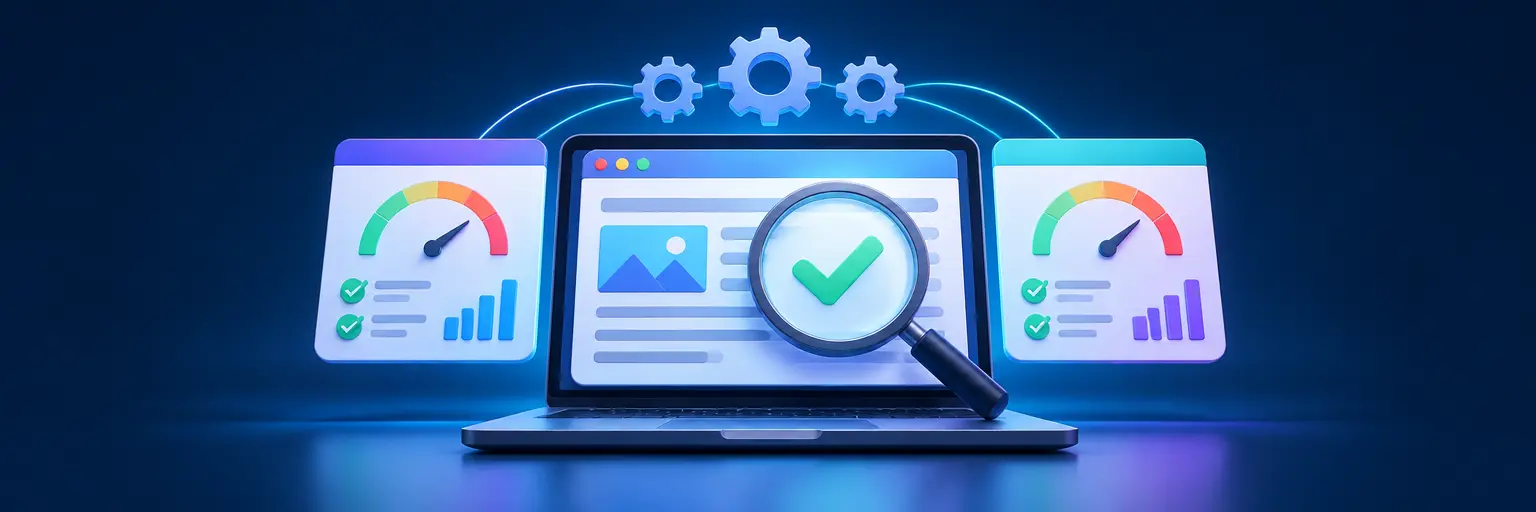
In the crowded world of SEO tools, choosing the right site audit platform can feel overwhelming. A site audit tool is your technical SEO compass—it crawls your website like a search engine, detecting broken links, duplicate content, slow pages, missing meta tags, and core web vitals issues. On SEOFastTrack, we help you cut through the noise with a practical, feature-by-feature comparison designed for small business owners, bloggers, and digital marketers who need actionable fixes without enterprise-level pricing. Below, we break down the most critical dimensions to consider, so you can pick a tool that fits your budget, technical skill, and website size.
🔍 Key Features to Compare in Site Audit Tools
Not all audits are created equal. The best tools go beyond surface-level “crawlability” reports to offer priority-based insights, like showing you which errors impact your rankings most. Look for features such as broken link detection, HTTPS and mixed-content checks, XML sitemap validation, redirect chain analysis, and Core Web Vitals scoring. Some tools also simulate Googlebot with different device types, which is crucial for mobile-first indexing. While comparing, check whether the tool provides a crawl budget optimization report—this is a lifesaver for large e-commerce sites.
Another differentiator is how the tool handles **JavaScript rendering**. Most modern sites rely on JS to load content, but many free crawlers miss this entirely. Premium tools like Ahrefs and Screaming Frog can render JavaScript, giving you a true picture of what Google sees. Also review the frequency of scheduled re-crawls—daily, weekly, or on-demand. Finally, integration simplicity with Google Search Console, Analytics, and your CMS (like WordPress) can save you hours of manual ticket-tracking. Choose a tool that exports to CSV or offers an API for custom dashboards if you manage multiple client sites.
💸 Pricing vs. Value: Free Trials, Tiers, and Hidden Costs
Price tension is real. Free versions—like Screaming Frog’s 500-URL limit or Ubersuggest’s daily audit caps—are perfect for tiny blogs but become frustrating as you scale. Mid-tier plans (usually $20–$50/month) from Semrush, Ahrefs, or Sitebulb offer up to 100,000 pages and advanced filters. However, watch out for **credit-based systems** where each audit consumes credits, forcing you to pay per crawl. Many tools also charge extra for white-label reports or API access. Before buying, run a free trial on your actual website, not a demo site, to see if the tool detects your specific CMS quirks and page builder elements.
Enterprise tools like DeepCrawl or Lumar are powerful but often exceed $200/month—overkill for a small business. A smart strategy is to combine a lightweight crawler (like Screaming Frog’s free version) with a cloud-based audit from Sitechecker or SEO PowerSuite for ongoing monitoring. Also consider the long-term cost of switching tools: data portability, saved patterns, and historical trends may lock you in. Read the fine print on using the tool for **client work**; some licenses limit you to one domain per account, which can balloon your budget.
⚙️ Ease of Use and Reporting: From Noise to Actionable Insights
Some tools dump dozens of “errors” into a spreadsheet, leaving you frustrated. The best comparisons we run highlight how each tool **prioritizes issues**—e.g., marking 404s as critical, but flagging missing alt text as low priority. Look for a built-in task manager or a “fix list” that groups related issues. For example, Ahrefs includes “crawlability” and “indexability” tabs, while Sitebulb shows a visual flowchart of your site’s structure. Screaming Frog’s interface is technical, with a steep learning curve, but it’s highly customizable for power users.
Reporting is where many fail. Does the tool generate a shareable, client-friendly PDF with a readability score? Can you customize the logo and disclaimer? For bloggers, you need a tool that explains each error in plain language—not “Hreflang mismatched” without showing offending URLs. We strongly recommend testing the audit’s “explain this issue” link for a sample error. Also check if you can set up **email alerts** for new issues after a code deployment. A tool that integrates with Slack or Trello can turn audits into automated workflow reminders.
🔧 Technical Depth: Handing WordPress, Shopify, and Big Sites
Your platform matters. WordPress users should check for plugin conflicts—some crawlers flag WooCommerce cart URLs as duplicate content. The ideal tool should allow you to **exclude parameters** (like ?add-to-cart) via a simple filter. Shopify stores have unique challenges: many crawl tools misread their liquid templates and external CDN links. We found that Semrush’s Site Audit has built-in platform-specific presets, while Screaming Frog requires manual configuration. If you run a site with 50,000+ pages, test how quickly the crawl finishes and whether you can pause/resume without losing data.
Another hidden deep dive is **log file analysis**—actually seeing what Googlebot requests. Most site audit tools don’t do this; you need a separate tool like JetOctopus or a custom setup. For advanced users, look for support of regex filters to block non-content areas like /tags or /author. Also verify if the tool checks **structured data validation** (schema markup) beyond basic JSON-LD detection. A great audit tool will show you which rich snippets are eligible, like reviews or FAQs. If you’re technical, consider a tool with a custom crawl seed list, allowing you to audit only /blog/ or /products/ subfolders.
📊 Performance Metrics: Speed, Uptime, and Core Web Vitals
Google’s update made speed a ranking factor; thus, your site audit tool must measure **Core Web Vitals** accurately. Some tools use a lab-based simulation (like Lighthouse) while others use real-world data from Chrome User Experience Report (CrUX). The most accurate tools combine both, such as Sitebulb’s “Google Field Data” integration. You want to see not just a score but a breakdown of why—e.g., “largest contentful paint slowed by hero image.” Check if the tool offers a **before-and-after improvement tracking** to prove your SEO efforts to a client or boss.
Uptime monitoring is often a separate feature, but some audit tools bundle it. If your site is down for 10 minutes, Google may deprioritize you; so a tool that alerts you instantly is golden. Also look for **mobile vs. desktop crawls**—you need to see how your site performs on a real device, not just a desktop user agent. For WordPress, consider a tool that checks your hosting response times and database queries indirectly. Remember, audits are snapshots, not continuous—so pair them with a real-time uptime monitor like UptimeRobot for a full picture.
🔁 Integration and Workflow: APIs, Zapier, and Team Collaboration
Your audit tool should not be a silo. Many offer native integrations with Google Search Console, which lets you compare “crawl requests” vs. “actual visits.” For a seamless workflow, look for a tool with a **Zapier connection**—so when a new issue is found, it auto-creates a task in Asana or sends a Slack message to your developer. Some tools like Semrush have a “Content Editor” that shows you SEO issues while writing, blending audit with on-page checks. For agencies, user roles are vital: admin, editor, and read-only access with different permission levels.
Don’t overlook the power of exporting data. A tool that allows a full CSV export of every issue, including the URL and extracted text, makes it easier to hand off to a developer. And check if there’s an **API endpoint** if you plan to build custom dashboards in Looker Studio. DeepCrawl (now Lumar) is famous for its API, but it’s pricey. For a solo blogger, simpler is better—just ensure the tool can connect to GSC and Google Analytics to pull organic traffic metrics next to audit findings. A tool that offers a “priority score” that merges audit severity with page traffic is a time-saver.
Frequently Asked Questions
What is the best free site audit tool?
For a quick snapshot, Screaming Frog’s free version (up to 500 URLs) is excellent for technical users. Google’s Search Console’s “URL Inspection” is also free but doesn’t crawl the entire site. Ubersuggest offers a daily audit for limited pages. For a fully free cloud-based option, try Sitechecker’s free plan, which includes on-demand crawls without limit for one project.
How often should I run a site audit?
Aim for at least once a month for small blogs and weekly for e-commerce or news sites that update often. After any major change—like a redesign, migration, or heavy plugin installation—run an audit immediately. Tools with scheduled crawls can automate this, but be mindful of crawl budget. Running too often can clutter your server log with redundant requests.
Can a site audit tool damage my website?
No, an audit tool acts like a fake browser, not a malware scanner. It sends GET requests (not POST) and respects your robots.txt rules. However, a misconfigured crawler can overwhelm a low-budget shared host, causing a spike in CPU usage. Use a tool’s crawl speed limit or set a higher “crawl delay” to avoid affecting your site’s load time for real visitors.
Do all site audit tools detect JavaScript-rendered content?
No. Basic tools, like early versions of Nibbler or free online checkers, only parse raw HTML. Premium tools like Ahrefs, Semrush, and Screaming Frog have a “JS rendering” mode that executes JavaScript. If your site heavily uses React or Vue, test your tool’s rendering accuracy using a simple element that only appears after JS loads. Free tools often miss this, leading to false “missing content” alerts.
What’s the difference between a site audit and a rank tracker?
A site audit checks your technical health—errors, speed, indexing—while a rank tracker (like SERPWatcher or SEMrush) monitors your keyword positions daily. You need both for a complete SEO strategy. Audits tell you *why* your rank dropped (e.g., a broken internal link), while trackers tell you *what* changed. Use audits monthly and trackers weekly for the best overview.
Related topics