SEO Tool Stacks for Different Budgets
Read more about this topic
Discover the perfect SEO tool stack for your budget, whether you’re just starting out or scaling a full-fledged digital marketing empire. From free essentials like Google Search Console and Ubersuggest to premium powerhouses such as Ahrefs and SEMrush, we break down cost-effective combinations that maximize ROI without draining your wallet. Learn how to mix and match tools based on your specific needs—keyword research, rank tracking, technical audits, or backlink analysis—and avoid overpaying for features you’ll never use. Perfect for small business owners, bloggers, and marketers who want smart, data-driven decisions at every price point. Unlock actionable insights that boost visibility, drive organic traffic, and turn your SEO strategy into a profit center—all tailored to your unique budget constraints.
1 article

Articles in SEO Tool Stacks for Different Budgets
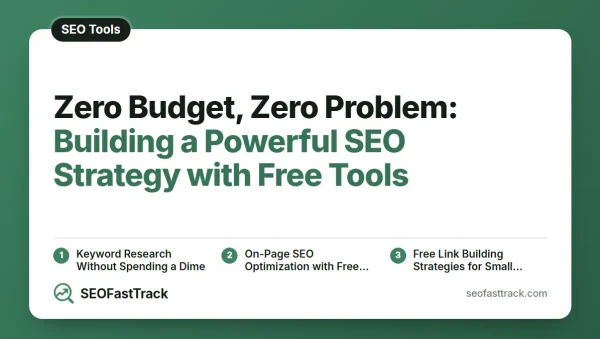
Build the Perfect SEO Tool Stack for Your Budget
Choosing the right SEO tools can feel overwhelming, especially when budgets range from $0 to hundreds per month. This subcategory breaks down the best SEO software stacks across every price point—from free starter kits to enterprise-level suites. Whether you’re a solo blogger, a growing agency, or a small business owner, you’ll discover exactly which tools deliver the highest return on investment without wasting money on features you’ll never use. We focus on practical, actionable stacks that match your current stage and goals.
🆓 Free SEO Tool Stacks (Under $10/Month)
For beginners and tight budgets, you can build a surprisingly effective SEO stack using free tools. Google Search Console, Google Analytics, and Google Keyword Planner form your core—they provide real search data, traffic insights, and keyword ideas. Add Ubersuggest’s free tier for limited competitor research and Yoast SEO (WordPress) for on-page checks. This stack covers basic keyword research, performance tracking, and technical health checks. It’s ideal for bloggers and micro-businesses starting out, but be ready to upgrade as your site grows.
You’ll also want to include free browser extensions like MozBar and Keywords Everywhere (lite version). These help you see domain authority and search volume directly in search results. While free tools have limitations—like daily query caps or delayed data—they still let you perform 80% of essential SEO tasks. The key is learning to interpret the data correctly. This stack won’t automate everything, but it builds a solid foundation for understanding your audience and fixing obvious issues without spending a dime.
💼 Mid-Range Stacks ($10–$50/Month)
Once you’re earning some income or have a client budget, the mid-range stack unlocks serious automation and deeper insights. Ahrefs Webmaster Tools (free) pairs beautifully with a paid subscription to SEMrush or Mangools for full keyword research and competitor tracking. For technical audits, Screaming Frog’s free version covers up to 500 URLs—enough for most small sites. Add a premium WordPress plugin like Rank Math Pro for advanced schema and redirection management. This stack balances cost with power, giving you daily rank tracking, backlink monitoring, and content optimization suggestions.
Your biggest advantage here is speed: you’ll get fresh data on hundreds of keywords, see your competitors’ top pages, and identify link-building opportunities. For local businesses, add BrightLocal’s starter plan (~$29/mo) to manage citations and reviews. The mid-range stack is perfect for freelancers with 3–5 clients or eCommerce stores doing under $50k in monthly revenue. It reduces manual work by 60% while keeping costs predictable. Just avoid overbuying—stick to one all-in-one tool (SEMrush or Ahrefs) rather than multiple overlapping subscriptions.
🚀 Premium Stack ($50–$150/Month)
At this level, you’re investing in comprehensive suites that replace smaller tools. Ahrefs’ Lite or Standard plan (~$99–$199/mo) gives you backlink analysis, keyword explorer, and site audits—all in one platform. Or choose SEMrush Pro (~$129/mo) for its robust competitor intelligence and content marketing toolkit. Pair this with Screaming Frog’s paid version ($259/year once) for unlimited URL crawling and custom extraction. For rank tracking, add a dedicated tool like AccuRanker (~$100/mo) if you need hourly updates. This stack suits agencies managing 10+ client sites or large eCommerce operations with hundreds of products.
The premium stack’s real value lies in automation and accuracy. You’ll spot technical errors before they hurt rankings, track thousands of keywords across locations, and generate white-label reports for clients. It also includes API access, enabling custom dashboards via Google Looker Studio. Advanced features like AI-assisted content briefs and log file analysis (with SEMrush) separate you from part-time SEOs. While the cost is higher, the time saved easily justifies it if you’re billing $75+/hour. Just ensure you’re actively using at least 5 core features monthly to justify the expense.
🏢 Enterprise Stacks ($150–$500+/Month)
Enterprise-level SEO demands scalability, data security, and team collaboration. Platforms like Conductor or BrightEdge start around $200–$400/mo but often require annual contracts. These tools offer multi-user access, custom reporting dashboards, and integration with CRMs and analytics tools. For technical depth, DeepCrawl or Sitebulb’s cloud versions handle millions of URLs and provide advanced crawl directives. Add ContentKing for real-time SEO monitoring—it instantly alerts you to accidental noindex tags or broken hreflang. This stack is built for websites with 100k+ pages, multiple subdomains, and international targeting.
What you’re paying for is precision and accountability. Enterprise tools let you assign tasks to team members, track historical changes, and simulate algorithm impacts before rollout. They also offer dedicated support representatives and SLA guarantees. For large organizations—like retailers, news portals, or SaaS companies—missing a single technical glitch could cost thousands in lost traffic. While smaller players might see this as overkill, the enterprise stack pays for itself when you’re managing 50+ content authors and need centralized governance. Be prepared for a longer onboarding period, but the long-term efficiency gain is unmatched.
🎯 Niche & Specialty Stacks (For Specific Needs)
Sometimes you need tools focused on a single vertical, not a full suite. For local SEO, combine Whitespark ($24+/mo) for citation building and ReviewTrackers for review management. For video SEO, use TubeBuddy and vidIQ to optimize YouTube rankings. For voice search and featured snippets, try AnswerThePublic and AlsoAsked. For eCommerce, add DataFeedWatch to manage product feeds across shopping engines. Each of these niche stacks costs $10–$50/mo and fills gaps that all-in-one tools skip. They’re ideal for businesses with a singular focus—like a local restaurant, a YouTube channel, or a dropshipping store.
The smartest strategy is to build a hybrid stack: a core tool (like SEMrush) plus one or two niche specialists. For example, a local plumber might use SEMrush’s local SEO module and Whitespark, but skip enterprise-level content optimization. A food blogger could use Ahrefs for keywords and TubeBuddy for video meta tags. This approach keeps costs low while maximizing relevance. Always track which niche tool directly impacts your revenue—if a tool isn’t saving time or growing traffic within 3 months, drop it. Specialty tools are powerful, but only when they solve a problem your primary stack can’t.
Frequently Asked Questions
Can I really do SEO with only free tools?
Yes, absolutely—especially for a new or very small website. Free tools like Google Search Console, Analytics, and Keyword Planner cover keyword research, traffic tracking, and basic technical fixes. You’ll miss advanced backlink analysis and competitor metrics, but you can still rank for low-competition keywords. The biggest limitation is manual effort; you’ll spend more time gathering data. Upgrade only when you feel held back by missing features, not out of fear.
Which single SEO tool gives the best value for money?
For most users, SEMrush Pro or Ahrefs Standard offer the best all-around value. Both include keyword research, site audits, backlink tracking, and competitor analysis. Choose SEMrush if you want content marketing tools and a more intuitive dashboard; pick Ahrefs for superior backlink data and crawl speed. At ~$100–$129 per month, they replace at least three separate tools, making them cost-effective for serious marketers.
How often should I change my SEO tool stack?
Review your stack every 6 to 12 months, or whenever your traffic growth stops. Your needs change as you scale—for example, a blogger might need enterprise-level log analysis after reaching 500k monthly visitors. Don’t switch tools frequently because of minor price differences; consistency in data helps you spot trends. Instead, add or remove one tool at a time, then test for 90 days before committing further.
Do more expensive SEO tools guarantee better rankings?
No. Tools only provide data and automation—your strategy and execution drive rankings. A free tool stack works if you apply best practices consistently. Enterprise tools simply make the process faster and more scalable. For a single page, a free audit tool may spot the same issues as a $300 platform. Invest in tools when the time saved exceeds their cost, not because cost implies effectiveness.
What’s the best budget for a new business's SEO tools in the first year?
Start with $0–$30 per month for the first 3–6 months. Focus on Google’s free tools plus a cheap rank tracker like SerpWatcher (part of Mangools). After you start generating revenue or clients, scale to $50–$100/month for an all-in-one tool. Avoid annual contracts until you’ve validated that your SEO strategy works. The first year’s goal is learning, not maximizing tool features.
Related topics