
EAT and Accessibility: Building Authority and Trust with Inclusive Design

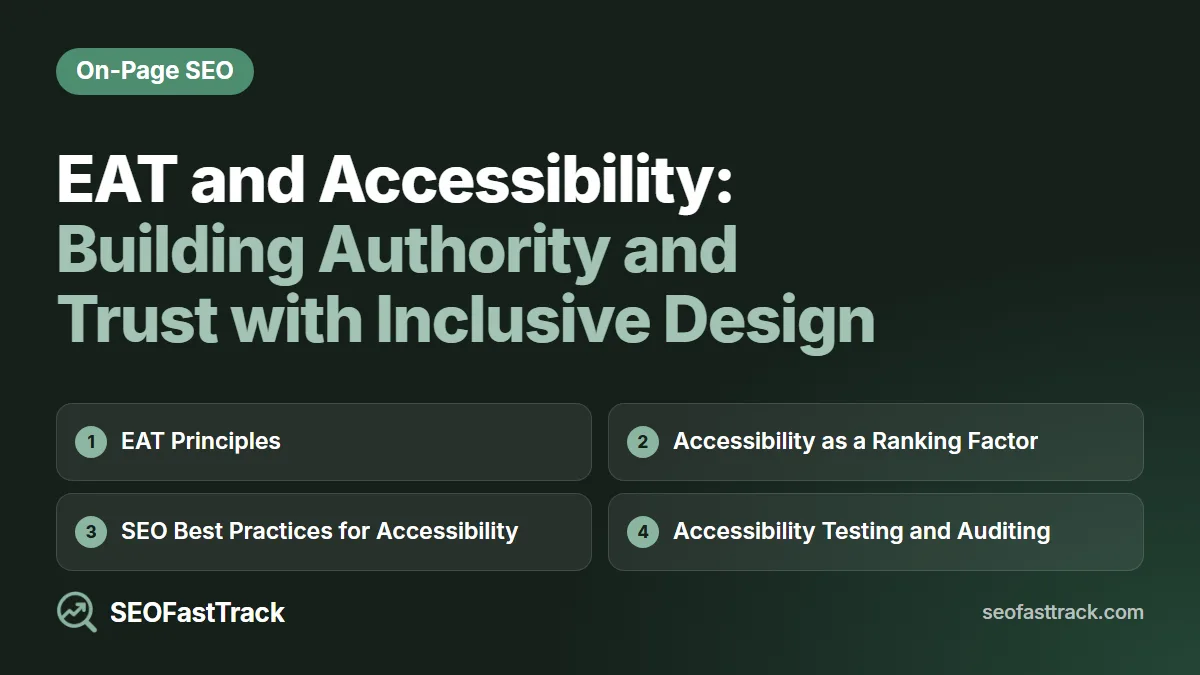
Welcome to SEOFastTrack, your definitive resource for mastering the art of search engine optimization. Are you ready to unlock a hidden key to boosted rankings and unwavering trust? Dive into our latest article, where we explore SEO best practices for accessibility. Discover how embracing inclusive design not only enhances user experience but also significantly strengthens your E-A-T (Expertise, Authoritativeness, Trustworthiness) – a critical factor in Google's ranking algorithm. Curious how making your website accessible can skyrocket your authority and attract more organic traffic? Keep reading!
- Introduction: Why Accessibility is Crucial for SEO Success
- EAT Principles: Expertise, Authoritativeness, and Trustworthiness
- Accessibility as a Ranking Factor: How it Influences SEO
- SEO Best Practices for Accessibility: A Comprehensive Guide
- Accessibility Testing and Auditing: Ensuring Compliance and Improving SEO
- Case Studies: Examples of Successful SEO and Accessibility Integration
- The Future of SEO: Accessibility as a Core Ranking Signal
- Conclusion: Building a More Inclusive and Successful Online Presence
-
Frequently Asked Questions
- What is the relationship between E-A-T and accessibility in SEO?
- How does prioritizing accessibility improve my website's E-A-T?
- What are some practical steps I can take to improve my website's accessibility?
- What SEO benefits can I expect from focusing on website accessibility?
- How can I measure the impact of accessibility improvements on my SEO performance?
- Final Reflection: Embracing Accessibility for Enduring Authority
Introduction: Why Accessibility is Crucial for SEO Success
Understanding the Intertwined Relationship of EAT and Accessibility
Search engine optimization, at its core, aims to connect users with the most relevant and valuable information online. Accessibility, in the digital realm, mirrors this goal by ensuring that web content is usable by everyone, regardless of their abilities or disabilities. The connection between EAT (Expertise, Authoritativeness, Trustworthiness) and accessibility is profound because accessible websites inherently demonstrate key EAT principles.
A website that is easy to navigate, understand, and use by a diverse audience signals expertise in user-centric design, establishes authority by catering to a wider demographic, and builds trust by showing consideration for all users, including those with disabilities. Therefore, accessibility is not merely a compliance checklist; it's a fundamental aspect of building a high-quality, reputable online presence that search engines recognize and reward.
The synergy between EAT and accessibility is becoming increasingly vital for SEO success. Search engines like Google are constantly evolving their algorithms to prioritize user experience. Accessibility directly enhances user experience by removing barriers that prevent people from accessing and interacting with content.
When a website is accessible, it naturally improves metrics like time on page, reduces bounce rates, and increases user engagement – all of which are positive signals to search engines. Furthermore, adhering to accessibility guidelines often involves implementing best practices in website structure, content clarity, and technical SEO, directly contributing to a website's overall search engine friendliness. Ignoring accessibility is no longer just an ethical oversight; it's a strategic disadvantage in today's SEO landscape.
The Growing Importance of Inclusive Design in SEO Strategy
Inclusive design, which prioritizes accessibility, is rapidly shifting from a niche consideration to a central pillar of effective SEO strategy. This shift is driven by multiple factors, including heightened awareness of digital accessibility rights, evolving search engine algorithms, and the expanding market of users with diverse needs. Globally, over one billion people live with some form of disability, representing a significant audience that businesses cannot afford to overlook. By embracing inclusive design, businesses not only tap into this substantial market but also demonstrate a commitment to social responsibility, enhancing brand reputation and customer loyalty.
From an SEO perspective, inclusive design translates into a more robust and future-proof online presence. Search engine algorithms are increasingly sophisticated in evaluating user experience signals. Websites designed with accessibility in mind tend to be more user-friendly across the board – faster loading, easier to navigate, and clearer in content presentation.
These attributes are directly correlated with improved search engine rankings. Moreover, as search engines continue to refine their understanding of website quality, accessibility is likely to become an even more explicit ranking signal. Therefore, integrating inclusive design into SEO strategy is not just about compliance or ethical considerations; it’s about future-proofing your online presence and ensuring sustainable SEO success in an increasingly user-centric digital world.
Expertise: Demonstrating Knowledge Through Accessible Content
Expertise in the context of EAT refers to the level of knowledge and skill demonstrated in the content of a website. When content is presented in an accessible format, it inherently showcases expertise in user-centered design and communication.
For example, providing transcripts for audio content and captions for videos demonstrates an understanding of the needs of users who are deaf or hard of hearing, showcasing expertise in multimedia accessibility. Similarly, using clear and concise language, structuring content with headings and subheadings, and providing alternative text for images all reflect an expertise in making information understandable and usable for a wider audience, including those with cognitive disabilities or visual impairments.
Furthermore, creating accessible content often involves deeper subject matter understanding. To accurately describe images with alt text or to provide meaningful transcripts, content creators must have a thorough grasp of the information being conveyed. This process of ensuring accessibility can lead to a more refined and carefully considered presentation of expertise.
For instance, when writing alt text for a complex infographic, one must truly understand the core message to summarize it effectively for screen reader users. This detailed attention to content and its accessible presentation signals a high level of expertise to both users and search engines. Websites that prioritize accessible content demonstrate a commitment to quality and thoroughness, reinforcing the perception of expertise in their respective fields.
Authoritativeness, another key pillar of EAT, is about establishing a website and its content creators as reputable and respected sources of information within their industry or niche. Adopting inclusive accessibility practices significantly enhances a website's perceived authoritativeness. When a website is accessible, it signals to a broader audience, including people with disabilities and assistive technology users, that the website values inclusivity and caters to a diverse user base. This inclusive approach builds credibility and demonstrates a commitment to best practices, which are hallmarks of an authoritative source.
Moreover, authoritativeness is often reflected in a website's reach and influence. An accessible website, by definition, is usable by more people. This broader reach can translate into increased website traffic, social shares, and backlinks from other reputable sources, all of which contribute to a stronger online authority.
For example, a government website that is fully accessible to citizens with disabilities is perceived as more authoritative and trustworthy than one that is not. Similarly, a news website that provides accessible content formats for all readers demonstrates a commitment to journalistic integrity and broad dissemination of information, enhancing its authoritativeness in the eyes of both users and search engines. Therefore, accessibility is not just about compliance; it is a powerful tool for building and reinforcing online authoritativeness.
Trustworthiness: Fostering User Confidence Through Accessible Websites
Trustworthiness, the final component of EAT, is paramount for any website aiming to build a strong online presence. Accessible websites inherently foster greater user trust by demonstrating care, consideration, and a commitment to user needs. When a website is designed to be accessible, it sends a clear message that the organization behind it values all users, regardless of their abilities.
This commitment to inclusivity builds confidence and loyalty among users, who are more likely to trust and engage with websites that prioritize their needs. A website that is difficult to use for some users can erode trust, suggesting a lack of attention to detail or a disregard for certain segments of the audience.
Furthermore, transparency and reliability, key aspects of trustworthiness, are often enhanced through accessibility practices. For instance, providing clear and consistent navigation, using predictable website layouts, and ensuring content is easily understandable all contribute to a more trustworthy user experience. When users can easily find the information they need and navigate a website without frustration, they are more likely to perceive the website as reliable and trustworthy.
Conversely, websites with poor accessibility often lead to user frustration and abandonment, damaging trust and potentially leading users to question the credibility of the information presented. In essence, accessibility is a fundamental building block of online trust, contributing significantly to a positive user perception and long-term website success.
Accessibility as a Ranking Factor: How it Influences SEO
The Direct Impact of Accessibility on User Experience (UX)
Accessibility and user experience (UX) are inextricably linked. Accessibility is, in essence, about ensuring a positive and inclusive user experience for everyone, including people with disabilities. When a website is designed with accessibility in mind, it inherently leads to a better overall UX for all users, not just those with disabilities.
For example, clear and concise content, logical website structure, and intuitive navigation, which are all crucial for accessibility, also contribute to a more streamlined and enjoyable experience for users without disabilities. By removing barriers that prevent some users from accessing content, accessibility enhances the usability and satisfaction of the website for all visitors.
The direct impact of accessibility on UX is evident in various aspects of website interaction. Consider users who rely on screen readers. A website with proper semantic HTML and alt text for images allows these users to understand and navigate the content effectively.
This seamless experience translates to a positive UX. Similarly, users with motor impairments who rely on keyboard navigation benefit from websites designed to be fully keyboard accessible. This focus on inclusive design principles not only caters to specific needs but also results in a more user-friendly website for everyone, contributing to improved engagement, lower bounce rates, and higher conversion rates – all key indicators of positive UX that search engines consider when ranking websites.
How Accessible Design Improves Key SEO Metrics (Bounce Rate, Time on Page, Conversion Rate)
Accessible design directly and positively impacts critical SEO metrics such as bounce rate, time on page, and conversion rate. A website that is easy to use and navigate, regardless of a user's abilities, is more likely to retain visitors and encourage them to explore further. Accessible navigation, clear content structure, and fast page load times contribute to a smoother user journey, reducing frustration and minimizing the likelihood of users bouncing away quickly. Lower bounce rates signal to search engines that a website is relevant and engaging, leading to improved rankings.
Furthermore, accessible websites often see increased time on page. When content is easily understandable and accessible to a wider audience, users are more likely to spend more time engaging with it. For instance, providing transcripts for videos allows users who are deaf or hard of hearing, or those in noisy environments, to consume video content effectively, increasing their time spent on the page.
Similarly, well-structured content with clear headings and subheadings makes it easier for all users to scan and digest information, encouraging them to stay longer and explore more. Finally, accessibility can significantly boost conversion rates. When a website is accessible, it removes barriers that might prevent users with disabilities from completing desired actions, such as making a purchase or filling out a form.
For example, ensuring form fields are properly labeled for screen readers and that websites are fully keyboard navigable can dramatically improve conversion rates for users with disabilities. These improved metrics collectively signal a positive user experience to search engines, reinforcing the SEO benefits of accessible design.
Accessibility and Mobile-First Indexing: Ensuring a Seamless Experience
Mobile-first indexing, where search engines primarily use the mobile version of a website for indexing and ranking, further underscores the importance of accessibility for SEO. Many accessibility considerations for desktop websites are even more crucial in the mobile context, where screen real estate is limited, and users often interact via touchscreens.
For example, ensuring that tap targets are adequately sized and spaced is vital for mobile accessibility and also enhances the UX for all mobile users, making navigation easier and less prone to errors. Similarly, responsive design, which is essential for mobile-friendliness, also plays a key role in accessibility by ensuring content adapts appropriately to different screen sizes and devices, benefiting all users regardless of how they access the website.
Accessible design principles align perfectly with the goals of mobile-first indexing, which prioritizes websites that offer a fast, seamless, and user-friendly experience on mobile devices. Websites that are optimized for accessibility often load faster, have simpler navigation, and present content in a more digestible format – all of which are critical for mobile users.
In fact, many accessibility best practices, such as optimizing images and minimizing code, directly contribute to faster page load times, a crucial ranking factor in mobile-first indexing. By prioritizing accessibility, businesses not only cater to users with disabilities but also create a better mobile experience for everyone, ensuring their websites are well-positioned to succeed in a mobile-first digital landscape and achieve higher search engine rankings.
SEO Best Practices for Accessibility: A Comprehensive Guide
1. Optimizing Website Structure for Accessibility and SEO
Implementing Semantic HTML for Clear Content Hierarchy
Semantic HTML is the foundation of both website accessibility and effective SEO. Using semantic HTML tags like <header>, <nav>, <main>, <article>, <aside>, and <footer> provides a clear and logical structure to web content. This semantic structure is crucial for assistive technologies like screen readers, which rely on these tags to understand and convey the organization of a webpage to users with visual impairments. For example, screen readers can use <nav> tags to quickly locate and announce navigation menus, and <article> tags to identify the main content of a page. This improved navigation and content comprehension directly enhances accessibility.
From an SEO perspective, semantic HTML also helps search engine crawlers understand the context and importance of different parts of a webpage. Search engines prioritize content within <main> tags as the primary content, and they use heading tags ( <h1> to <h6>) to understand the hierarchy and topic of each section. By using semantic HTML, websites provide clear signals to search engines about the structure and meaning of their content, improving indexability and search rankings. For instance, using a single <h1> tag to define the main topic of a page and using subsequent heading tags to structure subtopics not only makes the content more accessible but also helps search engines understand the page's relevance to specific search queries, boosting SEO performance.
Creating Accessible Navigation Menus for All Users
Accessible navigation menus are essential for both usability and SEO. Navigation menus should be logically structured, easy to understand, and navigable using a keyboard alone, without requiring a mouse. This keyboard accessibility is critical for users with motor impairments who cannot use a mouse, as well as screen reader users who primarily navigate using the keyboard.
Menus should be clearly labeled, with sufficient contrast between text and background colors to ensure readability for users with low vision. Dropdown menus, if used, should be implemented in a way that is accessible with both keyboard and screen readers, avoiding reliance on mouse hover triggers that are inaccessible to many users.
For SEO, clear and accessible navigation menus improve website crawlability and user engagement. Search engine crawlers use navigation menus to understand the site's structure and discover different pages. A well-organized and accessible navigation menu ensures that crawlers can easily index all important pages, improving overall site visibility in search results.
Furthermore, intuitive navigation enhances user experience, encouraging visitors to explore more pages on the website, which reduces bounce rates and increases time on site – positive signals for SEO. Using descriptive and keyword-rich anchor text in navigation links can also further boost SEO by signaling the topic of linked pages to search engines. Therefore, prioritizing accessible navigation menus benefits both users and search engine optimization efforts.
Utilizing ARIA Attributes to Enhance Accessibility
ARIA (Accessible Rich Internet Applications) attributes are HTML attributes that can be added to HTML elements to provide additional semantic information to assistive technologies, particularly for dynamic content and complex web applications built with JavaScript. ARIA attributes are used to bridge the gap between standard HTML and the accessibility requirements of interactive elements that might not be inherently accessible. For instance, ARIA attributes like aria-label, aria-describedby, aria-expanded, and aria-live can be used to provide labels for non-textual elements, describe complex UI components, indicate the state of interactive elements, and announce dynamic content updates to screen reader users.
While primarily focused on accessibility, ARIA attributes indirectly contribute to SEO by improving user experience and content understanding for a wider audience. By making complex interactive elements more accessible, ARIA enhances the overall usability of a website, leading to improved user engagement metrics such as time on page and reduced bounce rates. Although search engines do not directly use ARIA attributes for ranking, the improved user experience they facilitate sends positive signals to search engines. Furthermore, in some cases, ARIA attributes can help clarify the purpose and context of dynamic content, which can be beneficial for search engine understanding.
However, it's crucial to use ARIA judiciously and correctly. Overuse or misuse of ARIA can actually harm accessibility and potentially confuse both users and search engines. ARIA should be used to enhance native HTML semantics, not to replace them.
2. Content Creation: Crafting Accessible and SEO-Friendly Content
Writing Clear and Concise Content for Readability
Clear and concise writing is paramount for both accessibility and SEO. Content should be easy to understand for a wide range of users, including those with cognitive disabilities, learning difficulties, or non-native English speakers. Using simple language, avoiding jargon and overly complex sentence structures, and breaking down large blocks of text into smaller, more digestible paragraphs significantly improves readability. Employing bullet points and numbered lists to present information in a structured and scannable manner also enhances comprehension and accessibility.
From an SEO perspective, clear and concise content is more likely to engage readers and keep them on the page. Search engines favor content that is easy to understand and provides value to users. Content that is dense, convoluted, or filled with jargon can lead to user frustration and high bounce rates, negatively impacting SEO. Furthermore, clear and concise writing is essential for featured snippets and voice search optimization.
Search engines often extract concise answers directly from web pages to answer user queries in featured snippets or voice search results. Content that is written in a clear, direct, and easily digestible manner is more likely to be selected for these prominent search features, boosting visibility and organic traffic. Tools like the Hemingway Editor can assist in assessing and improving the readability of web content.
Using Headings and Subheadings for Structure and SEO
Headings and subheadings ( <h1> to <h6> tags) are crucial for structuring content logically, improving both accessibility and SEO. Headings create a clear hierarchy within the content, making it easier for users to scan and understand the main topics and subtopics of a page. For users with screen readers, headings provide navigational landmarks, allowing them to quickly jump to different sections of the content. Proper use of headings also improves readability for all users by breaking up large blocks of text and visually organizing the information.
For SEO, headings are vital for signaling the topic and structure of content to search engines. Search engines use heading tags to understand the hierarchy and relevance of different sections of a page. The <h1> tag is particularly important as it typically indicates the main topic of the page, while subsequent heading tags ( <h2>, <h3>, etc.) outline subtopics and supporting details. Using relevant keywords within headings can further enhance SEO by signaling the page's topic to search engines. However, headings should be used logically and for structural purposes, not just for keyword stuffing. A well-structured page with a clear heading hierarchy not only improves accessibility but also helps search engines understand and rank the content more effectively.
Optimizing Images with Alt Text for Accessibility and Search Engines
Optimizing images with alternative text (alt text) is a fundamental accessibility best practice that also significantly benefits SEO. Alt text is a brief description of an image that is included in the alt attribute of the <img> tag. This text is read aloud by screen readers to users with visual impairments, providing them with context and information about the image. Well-written alt text ensures that images are not just decorative but contribute meaningfully to the accessible content experience. For purely decorative images that do not convey essential information, a null alt attribute ( alt="") should be used to signal screen readers to ignore the image.
From an SEO perspective, alt text provides search engines with context about images, as search engine crawlers cannot "see" images in the same way humans do. By providing descriptive alt text, you help search engines understand the content and relevance of images, improving image search rankings and overall page SEO. When writing alt text, be concise and descriptive, focusing on the image's content and function within the context of the page. Include relevant keywords naturally when appropriate, but avoid keyword stuffing. For example, for an image of "red running shoes," good alt text would be alt="Red running shoes on a white background", whereas keyword-stuffed alt text would be alt="red running shoes best running shoes cheap running shoes buy running shoes online". Prioritizing descriptive and contextually relevant alt text benefits both accessibility and SEO.
3. Link Building Strategies with Accessibility in Mind
Creating Accessible Anchor Text for Internal and External Links
Accessible anchor text is crucial for both user experience and SEO. Anchor text is the visible, clickable text in a hyperlink. For accessibility, anchor text should be descriptive and meaningful, clearly indicating the destination of the link. Avoid generic anchor text like "click here" or "read more," which provide no context for screen reader users or sighted users scanning the page. Instead, use anchor text that accurately describes the linked content or page. For example, instead of "click here to learn about SEO," use "Learn more about Search Engine Optimization (SEO)."
From an SEO perspective, descriptive anchor text helps search engines understand the context and relevance of the linked page. When linking internally within your website, using keyword-rich and descriptive anchor text can reinforce the topic of the linked page and improve its ranking for those keywords. Similarly, when building external links, encouraging other websites to use descriptive anchor text when linking back to your site can strengthen your website's authority and relevance in the eyes of search engines.
However, it's essential to use anchor text naturally and avoid keyword stuffing. Over-optimized or unnatural anchor text can be penalized by search engines. Prioritize clear, concise, and contextually relevant anchor text that benefits both users and search engine understanding.
Linking to Authoritative and Accessible Resources
When building links, both internally and externally, prioritize linking to authoritative and, importantly, accessible resources. Linking to authoritative websites enhances your website's credibility and trustworthiness in the eyes of both users and search engines. Authoritative websites are generally well-respected sources of information in their respective fields, often demonstrating expertise, authoritativeness, and trustworthiness (EAT). However, beyond authority, consider the accessibility of the websites you link to. Linking to inaccessible websites can negatively impact the user experience for some of your visitors and may indirectly reflect poorly on your website's commitment to inclusivity.
For SEO, linking to relevant and authoritative websites can signal to search engines that your content is well-researched and connected to reputable sources. Outbound links to high-quality websites can improve your website's topical relevance and credibility. While search engines may not explicitly penalize websites for linking to inaccessible resources, prioritizing accessible links reinforces a commitment to user experience and inclusivity, which aligns with the overall goals of search engine algorithms. Whenever possible, choose to link to resources that are both authoritative and accessible, ensuring a positive and inclusive experience for all users while also optimizing your SEO strategy.
4. Technical SEO and Accessibility: A Synergistic Approach
Ensuring Website Speed and Performance for All Users
Website speed and performance are critical aspects of both technical SEO and accessibility. Slow-loading websites create a poor user experience for everyone, but they can be particularly problematic for users with disabilities, especially those using assistive technologies or slower internet connections. For example, screen reader users may experience significant delays when navigating slow-loading pages, and users with cognitive disabilities may find slow websites frustrating and confusing. Optimizing website speed, including factors like page load time, server response time, and website rendering speed, is essential for accessibility.
From an SEO perspective, website speed is a significant ranking factor. Search engines prioritize fast-loading websites because they provide a better user experience. Slow page load times can lead to higher bounce rates and lower time on page, negatively impacting SEO performance.
Optimizing website speed involves various technical SEO best practices, such as optimizing images, minifying CSS and JavaScript, leveraging browser caching, and using a Content Delivery Network (CDN). These optimizations not only improve website speed and SEO but also directly enhance accessibility by ensuring a smoother and more efficient browsing experience for all users, including those with disabilities. Therefore, prioritizing website speed is a win-win for both accessibility and SEO.
Creating an Accessible Sitemap for Search Engine Crawlers
Sitemaps are XML files that list all the important pages of a website, helping search engine crawlers discover and index the content more efficiently. While sitemaps themselves are not directly related to accessibility for end-users, creating an accessible sitemap is a technical SEO best practice that indirectly supports accessibility by ensuring all pages of a website are discoverable by search engines. A well-structured sitemap helps search engine crawlers understand the website's architecture and prioritize crawling and indexing important pages.
For SEO, submitting a sitemap to search engines is a fundamental step in the indexing process. Sitemaps ensure that search engines are aware of all the pages on a website, including newly created or updated pages. This is particularly important for large websites or websites with complex navigation structures.
While the sitemap itself is primarily for search engines, ensuring that all content, including accessible content, is included in the sitemap is crucial for overall website visibility. By making sure all pages are easily discoverable by search engines through a sitemap, you ensure that accessible content is also indexed and has the opportunity to rank in search results, indirectly supporting accessibility through improved SEO.
Implementing Schema Markup to Enhance Understanding and Accessibility
Schema markup is structured data code that you can add to your website's HTML to help search engines understand the content and context of your pages more effectively. Schema markup provides search engines with explicit clues about the type of content on a page, such as articles, products, events, or local businesses. While schema markup is primarily a technical SEO technique, it can indirectly contribute to accessibility by enhancing the way search engines understand and present website content, which can ultimately benefit users, including those using assistive technologies.
For SEO, schema markup can lead to rich snippets in search results, making your website listings more visually appealing and informative, potentially increasing click-through rates. By providing search engines with structured data, you improve their understanding of your content, which can lead to better rankings for relevant search queries. While schema markup is not directly read by screen readers, the enhanced search engine understanding can lead to more relevant and accessible search results for all users, including those with disabilities. Furthermore, some schema types, like speakable markup, can be used to identify content that is particularly suitable for text-to-speech and voice assistants, indirectly improving accessibility for users who rely on these technologies. Implementing schema markup is a technical SEO best practice that can indirectly support accessibility by improving content discoverability and presentation in search results.
Accessibility Testing and Auditing: Ensuring Compliance and Improving SEO
Using Accessibility Testing Tools to Identify and Fix Issues (WAVE, Axe, Lighthouse)
Accessibility testing tools are essential for identifying and addressing accessibility issues on websites. Tools like WAVE (Web Accessibility Evaluation Tool), Axe (accessibility testing engine), and Google Lighthouse provide automated checks against accessibility guidelines like WCAG (Web Content Accessibility Guidelines). WAVE is a browser extension and online tool that visually presents accessibility errors and warnings directly on a webpage. Axe is another popular browser extension and command-line tool that provides detailed reports on accessibility violations. Google Lighthouse, integrated into Chrome DevTools, includes accessibility audits alongside performance and SEO audits, offering a comprehensive website analysis.
These tools can quickly scan web pages and identify common accessibility issues, such as missing alt text on images, insufficient color contrast, improper heading structure, and keyboard navigation problems. While automated tools cannot detect all accessibility issues, they provide a valuable starting point for identifying and fixing many common violations.
By regularly using these tools during website development and maintenance, businesses can proactively address accessibility issues, ensuring their websites are more inclusive and user-friendly. Addressing accessibility issues identified by these tools not only improves accessibility but also often aligns with SEO best practices, such as improving website structure, content clarity, and overall user experience.
Conducting Manual Accessibility Audits for Thorough Evaluation
While automated accessibility testing tools are valuable, they are not sufficient for a complete accessibility evaluation. Manual accessibility audits are crucial for identifying issues that automated tools cannot detect, such as the logical flow of content, the clarity of language, and the overall usability of interactive elements for users with disabilities. Manual audits involve testing a website using assistive technologies like screen readers (e.g., NVDA, VoiceOver, JAWS), keyboard navigation, and speech recognition software. These audits are typically conducted by accessibility experts who have a deep understanding of WCAG guidelines and the needs of users with diverse disabilities.
Manual audits provide a more nuanced and comprehensive assessment of website accessibility, going beyond technical compliance to evaluate the actual user experience. For instance, a manual audit can identify if alt text is technically present but not truly descriptive or helpful, or if keyboard navigation is implemented but illogical or confusing.
By combining automated testing with manual audits, businesses can achieve a more thorough understanding of their website's accessibility and ensure a truly inclusive user experience. This comprehensive approach to accessibility not only mitigates legal risks and enhances brand reputation but also contributes to improved SEO by creating a more user-friendly and engaging website for everyone.
Regularly Monitoring and Updating Accessibility Efforts
Accessibility is not a one-time fix but an ongoing process. Websites are dynamic, with content and features constantly being updated and changed. Therefore, it's crucial to establish a process for regularly monitoring and updating accessibility efforts to ensure websites remain accessible over time. This ongoing monitoring should include periodic automated accessibility scans using tools like WAVE and Axe, as well as regular manual audits, especially after significant website updates or redesigns. Implementing accessibility testing as part of the website development lifecycle ensures that new features and content are accessible from the outset.
Furthermore, staying informed about evolving accessibility guidelines and best practices is essential. WCAG guidelines are periodically updated, and new assistive technologies and user needs emerge. Regularly reviewing accessibility guidelines and seeking professional accessibility training can help businesses stay ahead of the curve and maintain a high level of accessibility.
By prioritizing ongoing accessibility monitoring and updates, businesses demonstrate a continuous commitment to inclusivity, which not only benefits users with disabilities but also strengthens their overall online presence. This proactive approach to accessibility also contributes to long-term SEO success by ensuring websites remain user-friendly, relevant, and compliant with evolving web standards.
Case Studies: Examples of Successful SEO and Accessibility Integration
Case Study 1: Increased Organic Traffic After Alt-Text Optimization
A small e-commerce business selling handcrafted jewelry noticed low organic traffic to their product pages, particularly for image-based searches. Upon conducting an accessibility audit, they discovered that many product images lacked descriptive alt text, or used generic alt text like "image" or "jewelry."
They implemented a strategy to optimize alt text for all product images, focusing on detailed descriptions that included keywords related to the jewelry type, materials, and style. For example, for an image of a silver pendant with a blue gemstone, the alt text was changed from "image" to "Sterling Silver Pendant with Blue Lapis Lazuli Gemstone, handcrafted necklace."
After implementing alt-text optimization, they monitored their website traffic and search engine rankings. Within three months, they observed a significant increase in organic traffic to their product pages, particularly from image search results. Their rankings for relevant keywords related to their jewelry also improved. This case study demonstrates the direct link between alt-text optimization, accessibility, and improved SEO performance, particularly for e-commerce businesses that rely heavily on visual product presentation. By making their images accessible to screen reader users and search engines, they expanded their reach and attracted more organic traffic.
A non-profit organization relying on online donations noticed a high bounce rate on their donation page and a low conversion rate for online donations. An accessibility audit revealed that their donation form was not fully keyboard accessible. Users who relied on keyboard navigation, including individuals with motor impairments and some screen reader users, struggled to navigate and complete the form. They redesigned their donation form to ensure full keyboard accessibility, ensuring all form fields, buttons, and interactive elements could be accessed and operated using the keyboard alone.
Following the implementation of keyboard navigation improvements, they tracked their donation page metrics. They observed a noticeable decrease in bounce rates on the donation page and a significant increase in online donation conversion rates. This case study highlights the direct impact of keyboard accessibility on user experience and conversion rates. By removing barriers for users who rely on keyboard navigation, the non-profit organization made their donation process more inclusive and user-friendly, resulting in improved engagement and increased online donations. This demonstrates how accessibility improvements can directly translate into tangible business outcomes, such as increased conversions.
The Future of SEO: Accessibility as a Core Ranking Signal
Anticipating Algorithm Updates that Prioritize Accessibility
Search engine algorithms are constantly evolving to better understand and reward websites that provide a positive and user-centric experience. As awareness of digital accessibility grows and accessibility guidelines become more widely adopted, it is highly likely that search engine algorithms will increasingly prioritize accessibility as a core ranking signal. While accessibility is not currently explicitly stated as a primary ranking factor, many accessibility best practices already align with factors that search engines value, such as user experience, website speed, and content quality.
Looking ahead, we can anticipate algorithm updates that place even greater emphasis on accessibility. Search engines may develop more sophisticated methods to evaluate website accessibility, potentially incorporating automated accessibility checks into their ranking algorithms. Websites that proactively prioritize accessibility will be better positioned to benefit from these algorithm updates and maintain or improve their search engine rankings. Conversely, websites that neglect accessibility may face ranking penalties as search engines increasingly favor inclusive and user-friendly online experiences. Staying ahead of these trends and embracing accessibility as a core SEO principle is crucial for future-proofing online visibility.
Investing in Accessibility for Long-Term SEO Success
Investing in accessibility is not just an ethical imperative; it is a strategic investment for long-term SEO success. By making websites accessible, businesses create a more inclusive online environment, expand their potential audience, and enhance their brand reputation. These benefits alone provide a strong rationale for prioritizing accessibility. However, the SEO advantages of accessibility further solidify its importance as a strategic investment. Accessible websites tend to have better user experience metrics, faster page load times, and clearer content structures – all factors that positively influence search engine rankings.
In the long run, accessibility is likely to become an even more critical differentiator in the competitive SEO landscape. As search engines continue to refine their algorithms and prioritize user experience, websites that have invested in accessibility will be better positioned to thrive.
Investing in accessibility now is not just about complying with current guidelines; it's about preparing for the future of SEO, building a sustainable online presence, and ensuring long-term success in an increasingly user-centric digital world. Businesses that embrace accessibility as an integral part of their SEO strategy will gain a competitive edge and build a more inclusive and successful online presence.
Conclusion: Building a More Inclusive and Successful Online Presence
Embracing Accessibility as an Integral Part of Your SEO Strategy
Accessibility should no longer be viewed as a separate or optional consideration but rather as an integral component of a comprehensive SEO strategy. Treating accessibility as an add-on or afterthought is not only ethically questionable but also strategically short-sighted. Instead, businesses should proactively embed accessibility into every stage of their SEO efforts, from website design and development to content creation and link building. By making accessibility a core principle of SEO, businesses can create websites that are both inclusive and highly effective in achieving their online marketing goals.
Integrating accessibility into SEO requires a shift in mindset and a commitment to ongoing effort. It involves educating teams about accessibility best practices, implementing accessibility testing and auditing processes, and continuously monitoring and updating websites to maintain accessibility over time. This holistic approach to accessibility and SEO ensures that websites are not only optimized for search engines but also designed to be usable and enjoyable for all users, regardless of their abilities. Embracing accessibility as an integral part of SEO is a win-win strategy that benefits both users and businesses.
Creating a Positive User Experience for Everyone
Ultimately, the synergy between accessibility and SEO is rooted in the shared goal of creating a positive user experience. Both accessibility and SEO are fundamentally about making websites more usable, understandable, and valuable to visitors. Accessibility focuses on ensuring that websites are usable by everyone, including people with disabilities, while SEO aims to make websites discoverable and relevant to search engine users. When websites prioritize both accessibility and SEO, they create a truly user-centric online experience that benefits all stakeholders.
By focusing on creating accessible and SEO-friendly websites, businesses can build a more inclusive and successful online presence. Accessible websites reach a wider audience, enhance brand reputation, and mitigate legal risks. SEO-optimized websites attract more organic traffic, improve search engine rankings, and achieve better online visibility. When these two principles are combined, the result is a website that is not only ethically responsible and socially conscious but also highly effective in achieving business objectives. The ultimate goal is to create a positive user experience for everyone, fostering a more inclusive and successful digital world.
Frequently Asked Questions
What is the relationship between E-A-T and accessibility in SEO?
E-A-T (Expertise, Authoritativeness, Trustworthiness) is enhanced through accessibility. Making your website accessible demonstrates expertise and builds trust, signaling to Google that you're a reliable source. This ultimately improves your SEO ranking.
How does prioritizing accessibility improve my website's E-A-T?
Accessibility demonstrates a commitment to user experience, showing expertise in understanding diverse user needs. It also enhances trustworthiness by making your content usable by a wider audience, including those with disabilities.
What are some practical steps I can take to improve my website's accessibility?
Implement alt text for images, ensure proper heading structure, and provide transcripts for videos and audio content. These steps make your website more usable and demonstrate a commitment to inclusivity.
What SEO benefits can I expect from focusing on website accessibility?
Besides improved E-A-T, focusing on accessibility can lead to lower bounce rates, increased time on site, and higher engagement. These positive user signals can boost your organic rankings.
How can I measure the impact of accessibility improvements on my SEO performance?
Track metrics like organic traffic, keyword rankings, and conversion rates after implementing accessibility changes. Look for improvements in these areas to gauge the effectiveness of your efforts.
The journey through EAT and accessibility reveals a powerful truth: true authority and trust are built on inclusivity. We've explored how prioritizing accessibility isn't just a moral imperative, but a strategic advantage that strengthens SEO, expands reach, and fosters genuine connection with a diverse audience. Ignoring accessibility is not only exclusionary but also a significant oversight in today's digital landscape.
The impact of accessible design extends far beyond improved search rankings; it shapes the very fabric of our online interactions. It's about creating a digital world where everyone can participate, contribute, and thrive. This commitment to inclusivity resonates deeply, fostering loyalty and building a reputation for ethical and responsible business practices. Accessibility allows us to tap into everyone's potential.
- Judy Brewer, Director of the Web Accessibility Initiative (WAI).
As we conclude, I invite you to reflect on the power of accessibility to transform your own digital presence. Consider how you can integrate these principles into your work, not just as a checklist item, but as a core value. By embracing accessibility, you're not only improving your SEO; you're building a more inclusive and equitable online world for all. Let's commit to creating digital experiences that are truly accessible, empowering, and enriching for everyone.
Learn how inclusive design builds authority and trust for your brand. Discover practical strategies to make your website and content accessible to everyone. Download our free guide to learn more.