
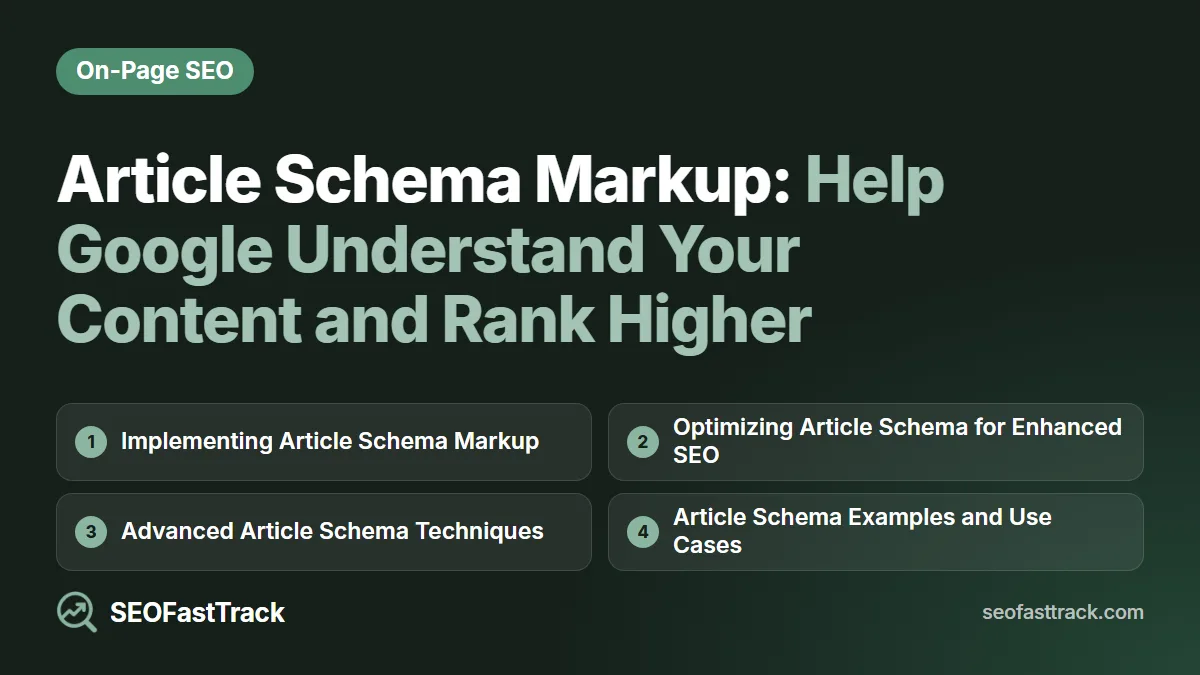
Article Schema Markup: Help Google Understand Your Content and Rank Higher

Welcome to SEOFastTrack, your go-to resource for mastering the ever-evolving world of SEO!
Are you ready to unlock the hidden potential of your content and skyrocket your rankings? This week, we're diving deep into a powerful, often overlooked technique: Article Schema Markup. Discover how implementing this strategic markup can help Google truly understand your content, leading to increased visibility and a surge of organic traffic. Curious how to get started? Read on to find out everything you need to know about Article Schema Markup for SEO and start optimizing your articles today!
- Article Schema Markup: Boost Search Visibility
- Introduction to Article Schema Markup
- Implementing Article Schema Markup: A Practical Guide
- Optimizing Article Schema for Enhanced SEO
- Advanced Article Schema Techniques
- Article Schema Examples and Use Cases
- Common Article Schema Mistakes
- Monitoring and Maintaining Article Schema
- Conclusion: Leveraging Article Schema for SEO
-
Frequently Asked Questions
- ### What is Article Schema Markup and why is it important for SEO?
- ### How does Article Schema Markup help small businesses and bloggers rank higher?
- ### What are the main elements or properties included in Article Schema Markup?
- ### What is the easiest way to implement Article Schema Markup on my website?
- ### How do I test if my Article Schema Markup is implemented correctly?
- Final Reflection: Unlocking Content Potential with Structured Data
- Elevate Your Website's SEO: Implement Schema Markup and See Rankings Rise!
Article Schema Markup: Boost Search Visibility
Introduction to Article Schema Markup
What is Schema Markup and Why is it Important?
Schema markup, also known as structured data, is a powerful vocabulary of code that you can add to your website's HTML to provide search engines with more detailed information about your content. Think of it as a translator that speaks directly to search engine crawlers, helping them understand the context and meaning of your web pages far beyond just reading the text.
Instead of relying solely on algorithms to decipher your content, schema markup explicitly tells search engines like Google, Bing, and others, what your data represents. This enhanced understanding can lead to richer search results, such as rich snippets, knowledge panels, and improved visibility in search engine results pages (SERPs).
The importance of schema markup stems from its ability to significantly improve your website's SEO performance. By providing clear signals about the nature of your content, you increase the chances of search engines accurately categorizing and displaying your pages in relevant search queries. For small businesses, bloggers, and digital marketers, this means a better opportunity to stand out in a competitive online landscape.
Schema markup is not just about ranking higher; it's about ranking better, attracting more qualified traffic that is genuinely interested in the information you offer. In a world where search engines are constantly evolving to understand user intent, schema markup provides a proactive way to communicate your content's purpose and value directly to the algorithms that determine your online visibility.
Understanding Article Schema: A Detailed Look
Article schema is a specific type of schema markup designed for articles, blog posts, news reports, and similar editorial content. It's part of the broader schema.org vocabulary, which is a collaborative initiative supported by major search engines like Google, Microsoft, Yahoo!, and Yandex. The Article schema type allows you to specify details about your article such as its headline, author, publication date, and even the main image. By implementing Article schema, you're essentially providing a structured summary of your article's key attributes to search engines.
Within the Article schema, there are several specific properties you can utilize to further enrich your content's description. These properties include headline, author, datePublished, dateModified, image, articleBody, and many more. For instance, using the author property, you can specify the author's name, and even link to their website or social media profiles. The datePublished and dateModified properties are crucial for indicating the freshness and relevance of your content, particularly important for news articles or blog posts that are updated regularly. Understanding these properties and how they relate to your specific article type is key to effectively leveraging Article schema for SEO benefits.
How Article Schema Improves Search Engine Understanding
Article schema significantly enhances search engine understanding of your content by providing explicit, machine-readable signals. Without schema, search engines rely on complex algorithms to interpret the meaning and context of your web pages. While these algorithms are sophisticated, they are not always perfect. Article schema removes ambiguity by directly stating the nature of your content – it's an article, here's the headline, here's the author, and so on. This clarity leads to more accurate indexing and categorization of your content.
Improved understanding translates directly into better search visibility. Search engines use schema markup to generate rich results, which are enhanced search snippets that display additional information beyond the standard title, URL, and meta description. For articles, rich results might include the article's headline, image, publication date, and author.
These visually appealing and informative snippets are more likely to attract user clicks compared to plain text snippets. Furthermore, by clearly communicating the topic and key details of your article through schema, you increase the chances of ranking for relevant search queries. In essence, Article schema acts as a bridge, ensuring that search engines grasp the essence of your content, leading to improved discoverability and organic traffic.
Implementing Article Schema Markup: A Practical Guide
Step 1: Identifying Key Article Information
Article Title and Headline
The first crucial step in implementing Article schema is identifying the key information about your article. This starts with the article title and headline. The title, often displayed prominently on the page, and the headline, which might be used in headings or for branding purposes, are essential elements to include in your schema markup. Ensure that the title you use in your schema accurately reflects the content of your article and is engaging for users. This will be represented by the headline property in your schema code.
For example, if your blog post is titled "5 Proven Strategies to Boost Your Website Traffic," this should be the exact title you specify in your schema. Consistency between the on-page title and the schema title reinforces the topic of your article to search engines. Furthermore, consider if you have a subtitle or alternative headline that provides additional context. While the primary headline property usually suffices, thinking about these variations can help ensure you capture the essence of your content accurately within your schema.
Author Details and Expertise
Crediting the author is vital, especially for articles aiming to establish authority and trust. Article schema allows you to specify author details, including the author's name and potentially links to their website or social media profiles. This is achieved using the author property, which can be further refined using nested properties like name and url. Highlighting author expertise signals to search engines that the content is created by a knowledgeable source, which can be a ranking factor, particularly in "Your Money or Your Life" (YMYL) topics.
For instance, if an article about financial planning is authored by a certified financial advisor, including this information in the schema, along with a link to the advisor's professional website, can significantly enhance the article's credibility in the eyes of search engines. Consider using the Person or Organization schema types within the author property to provide more detailed information about the author or publishing entity. This level of detail helps search engines understand the source and authority behind the content.
Publication and Modification Dates
Dates are critical for articles, particularly for news and time-sensitive content. Article schema provides properties to specify both the datePublished and dateModified. The datePublished property indicates when the article was initially published, while dateModified reflects the last time the article was updated. Providing these dates helps search engines understand the freshness and relevance of your content. This is especially important for ranking in news-related searches or for topics where recency is a significant factor.
For example, a blog post about the "Latest SEO Algorithm Updates" should definitely include both publication and modification dates. If the article is updated to reflect new algorithm changes, updating the dateModified property signals to search engines that the content is current. Using ISO 8601 date format (YYYY-MM-DD or YYYY-MM-DDTHH:mm:ssZ) is recommended for both datePublished and dateModified to ensure accurate interpretation by search engines. Correctly implementing date properties can significantly impact how search engines perceive the timeliness and authority of your article.
Step 2: Selecting the Appropriate Article Schema Type
NewsArticle vs. BlogPosting vs. ScholarlyArticle
Choosing the right Article schema type is crucial for accurate representation. While the general Article schema is a good starting point, more specific types like NewsArticle, BlogPosting, and ScholarlyArticle offer enhanced precision. NewsArticle is designed for news content, emphasizing timeliness and journalistic integrity. BlogPosting is specifically for blog posts, often characterized by a more informal and conversational tone. ScholarlyArticle is intended for academic papers and research articles, highlighting scholarly rigor and citations.
For a website like SEOFastTrack, which provides blog posts and guides on SEO, the BlogPosting schema type would be most appropriate for the majority of its content. If SEOFastTrack were to publish breaking news about algorithm updates, then NewsArticle might be more suitable for those specific pieces. Understanding the nuances of each schema type and selecting the one that best aligns with the nature and purpose of your content is essential for maximizing the benefits of schema markup.
Choosing the Right Schema Based on Content Type
The selection of the schema type should be driven by the content type itself. Consider the primary purpose and format of your article. Is it primarily informative, like a guide or tutorial? Is it opinion-based, like a blog post? Is it reporting on current events, like a news article? Each of these content types aligns best with different schema variations. For instance, a recipe blog post would use Recipe schema, while a product review blog post might use Review schema, potentially in combination with BlogPosting.
For SEOFastTrack, articles focused on "Keyword Research Techniques" would likely use BlogPosting or potentially just Article. However, if SEOFastTrack published a detailed case study analyzing the impact of a specific SEO strategy, it might consider using Report as a more specific schema type if available and relevant, or stick with Article or BlogPosting if Report is not a perfect fit. The key is to choose the most specific and relevant schema type that accurately describes your content, while still being broadly understood and supported by search engines. If in doubt, the general Article schema is a safe and widely applicable choice for most written content.
Step 3: Generating the Article Schema Markup Code
Using Schema Markup Generators
Generating schema markup code can seem daunting, especially for those unfamiliar with coding. Fortunately, several schema markup generators are available online to simplify this process. These tools provide user-friendly interfaces where you can input your article information – title, author, publication date, etc. – and the generator automatically creates the corresponding schema markup code in JSON-LD format, which is recommended by Google.
Popular schema markup generators include Google's Rich Results Test tool (which also generates schema), technical SEO tools websites, and various free schema generators available through a simple web search. For example, you can use a generator to select "Article" or "BlogPosting" schema type, then fill in fields for headline, author name, date, and other relevant properties. The tool then outputs the structured data code, ready to be copied and pasted into your website's HTML. Using these generators is a quick and efficient way to create accurate schema markup without needing to write code from scratch.
Manual Schema Markup Creation
While generators are convenient, understanding how to create schema markup manually offers greater control and flexibility. Schema markup, particularly in JSON-LD format, is relatively straightforward. JSON-LD (JavaScript Object Notation for Linked Data) is a lightweight format that is easy for both humans and machines to read. It involves structuring your data as key-value pairs within a <script> tag of type application/ld+json.
For example, a basic Article schema in JSON-LD might look like this:
<script type="application/ld+json">
{
  "@context": "https://schema.org",
  "@type": "Article",
  "headline": "Article Schema Markup: Boost Search Visibility",
  "author": {
    "@type": "Person",
    "name": "John Doe"
  },
  "datePublished": "2023-10-27"
}
</script>
Manually creating schema allows you to customize and fine-tune the markup to your specific needs. You can add more properties, nest schema types, and ensure every detail is precisely as you intend. While it requires a basic understanding of JSON-LD and schema.org vocabulary, manual creation provides a deeper understanding of schema implementation and greater control over your website's structured data.
Step 4: Implementing the Schema Code
Adding Schema Markup to Website
Once you have generated or created your Article schema markup code, the next step is to implement it on your website. The recommended method for adding schema markup is by embedding the JSON-LD code directly into the <head> or <body> section of your HTML page. Placing it in the <head> is generally considered best practice, but either location is acceptable to search engines. The key is to ensure the <script type="application/ld+json"> tag containing your schema code is correctly placed within the HTML source code of the specific page where the article is published.
For each article on your SEOFastTrack website, you would generate the corresponding Article schema and then add this code to the HTML source of that article page. If you are using a Content Management System (CMS) like WordPress, you might need to access the HTML editor for each page or post to insert the schema code. The implementation process involves copying the generated JSON-LD code and pasting it directly into the HTML, ensuring it is correctly formatted and doesn't interfere with other HTML elements.
Using Plugins for Schema Implementation (Example: WordPress)
For users who prefer a less technical approach, or those using platforms like WordPress, plugins offer a simplified way to implement schema markup. Numerous WordPress plugins are designed to automate schema implementation, often providing user-friendly interfaces to input article details and generate the schema code behind the scenes without requiring direct HTML editing. Popular SEO plugins like Yoast SEO, Rank Math, and Schema Pro often include built-in schema markup features.
For example, with Yoast SEO Premium, you can easily select the "Article" schema type for a blog post and fill in fields for title, author, and other relevant information within the plugin's interface. The plugin then automatically generates and injects the schema markup into your website's code. Using plugins streamlines the schema implementation process, especially for websites with a large volume of content. These plugins handle the technical aspects, allowing you to focus on creating quality content and optimizing your schema settings through a user-friendly dashboard.
Step 5: Testing and Validating Schema
Using Rich Results Test
After implementing Article schema, it's crucial to test and validate that the markup is correctly implemented and recognized by search engines. Google provides a free tool called the Rich Results Test, which is specifically designed for this purpose. You can input the URL of your article page into the Rich Results Test, and it will analyze the page to detect any valid schema markup. The tool will show you which rich results are eligible for your page and highlight any errors or warnings in your schema implementation.
Using the Rich Results Test is a vital step in the schema implementation process. It allows you to confirm that search engines are correctly interpreting your structured data. If the test shows "Valid schema found," and indicates that your article is eligible for rich results, then you have successfully implemented Article schema. Regularly testing your schema, especially after making website changes or updates, ensures that your structured data remains valid and continues to provide the intended SEO benefits.
Identifying and Resolving Errors
The Rich Results Test not only validates your schema but also helps in identifying and resolving errors. If the test detects errors in your schema markup, it will provide specific feedback on what is wrong and where the errors are located in your code. Common errors might include missing required properties, incorrect formatting, or invalid schema syntax. The tool's feedback is invaluable for debugging your schema implementation.
For example, if the Rich Results Test reports an error like "Missing field 'author'," you know that the author property is either missing from your schema code or is not correctly implemented. You can then go back to your schema code, review the implementation, and correct the error. Resolving errors ensures that your schema markup is valid and effectively communicates with search engines. Iteratively testing and fixing errors, guided by the Rich Results Test, is an essential part of the schema implementation workflow to maximize its SEO impact.
Optimizing Article Schema for Enhanced SEO
Keyword Integration in Schema
Natural Keyword Placement in Descriptions
While schema markup is primarily about providing structured data, it also offers opportunities for subtle keyword integration to enhance SEO. Keywords should be incorporated naturally within the text-based properties of your Article schema, such as the headline, description, and articleBody snippets if you choose to include them (though articleBody in schema is less common for full article content and more for summaries). Avoid keyword stuffing, as this can be counterproductive and may be seen as manipulative by search engines. Instead, focus on using keywords contextually and relevantly within these schema properties.
For example, if your article is about "Best Keyword Research Tools for SEO," naturally include this phrase or variations of it in your schema headline and description. The goal is to reinforce the topic of your article to search engines, using relevant keywords in a way that sounds natural and informative, both for search engines and potential users who might see these snippets in rich results. Think of schema descriptions as concise, keyword-informed summaries of your article's content.
Using Latent Semantic Indexing (LSI) Keywords
To further enhance keyword optimization within your Article schema, consider incorporating Latent Semantic Indexing (LSI) keywords. LSI keywords are semantically related terms and phrases that are conceptually linked to your primary keyword. Using LSI keywords in your schema properties helps search engines understand the broader context and topical relevance of your article. This can improve your article's chances of ranking for a wider range of related search queries.
For an article targeting "Article Schema Markup for SEO," LSI keywords might include terms like "structured data," "rich snippets," "schema.org vocabulary," "search engine optimization," and "Google Rich Results Test." Sprinkling these LSI keywords naturally within your schema description or even within a concise summary in the schema (if applicable) can strengthen the semantic relevance of your article. Using LSI keywords demonstrates to search engines that your content comprehensively covers the topic and addresses related user search intents.
Image Optimization for Article Schema
Selecting Relevant Images
Images play a crucial role in enhancing user engagement and can also be optimized within Article schema. The image property in Article schema allows you to specify the main image or a representative image for your article. Selecting relevant, high-quality images that visually represent the content of your article is important. Choose images that are engaging, informative, and directly related to the topic being discussed.
For an article about "Article Schema Markup," a relevant image might be a screenshot of rich results in Google search, or a visual representation of structured data code. Avoid using generic stock photos that don't add value to the content. The image you select for schema should enhance the user experience and accurately represent the article's topic visually. Relevance is key – the image should complement and reinforce the textual content of your article.
Optimizing Alt Text
In addition to selecting relevant images, optimizing the alt text of the image used in your Article schema is crucial for both accessibility and SEO. The alt text (alternative text) is a description of the image that is read by screen readers for visually impaired users and is also used by search engines to understand the image's content. When specifying the image in your schema, ensure that the alt text associated with that image is descriptive, keyword-rich, and accurately reflects the image's content and its relevance to your article.
For the image example of rich results for "Article Schema Markup," the alt text could be "Rich results in Google search for Article Schema Markup, showing enhanced snippets with schema implementation." This alt text is descriptive, includes relevant keywords, and explains what the image depicts. Optimizing alt text not only improves accessibility but also provides another opportunity to reinforce the topical relevance of your article to search engines through the image associated with your schema markup.
Linking Strategies
Internal Linking for SEO
While schema markup itself doesn't directly involve linking, it works synergistically with internal linking strategies to enhance overall SEO. Internal links, links that point from one page on your website to another page on your website, are crucial for distributing link equity, improving website navigation, and guiding search engine crawlers through your site's content. When implementing Article schema, ensure your article is well-integrated within your website's internal linking structure.
For example, if your SEOFastTrack article on "Article Schema Markup" is part of a series on on-page SEO, link to other relevant articles in that series, such as "Keyword Research for On-Page SEO" or "Optimizing Title Tags." Internal links help create a topical cluster around related content, signaling to search engines the thematic organization of your website and improving the discoverability of all related articles, including those with schema markup.
External Linking for Authority
External links, links that point from your website to external websites, are also important for establishing authority and providing context within your articles. While external links are not directly part of Article schema itself, they contribute to the overall quality and credibility of your content, which indirectly enhances the effectiveness of your schema implementation. Linking to reputable and authoritative sources can strengthen the perceived expertise and trustworthiness of your article in the eyes of both users and search engines.
For example, in your "Article Schema Markup" guide, linking to schema.org, Google's schema documentation, or reputable SEO industry blogs when referencing specific concepts or tools can add credibility to your content. Use external links judiciously to support your claims, provide further resources for readers, and demonstrate that your content is well-researched and connected to the broader web ecosystem. While schema markup helps search engines understand what your content is, external links can contribute to establishing why your content is a valuable and trustworthy resource on that topic.
Advanced Article Schema Techniques
Speakable Schema for Voice Search
As voice search becomes increasingly prevalent, optimizing for voice assistants is crucial. Speakable schema is an advanced technique that allows you to identify sections of your article that are particularly suitable for voice playback by voice assistants like Google Assistant and Siri. By using the speakable property within your Article schema, you can indicate to search engines which parts of your content are most relevant and concise for voice responses.
Implementing speakable schema typically involves highlighting key sentences or paragraphs within your article that summarize important information or answer common questions related to your topic. For an article on "Article Schema Markup," you might mark sections that define schema markup, explain its benefits, or provide steps for implementation as speakable. This helps voice assistants quickly extract and deliver relevant information to users performing voice searches, potentially increasing your article's visibility in voice search results.
Video Schema Integration
For articles that include embedded videos, integrating video schema within your Article schema can further enhance search visibility. Video schema provides structured data about the video content, such as its title, description, thumbnail URL, and duration. By nesting VideoObject schema within your Article schema, you can signal to search engines that your article contains video content and provide them with detailed information about the video.
If your SEOFastTrack article on "Article Schema Markup" includes a video tutorial demonstrating schema implementation, using video schema is highly beneficial. It can help your video appear in video search results and potentially earn rich snippets in standard search results, especially if the video is directly relevant to the article's topic. Integrating video schema ensures that search engines understand the multimedia content within your article and can index and display it appropriately in search results.
Breadcrumb schema is another valuable technique to enhance website navigation and improve search engine understanding of your site's structure. Breadcrumbs are navigational aids that show users their location on a website, typically displayed as a horizontal trail of links at the top of a page (e.g., Home > On-Page SEO > Schema Markup > Article Schema Markup). Implementing Breadcrumb schema provides structured data about these breadcrumb trails, helping search engines understand the hierarchy and organization of your website.
By adding Breadcrumb schema to your SEOFastTrack website, you can clearly indicate to search engines the category and subcategory to which your "Article Schema Markup" article belongs (e.g., Home > On-Page SEO > Schema Markup). This not only improves search engine understanding of your site structure but also enhances the user experience by providing clear navigational context. Breadcrumb rich results can also appear in search snippets, further improving click-through rates.
Article Schema Examples and Use Cases
Blog Post Example: Content Marketing Strategies
Let's consider a blog post on SEOFastTrack titled "7 Content Marketing Strategies to Drive Organic Traffic." This blog post would benefit greatly from Article schema, specifically BlogPosting. The schema markup would include properties like:
@type: "BlogPosting"headline: "7 Content Marketing Strategies to Drive Organic Traffic"author: (Details of the author, potentially usingPersonschema)datePublished: "2023-10-27" (Publication date)image: (URL to a relevant image for the blog post)description: "Discover 7 actionable content marketing strategies that can significantly boost your organic traffic and improve your SEO performance. Learn how to create engaging content, optimize for keywords, and promote your blog effectively."
This schema markup provides search engines with a clear understanding that this page is a blog post about content marketing strategies, authored by a specific person, published on a certain date, and provides a concise description of its content. Implementing this schema would enhance the blog post's visibility in search results for relevant queries like "content marketing strategies," "drive organic traffic," and related searches.
News Article Example: Tech Industry Trends
Imagine SEOFastTrack publishes a news article titled "Google Announces Major Algorithm Update Targeting AI-Generated Content." For this time-sensitive news piece, NewsArticle schema would be most appropriate. Key schema properties would include:
@type: "NewsArticle"headline: "Google Announces Major Algorithm Update Targeting AI-Generated Content"author: (Details of the journalist or news agency)datePublished: "2024-03-15T08:00:00-05:00" (Publication date and time in ISO 8601 format)dateModified: "2024-03-15T10:30:00-05:00" (Last modification date and time, if updated)image: (URL to a relevant image, perhaps the Google logo or an image related to AI)articleSection: "SEO News" (Category or section of the news article)description: "Google has announced a significant algorithm update aimed at identifying and potentially penalizing websites with low-quality, AI-generated content. This update is expected to impact websites heavily reliant on automated content creation."
Using NewsArticle schema signals to search engines that this is a news piece, emphasizing its timeliness and relevance to current events. Properties like articleSection further categorize the content. This schema would help the news article rank well in news-related searches and potentially appear in Google News and other news aggregators.
Use Case: Increased Organic Traffic with Schema Implementation
A real-world case study demonstrates the impact of schema markup on organic traffic. Company X, a small e-commerce business selling handcrafted jewelry, implemented schema markup across their product pages and blog posts. Before schema implementation, their organic traffic was stagnant at around 500 visits per month. After implementing Product schema on product pages and Article schema on blog posts about jewelry care and styling tips, they monitored their Google Search Console performance.
Within three months, they observed a 20% increase in organic traffic, reaching 600 monthly visits. Furthermore, their click-through rate (CTR) from search results improved by 15%. This increase was attributed to the rich snippets enabled by schema markup, which made their search listings more visually appealing and informative, attracting more clicks.
Company X's experience highlights the tangible SEO benefits of schema markup, demonstrating its potential to boost organic traffic and improve search visibility for small businesses and content creators. While specific results can vary, this case study illustrates the positive impact that strategic schema implementation can have on SEO performance.
Common Article Schema Mistakes
Keyword Stuffing
One common mistake in Article schema implementation is keyword stuffing. While it's beneficial to include relevant keywords naturally within schema properties like headline and description, overdoing it by excessively repeating keywords or using unnatural keyword phrases can be detrimental. Search engines are sophisticated enough to detect keyword stuffing, and it can be viewed as a manipulative tactic, potentially leading to penalties or reduced effectiveness of your schema.
Instead of stuffing keywords, focus on writing clear, concise, and natural descriptions and headlines for your schema. Use keywords where they fit organically, but prioritize readability and relevance. The goal is to provide accurate and helpful information to search engines, not to trick them with keyword overload. Remember that schema is primarily about structured data, and keyword integration should be a secondary, natural aspect, not the primary focus.
Incorrect Schema Types
Choosing the incorrect schema type is another frequent error. Using NewsArticle for a general blog post, or vice versa, misrepresents the nature of your content to search engines. This can lead to confusion and potentially diminish the intended SEO benefits of schema markup. Carefully consider the type of content you are marking up and select the most appropriate schema type from schema.org vocabulary.
As discussed earlier, BlogPosting is suitable for blog posts, NewsArticle for news content, ScholarlyArticle for academic papers, and the general Article schema for a broad range of articles. If unsure, the generic Article type is often a safer choice than misusing a more specific type. Accurate schema type selection is crucial for ensuring that search engines correctly understand and categorize your content.
Lack of Validation
Failing to validate schema markup after implementation is a significant mistake that can render your schema ineffective. Implementing schema without testing it using tools like Google's Rich Results Test is like building a bridge without checking if it's structurally sound. Validation is essential to identify errors, warnings, and ensure that search engines are correctly interpreting your structured data.
Always use the Rich Results Test or similar validation tools after implementing schema and after making any changes to your website's code or content. Regular validation helps catch errors early, ensures your schema is working as intended, and maximizes its potential SEO benefits. Ignoring validation means you might be unknowingly implementing schema incorrectly, wasting your efforts and potentially missing out on valuable search visibility improvements.
Monitoring and Maintaining Article Schema
Regular Schema Testing
Schema markup is not a "set it and forget it" SEO tactic. Regular monitoring and maintenance are crucial to ensure its continued effectiveness. Website changes, updates to schema.org vocabulary, and algorithm updates by search engines can potentially impact the validity and performance of your schema implementation. Therefore, establish a schedule for regular schema testing, ideally at least monthly, or whenever significant website changes are made.
Use the Rich Results Test to periodically re-validate your Article schema on key article pages. Monitor your Google Search Console performance reports to track any changes in rich result appearances, click-through rates, or schema-related errors. Proactive monitoring allows you to identify and address any issues promptly, ensuring your schema continues to deliver optimal SEO benefits over time.
Updating Schema with Content Changes
Whenever you update or modify the content of your articles, remember to review and update your Article schema accordingly. If you change the headline, author, publication date, or significantly alter the content itself, these changes should be reflected in your schema markup. Keeping your schema synchronized with your on-page content ensures accuracy and consistency, reinforcing the signals you are sending to search engines.
For example, if you update a blog post with new information and change the publication date to reflect the update, make sure to also update the dateModified property in your Article schema. Similarly, if you significantly revise the article's content, review and update the schema description to accurately reflect the current content. Maintaining schema in sync with content changes is essential for long-term schema effectiveness and SEO performance.
Conclusion: Leveraging Article Schema for SEO
Future Trends in Schema Markup
Schema markup is an evolving area of SEO, with ongoing developments and expanding applications. Future trends in schema markup are likely to include more granular schema types, enhanced support for multimedia content, and deeper integration with voice search and AI-driven search experiences. As search engines become even more sophisticated in understanding user intent and content semantics, the importance of structured data will only increase.
Staying updated on the latest schema.org vocabulary updates and Google's rich results guidelines is crucial for future-proofing your SEO strategy. Exploring emerging schema types and experimenting with advanced techniques like speakable schema and video schema integration will be increasingly important for staying ahead of the curve and maximizing the benefits of schema markup in the evolving search landscape. Embracing schema as a core component of your SEO strategy will be essential for long-term online visibility and success.
Key Implementation Strategies
To effectively leverage Article schema for SEO, remember these key implementation strategies:
- Prioritize Accuracy: Ensure your schema accurately reflects your article's content and details.
- Choose the Right Type: Select the most appropriate Article schema type (e.g.,
BlogPosting,NewsArticle) based on your content. - Validate Regularly: Use the Rich Results Test to validate your schema after implementation and periodically.
- Integrate Keywords Naturally: Incorporate relevant keywords naturally within schema properties.
- Maintain Consistency: Keep your schema updated with content changes.
- Explore Advanced Techniques: Experiment with speakable schema, video schema, and other advanced features.
- Stay Informed: Keep up-to-date with schema.org updates and search engine guidelines.
By following these strategies, small business owners, bloggers, and digital marketers can effectively utilize Article schema markup to enhance their search visibility, improve organic traffic, and achieve better SEO results. Article schema is a powerful tool in the SEO arsenal, and mastering its implementation is a valuable investment in your website's online success.
Frequently Asked Questions
### What is Article Schema Markup and why is it important for SEO?
Article Schema Markup is structured data you add to your website's HTML to help search engines like Google understand the type and context of your article content. It's important because it improves search engine understanding and can lead to rich snippets in search results, potentially boosting click-through rates.
### How does Article Schema Markup help small businesses and bloggers rank higher?
By providing clear signals about your article's content, Article Schema Markup helps Google better understand its relevance to specific search queries. This can lead to improved rankings in search results, especially when competing with sites that lack structured data.
### What are the main elements or properties included in Article Schema Markup?
Key elements include headline, articleBody, author, datePublished, dateModified, and image. Using these properties clearly defines the core aspects of your article to search engines. Some additional properties can also be included such as publisher, keywords, and isAccessibleForFree.
### What is the easiest way to implement Article Schema Markup on my website?
The easiest way is often through a WordPress plugin specifically designed for schema markup, like Rank Math or Yoast SEO. Alternatively, you can use a schema markup generator tool to create the code and then manually add it to your website's HTML or through Google Tag Manager.
### How do I test if my Article Schema Markup is implemented correctly?
Use Google's Rich Results Test tool. This tool analyzes the code on your page and identifies any errors or warnings in your schema markup implementation, ensuring Google can properly interpret your structured data.
Final Reflection: Unlocking Content Potential with Structured Data
The journey through Article Schema Markup reveals a powerful truth: understanding and speaking Google's language is paramount for online visibility. While crafting compelling content remains essential, it's the strategic application of structured data that truly unlocks its potential, ensuring it reaches the intended audience and achieves its SEO goals.
The impact of Article Schema Markup extends far beyond simply boosting rankings; it shapes how information is discovered and consumed online. This realization underscores the importance of not just creating content, but also presenting it in a way that is easily understood by search engines, ultimately benefiting the user experience. The goal is to provide search engines with enough information about your content so they can understand it and display it in a way that is most relevant to users.
This quote encapsulates the essence of schema markup: enhancing understanding to improve relevance.
Now, consider how you can apply these principles to your own online presence. Embrace Article Schema Markup not just as an SEO tactic, but as a commitment to clarity and accessibility. By structuring your data thoughtfully, you empower your content to shine, connecting with readers in meaningful ways and contributing to a more informed and discoverable online world.
Elevate Your Website's SEO: Implement Schema Markup and See Rankings Rise!
Thank you for exploring the world of schema markup! You've gained valuable knowledge to boost your SEO and help Google understand your content more effectively. Now, let's put this knowledge into practice and achieve tangible results.
Here's your next step:
- Begin implementing schema markup on your most important pages immediately. Don't delay; this is crucial for improved search visibility.
- Explore schema.org to find schema types relevant to your specific niche. You might be surprised by the available options.
- Share this article with fellow SEO professionals to spread the word about schema markup. Let's all improve our rankings!
Which schema type are you most eager to implement first, and why? Let's discuss in the comments!