SEO for WordPress
Read more about this topic
Unlock the full potential of your WordPress site with our expert-driven SEO strategies tailored specifically for this powerful platform. Whether you’re a blogger, small business owner, or digital marketer, mastering WordPress SEO is essential to boost rankings, drive organic traffic, and outshine competitors. From optimizing themes and plugins to leveraging Yoast SEO, schema markup, and page speed enhancements, we break down complex technicalities into actionable steps. Learn how to craft SEO-friendly URLs, improve core web vitals, and structure your content for maximum crawlability—all while keeping your site user-friendly. With our step-by-step tutorials, you’ll transform your WordPress blog or store into a search engine magnet, increasing visibility without compromising on design or functionality. Dive into on-page tactics, link-building nuances, and local SEO for WordPress, plus insider tips on avoiding common pitfalls like duplicate content and plugin bloat. Whether you’re starting fresh or optimizing an existing site, our guides ensure your WordPress journey aligns with Google’s latest algorithm updates. Stay ahead with actionable insights that turn clicks into conversions.
3 articles

Articles in SEO for WordPress
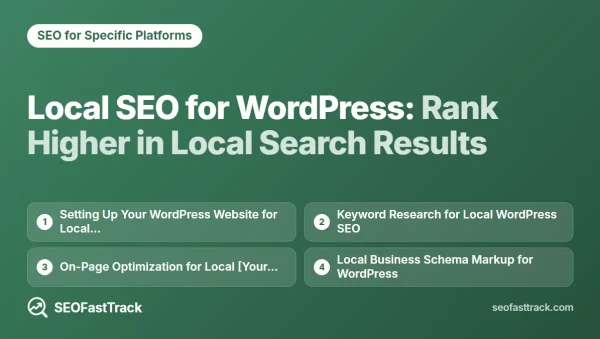
Local SEO for WordPress: Rank Higher in Local Search Results
Schema Markup for WordPress: Stand Out in Search Results
Mastering SEO for WordPress: Your Complete Guide to Higher Rankings
Welcome to the SEO for WordPress subcategory, part of SEOFastTrack’s “SEO for Specific Platforms” hub. Here, you’ll discover how to transform your WordPress site from a digital brochure into a traffic magnet. WordPress powers over 43% of all websites, yet many site owners miss the built-in SEO potential. This guide covers plugins, speed, schema, content structure, and technical fixes—all tailored for WordPress. Whether you run a blog, an e-commerce store, or a corporate site, you’ll find actionable tactics to outrank competitors, boost organic clicks, and convert visitors into customers. Let’s unlock WordPress’s full ranking power together.
🚀 Essential WordPress SEO Plugins and Configuration
The right plugins are your first step to a faster, more search-friendly site. In this section, we’ll compare Yoast SEO, Rank Math, and All in One SEO, showing you how to set up meta titles, descriptions, XML sitemaps, and social sharing. A misconfigured plugin can hurt rankings, so we’ll also cover common pitfalls like duplicate content and incorrect canonical URLs. Expect step-by-step walkthroughs for schema markup, breadcrumbs, and redirect management. By the end, you’ll know exactly which plugin suits your niche, and how to configure it for maximum crawl efficiency and click-through rates from Google.
Beyond installation, you’ll learn advanced settings like bulk editing titles, controlling indexability for categories and tags, and integrating with Google Search Console. We’ll emphasize speed optimization because plugins often add render-blocking code. You’ll discover how to use caching plugins (like WP Rocket or LiteSpeed) alongside your SEO plugin to maintain Core Web Vitals. With the right configuration, your WordPress dashboard becomes a command center for organic growth—no coding required. This is the foundation for every other SEO task on your site.
🔍 On-Page SEO for WordPress: Content, Headings, and Internal Links
WordPress’s block editor and classic editor both support rich on-page SEO, but you need a consistent strategy. We’ll teach you how to write SEO-friendly blog posts using keyword-rich H1, H2, and H3 headings, strategic placement of primary keywords in the first 100 words, and descriptive alt text for images. You’ll also master internal linking with smart anchor text that passes link equity and guides users through your sales funnel. Expect templates for pillar posts, cluster content, and FAQ sections that satisfy search intent and earn featured snippets.
Beyond basics, we’ll explore content freshness—how to update old posts without losing rankings, using WordPress’s revision history. You’ll also learn to leverage categories and tags wisely to avoid thin content penalties. We’ll show you how to use rank-tracking within WordPress to identify underperforming pages and improve them. With these techniques, every piece of content you publish from WordPress will be fully optimized, increasing your chances of ranking for long-tail keywords and driving qualified traffic.
⚡ Technical SEO: Speed, Mobile-Friendliness, and Core Web Vitals
Google’s algorithm rewards fast, responsive sites. This section focuses on WordPress-specific technical fixes: image compression (e.g., WebP), lazy loading, minifying CSS/JS, and enabling GZIP compression. We’ll guide you through using a CDN with WordPress, optimizing your hosting environment, and setting up proper caching rules. You’ll also learn to audit your theme for bloat—many popular themes slow down sites due to excessive scripts. Expect checklists for achieving a 90+ PageSpeed score on both mobile and desktop.
We’ll also cover schema markup at the technical level—adding JSON-LD for articles, products, reviews, and FAQs without breaking your site. WordPress’s REST API allows easy integration of structured data, and we’ll show you how to test it with Google’s Rich Results tool. Additionally, you’ll learn to set up 301 redirects for permalink changes, fix crawl errors via Search Console, and create a clean XML sitemap. These technical optimizations ensure search engines can efficiently crawl and index every valuable page, giving you a competitive edge.
🧭 WordPress Permalinks, Categories, and URL Structure
Your website’s URL structure directly impacts click-through rates and keyword relevance. We’ll explore the ideal permalink settings—from plain to post name—and why you should avoid dates in URLs for evergreen content. Learn to optimize category and tag bases (e.g., /blog/ instead of /category/) and use hierarchical taxonomies to create logical site architecture. This section also covers removing stop words, using hyphens instead of underscores, and maintaining short, descriptive slugs that match user intent.
Moreover, you’ll master breadcrumb navigation for better internal linking and user experience. We’ll show how to customize your archive pages for categories and tags so they don’t compete with your main landing pages for the same keywords. You’ll also learn to handle duplicate content from similar URLs (e.g., pagination, filter options) using canonical tags and robots meta. With a clean URL structure, Google can better understand your site hierarchy, leading to higher rankings for targeted keywords and a more polished brand image.
📈 Measuring and Scaling WordPress SEO Success
Finally, we’ll show you how to track your progress using Google Analytics 4 and Search Console, integrated seamlessly with WordPress via plugins. You’ll learn to set up conversion tracking for form fills, purchases, and newsletter sign-ups. This section explains how to interpret organic traffic trends, keyword positions, and click-through rates to identify what works. We’ll also cover advanced analytics like event tracking for internal searches and video engagement, helping you refine your content strategy over time.
Scaling involves automating routine SEO tasks. We’ll introduce you to scheduled reports within WordPress, alert systems for keyword drops, and tools like Ahrefs or SEMrush that connect directly to your WP Admin. You’ll learn how to create a content calendar based on data-driven insights, repurpose high-performing posts, and build a strong internal linking framework as your site grows. By implementing these measurement and scaling tactics, you’ll turn SEO from a one-time setup into a continuous growth engine for your online presence.
Frequently Asked Questions
What is the best SEO plugin for WordPress?
The best plugin depends on your needs. For beginners, Yoast SEO offers easy setup and clear guidance. Rank Math is excellent for advanced users with its built-in schema and module system. All in One SEO is also robust. Try free versions to see which feels intuitive—all three handle sitemaps, meta tags, and redirects effectively.
How can I speed up my WordPress site for better SEO?
Start with a reliable host that uses SSD and PHP 8+. Then, use a caching plugin like WP Rocket or LiteSpeed Cache. Compress images with Smush or ShortPixel, enable lazy loading, and minify CSS/JS. Consider a CDN like Cloudflare. Finally, audit your theme—lightweight themes like Astra or GeneratePress perform best.
What are Core Web Vitals and why do they matter for WordPress?
Core Web Vitals are Google’s speed metrics: Largest Contentful Paint (LCP), First Input Delay (FID), and Cumulative Layout Shift (CLS). They affect rankings. For WordPress, optimize by improving server response, resizing images, and removing render-blocking scripts. Tools like PageSpeed Insights show exactly what to fix.
How do I set up schema markup in WordPress without coding?
Use a plugin like Rank Math or Schema Pro. They allow you to select post types and assign schema types (e.g., Article, Recipe, FAQ) via dropdowns. Alternatively, install a dedicated schema plugin that adds JSON-LD automatically. Then validate using Google’s Rich Results Test to ensure no errors.
Should I use categories or tags for better SEO on WordPress?
Use categories for broad topics (5-10 maximum) and tags for specific details. Ensure categories are hierarchical and have descriptive names. Avoid overusing tags—too many dilute your site’s structure. Add a noindex meta to tag archives if they’re thin. This keeps your WordPress SEO clean and focused.
Related topics