Advanced SEO Training for Technical SEO Mastery
Read more about this topic
Master the intricate mechanics of search engines with our Advanced SEO Training, designed for those ready to move beyond the basics. This specialized curriculum focuses on Technical SEO Mastery, equipping you with the skills to audit, diagnose, and resolve complex site architecture, crawlability, and indexing challenges. Learn to leverage structured data, optimize Core Web Vitals, and implement advanced canonicalization strategies that boost rankings. Through hands-on exercises and real-world case studies, you’ll gain the confidence to handle JavaScript rendering, log file analysis, and international SEO—skills that separate generalists from true experts. Whether you’re a digital marketer aiming to future-proof your campaigns or a developer seeking a competitive edge, this training transforms technical complexity into a strategic advantage. Unlock the insights that drive organic growth and stay ahead of algorithm updates with actionable, data-driven techniques.
2 articles
Articles in Advanced SEO Training for Technical SEO Mastery
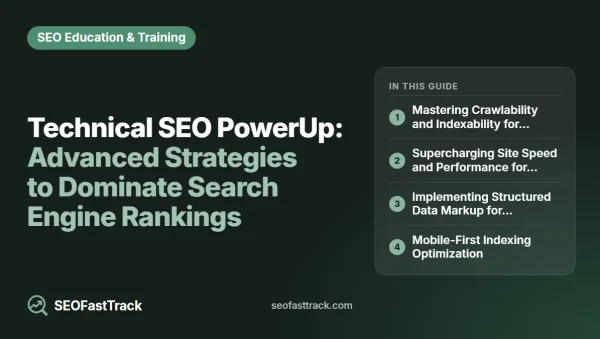
Technical SEO PowerUp: Advanced Strategies to Dominate Search Engine Rankings
Advanced SEO Training for Technical SEO Mastery: Unlock the Full Potential of Your Website
Welcome to SEOFastTrack’s Advanced SEO Training for Technical SEO Mastery. This subcategory is designed for digital marketers, bloggers, and small business owners who already understand the basics of SEO and are ready to dive deep into the technical infrastructure that powers search rankings. Here, you’ll move beyond keywords and content to master crawlability, indexation, site speed, structured data, and core web vitals—the hidden levers that separate top-ranking pages from the rest. With actionable checklists, real-world case studies, and tool walkthroughs, this training turns complex concepts into step-by-step wins.
🔧 Mastering Crawlability and Indexation for Search Engines
Technical SEO begins with ensuring search engines can effectively discover and read your website. In this section, you’ll learn how to audit and optimize your robots.txt file, XML sitemaps, and internal linking structure to create a smooth crawl path. We break down common pitfalls like orphan pages, duplicate content, and crawl budget waste, providing clear fixes that boost indexation rates.
You’ll also explore advanced techniques like log file analysis to see exactly how Googlebot interacts with your site. By understanding crawl frequency and server responses, you can prioritize high-value pages and eliminate technical barriers. Expect hands-on exercises that show you how to use tools like Screaming Frog and Google Search Console to diagnose indexing issues before they hurt your rankings.
⚡ Core Web Vitals and Page Speed Optimization Strategies
Page speed is no longer just a user experience factor—it’s a direct ranking signal. This segment dives into the three Core Web Vitals: Largest Contentful Paint (LCP), First Input Delay (FID), and Cumulative Layout Shift (CLS). You’ll learn how to measure these metrics accurately, set performance budgets, and use tools like PageSpeed Insights and Lighthouse to identify bottlenecks.
Beyond the basics, we cover advanced optimization tactics such as lazy loading, image compression with modern formats (WebP/AVIF), code splitting, and server-side rendering. You’ll also master caching strategies and CDN integration to deliver content globally with minimal latency. Each strategy is paired with real-world examples showing how small tweaks can shave seconds off load times, improving both user retention and search visibility.
🔍 Structured Data and Schema Markup for Rich Results
Structured data is your secret weapon for standing out in search results with rich snippets, FAQ boxes, and product stars. This training explains how to implement JSON-LD schema markup for articles, reviews, events, breadcrumbs, and more—even if you’re not a developer. You’ll learn to validate your markup with Google’s Rich Results Test and monitor enhancements via Search Console.
We also cover advanced schema types like FAQPage and HowTo, showing how they can increase click-through rates by 10–30%. You’ll get copy-paste templates and clear guidance on when to use each schema type based on your content goals. By the end, you’ll be able to build a structured data strategy that future-proofs your site for voice search and AI-driven answers.
🧩 Handling JavaScript, Dynamic Content, and SPA SEO
Modern websites built on frameworks like React, Angular, or Vue often struggle with search engines that can’t render JavaScript effectively. This section demystifies JavaScript SEO, teaching you how to use pre-rendering, dynamic rendering, or hydration to ensure your content appears in SERPs. You’ll learn how to test renderability with Google’s Mobile-Friendly Test and analyze coverage reports.
We also tackle common issues like infinite scroll, client-side routing, and delayed content injection. You’ll discover best practices for using Next.js or similar frameworks to balance user experience with crawler accessibility. Real audit examples highlight mistakes that cause entire sections of a site to vanish from Google, along with practical fixes that restore visibility and traffic.
📊 Technical SEO Audits: From Diagnosis to Actionable Roadmap
A technical SEO audit is only valuable if it leads to prioritized fixes. Here, you’ll learn our proven audit framework that assesses site health across 30+ checkpoints, from HTTPS status to canonical tags and hreflang implementation. We provide a scoring system to rank issues by impact on rankings and user experience, so you never waste time on low-value problems.
You’ll also get sample audit reports and templates to create your own executive summaries. We break down how to present findings to non-technical stakeholders, turning jargon into clear business outcomes. Plus, we share a 90-day action plan to tackle critical issues first, measure improvements, and avoid regression—ensuring your technical foundation remains solid as your site grows.
Frequently Asked Questions
What is the difference between basic and technical SEO training?
Basic SEO focuses on keyword research, content creation, and link building—the visible elements. Technical SEO training goes deeper into how search engines crawl, render, index, and rank pages. You’ll learn about server configurations, site architecture, page speed, structured data, and JavaScript handling. This advanced skillset is essential for fixing underlying issues that prevent even great content from ranking.
Do I need coding knowledge to master technical SEO?
No, but basic understanding of HTML, CSS, and server responses helps. At SEOFastTrack, we provide non-technical explanations and copy-paste code snippets. You’ll learn to use visual tools like Screaming Frog and Search Console to identify issues without touching code. However, learning to read simple JavaScript and recognize crawler errors will accelerate your mastery.
How often should I perform a technical SEO audit?
We recommend a full audit quarterly, plus monthly checks on Core Web Vitals and indexation status. Major site updates (redesigns, new CMS, or migrations) should trigger immediate audits. Regular monitoring catches issues like broken redirects, crawling errors, or schema failure before they impact rankings. Use Search Console alerts and uptime monitors for real-time warnings.
Can technical SEO improvements help my local business rankings?
Absolutely. Local SEO relies on fast, mobile-friendly pages, accurate structured data for local businesses, and proper indexation of location-specific pages. Technical fixes like eliminating duplicate addresses, optimizing for local schema, and ensuring consistent NAP citations can boost Google Maps pack rankings. A slow, bloated site will lose local customers even if you have perfect reviews.
What is the fastest way to improve Core Web Vitals?
Start by compressing images and enabling browser caching—these have the highest impact with minimal effort. Next, remove render-blocking scripts and use lazy loading for below-fold content. For LCP, consider upgrading your hosting or using a CDN. For CLS, set explicit dimensions on all media. Always test changes in a staging environment before deploying to production.
Related topics